How to Make Test Cases in Software Testing: A Practical Guide
Learn how to make test cases in software testing with practical guidance on designing, writing, and automating tests.
A practical guide to automated testing for web applications. Learn proven strategies, tool selection, CI/CD integration, and how to write maintainable tests.
Automate and scale manual testing with AI ->
Automated testing for web applications simply means using software tools to check if your application works correctly, all without a human clicking through every screen. In modern software development, this isn’t just a nice-to-have; it’s essential for shipping faster, boosting software quality, and preventing nasty bugs from reaching your users.
It’s tempting to jump right in and start writing test scripts. I’ve seen teams do it time and time again. They try to “automate everything” and end up with a fragile, high-maintenance test suite that’s more trouble than it’s worth.
A truly successful test automation strategy doesn’t start with code. It starts with a clear plan focused on what actually matters to the business.
The first move is to set concrete, measurable goals. Are you trying to slash the manual regression testing cycle from three days to three hours? Or maybe you want developers to get feedback within ten minutes of a code commit. Knowing what success looks like from the beginning helps you decide which tests are actually worth your time.
With your goals in hand, it’s time to figure out what to automate first. Not all tests are created equal, and a smart strategy puts your effort where you’ll see the biggest return.
I always recommend starting with the critical user journeys—the core workflows that make or break your business. For an e-commerce site, that list would look something like this:
These high-traffic, high-impact paths are prime candidates for automation. A bug in the payment flow, for example, directly kills revenue. Automating these tests means they get checked constantly. While you’re at it, your test plan must also include checks for essential website security measures to keep your application and user data safe.
On the other hand, some things are just better left to manual testing. Think about exploratory UI testing, where you’re just trying to get a feel for the user experience. A human eye and intuition often catch things a rigid script never will.
Once you know your goals and have a list of high-value tests, the final step is to build a solid business case to get everyone on board. This is where you shift the conversation from a technical task to a smart business investment.
This infographic lays out the core steps for creating a focused and effective test automation strategy.
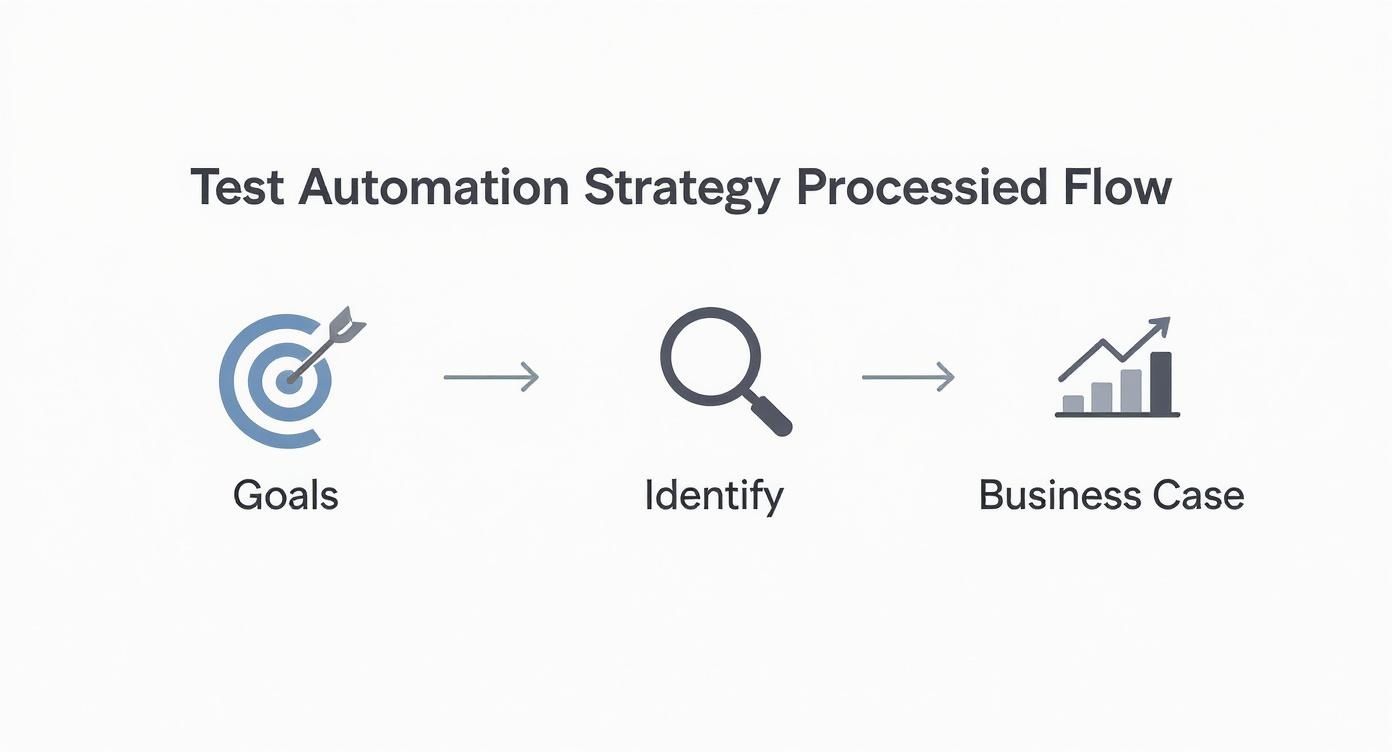
Following this flow—from goals to business case—ensures your automation work is always tied to real business results.
Your business case should scream return on investment (ROI). Talk about reducing manual testing hours, getting new features to market faster, and cutting the cost of fixing bugs late in the game. When you present clear numbers, the value of automation becomes impossible to ignore.

Picking the right tool for automated testing for web applications can feel overwhelming. There are dozens of options, and the “best” one is rarely a one-size-fits-all solution. Your choice really comes down to your team’s skillset, your app’s architecture, and what you’re trying to achieve in the long run. Get this wrong, and you could end up with a high-maintenance test suite that just slows everyone down.
The first step is a gut check on your team’s capabilities. Are your QA engineers comfortable slinging JavaScript or Python? If so, you’ve got a world of powerful open-source frameworks at your fingertips.
For teams with solid coding chops, the big three open-source frameworks each offer a different flavor of automation. It’s all about matching the tool to the job.
As you can see on the Playwright homepage, its whole pitch is about enabling reliable, modern end-to-end testing. It’s built for speed and capability right out of the box.
When you’re comparing frameworks, it’s easy to get lost in feature lists. I’ve found it’s more helpful to create a simple table that cuts right to the chase.
| Framework | Primary Language(s) | Execution Architecture | Best For | Key Limitation |
|---|---|---|---|---|
| Selenium | Java, Python, C#, JS | WebDriver Protocol (client-server) | Large, diverse enterprise environments with multiple programming languages | Can be slower and more complex to set up |
| Cypress | JavaScript/TypeScript | In-browser execution (same run loop) | Front-end developers and modern JavaScript-based applications | Limited multi-tab/multi-window support; single origin |
| Playwright | JS, Python, Java, .NET | WebSocket Protocol (out-of-process) | Modern web apps needing fast, reliable cross-browser testing | Newer community, so fewer legacy resources |
This kind of side-by-side view makes it much clearer where each tool shines and where it might fall short for your specific needs.
When evaluating open-source tools, think beyond the feature list. Consider the community support, the quality of documentation, and how easily the tool integrates with your existing CI/CD pipeline. A tool with a thriving ecosystem will be much easier to troubleshoot and extend over time.
Let’s be real—not every team has a squad of dedicated automation engineers. If you’re working with a mix of technical skills or just need to build test coverage fast, code-heavy frameworks can be a dead end. This is where codeless and AI-assisted platforms really come into their own.
These tools often use a “record-and-playback” or a visual, drag-and-drop interface, opening the door for product managers, manual testers, and even business analysts to build tests. They can map out critical user journeys and create solid automation without writing a single line of code.
AI-driven tools are the next evolution. Platforms like TestDriver can take plain English descriptions and generate entire end-to-end test scripts. This slashes the time it takes to write new tests and makes maintenance way less painful. If a button’s ID changes in a new release, an AI tool can often “self-heal” the test by finding the updated element, saving you hours of digging through broken scripts.
This approach is a game-changer for teams that need to scale up their testing without scaling their headcount. To see what’s out there, it’s worth exploring the top web and mobile automation tools to consider in 2025 to see how they align with different team structures.
Ultimately, the goal is to empower your team, not burden them. Choose a tool that fits your workflow and skills, and you’ll build a testing practice that actually helps you ship better software, faster.
There’s a painful truth every seasoned QA professional knows: a brittle, unreliable test suite is often worse than having no automation at all. When tests constantly cry wolf over minor UI tweaks, teams start ignoring them. The goal isn’t just to automate; it’s to build a trusted safety net that catches real bugs, not a source of constant noise.
This all boils down to writing tests that are both maintainable and resilient. A maintainable test is easy for anyone on the team to read, update, and debug. A resilient test doesn’t shatter the moment a developer changes a CSS class name—it’s built to withstand the natural evolution of your app.
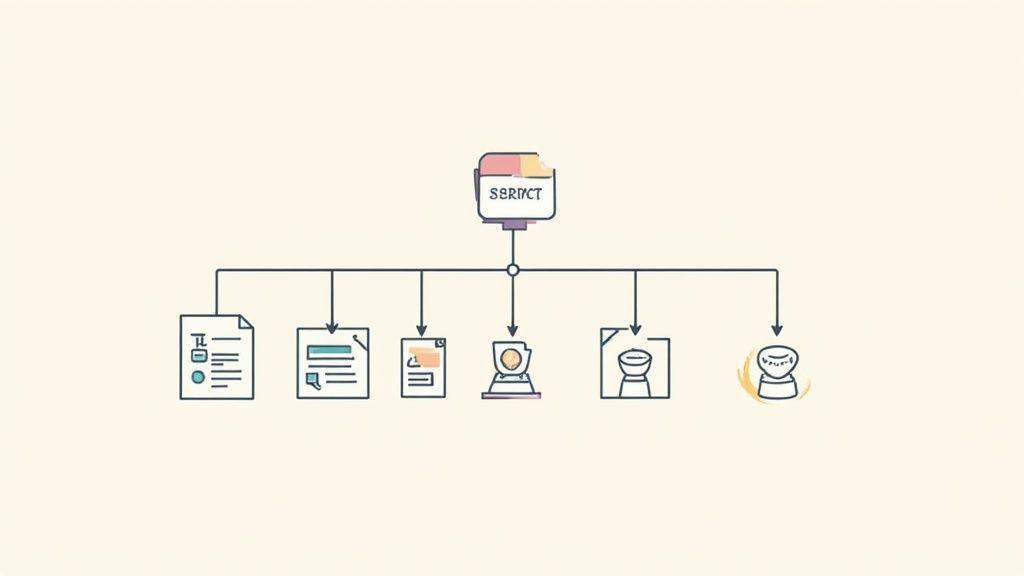
One of the most powerful strategies in any test automator’s toolkit is the Page Object Model (POM). This isn’t a fancy framework you install; it’s a design pattern that smartly separates your test logic (the “what”) from your UI interaction code (the “how”).
Imagine you have dozens of tests that need to log into your application. Instead of writing the steps to find the username field, type in it, find the password field, etc., in every single test, you abstract that away. You create a single LoginPage “object” or class.
This LoginPage object would contain all the selectors and methods for that page, like:
enterUsername(username)enterPassword(password)clickLoginButton()getErrorMessage()Your actual test script becomes incredibly clean and readable, simply calling these methods. Now, if a developer changes the login button’s ID from #login-btn to #submit-login, you don’t panic. You make a single, one-line change in your LoginPage object, and all hundreds of tests that use it are instantly fixed. That’s the magic of POM—it drastically cuts down your maintenance workload.
The core idea behind the Page Object Model is to hide the messy implementation details of the UI. Your tests should read like a user story—“Given I am on the login page, when I enter my credentials and click submit, then I should be on the dashboard”—not like a tangled mess of selector queries.
A test is only as stable as the selectors it uses to find elements. This is where so many automation efforts go wrong. Choosing a flimsy selector is a guaranteed recipe for flaky tests that fail for no good reason.
Think of selectors in a hierarchy, from the most robust to the most fragile:
data-testid="login-button" to key elements. They exist only for testing, so they’re completely decoupled from styling or structure and almost never change.<input name="username">). It’s a solid fallback when you can’t get a data-testid or ID..btn-primary is risky business. They’re tied to styling, and a designer might change them on a whim, completely oblivious to the fact they just broke 15 of your tests./html/body/div[1]/div/div[2]/form/button is a ticking time bomb; even adding a simple <div> to the page can make it fail.Always aim for the most stable and descriptive selector you can get. That conversation with your developers about adding data-testid attributes? Have it. It’s a small bit of upfront effort that pays for itself ten times over in test stability.
A test without a good assertion is just a script that clicks around your site. The assertion is the moment of truth—it’s where you actually verify that the application did what you expected.
Great assertions are atomic and descriptive. Resist the temptation to write one monster test that verifies ten different things. Instead, break it into smaller tests, each with a single, clear purpose and assertion.
Let’s look at a shopping cart scenario:
assert(pageContains("Success")). This is lazy and vague. What was successful? Adding the item? The checkout? Who knows.expect(shoppingCart.getItemCount()).toBe(1) and expect(shoppingCart.getTotalPrice()).toEqual('$19.99'). These are specific and unambiguous. If one fails, you know exactly what’s wrong.By focusing on sharp, single-purpose assertions, you make debugging a breeze. When a test fails, you shouldn’t have to guess what’s broken. This clarity is a cornerstone of any effective strategy for automated testing for web applications.
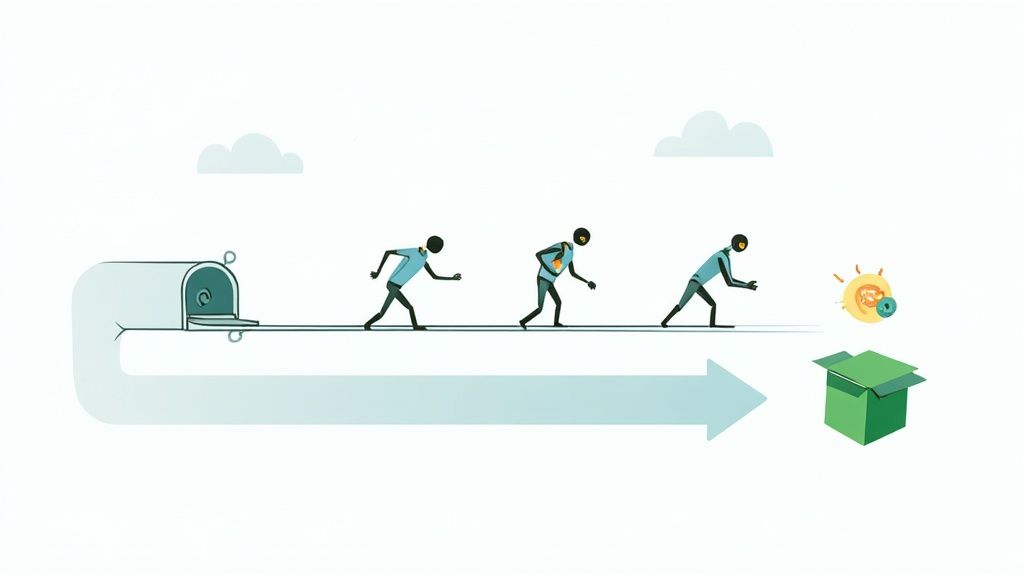
Writing a solid suite of automated tests is a huge step, but the real magic happens when they run on their own, every single time a developer pushes new code. This is the whole point of Continuous Integration and Continuous Deployment (CI/CD). When you wire up your automated testing for web applications to a CI/CD pipeline, your tests transform from a periodic spot-check into a constant guardian of your app’s quality.
The objective is to create a “fail fast” environment. You want to find that critical bug minutes after the code is committed, not days before a release. This tight feedback loop makes quality a shared responsibility for the entire team, rather than a final hurdle managed by a separate QA department.
Most development teams today are using platforms like GitHub Actions, GitLab CI, or Jenkins to orchestrate their CI/CD workflows. The process usually starts with a configuration file (often written in YAML) that tells the build server exactly what to do when new code arrives.
A typical workflow for running your tests looks something like this:
main or develop).This hands-off process ensures that every single change is validated against your full regression suite. It’s your best defense against broken code ever slipping into the main branch.
The core idea behind CI/CD is to make integration a non-event. By running tests on every small change, you catch issues when they are small, cheap, and easy to fix, instead of letting them snowball into complex, release-blocking nightmares.
One of the most common ways CI/CD pipelines fail is by being too slow. If developers have to wait 45 minutes for feedback, they’ll eventually start looking for ways around the process. Speed is absolutely critical, and two techniques are your best friends here: headless execution and parallelization.
Headless execution simply means running your browser tests on a server without a visible user interface. Modern browsers like Chrome and Firefox have built-in headless modes that are perfect for CI environments. They are much faster and use fewer resources than firing up a full graphical browser, which makes your tests run more efficiently and reliably.
Parallelization is the other side of the speed coin. Instead of running 500 tests one by one, you can split them up and run them at the same time across multiple virtual machines or containers. Most modern test runners and CI platforms support this right out of the box. Running tests in parallel can cut your execution time from an hour down to just 10-15 minutes, providing the rapid feedback developers need to stay in the zone.
For a deeper dive, explore these best practices for integrating testing into your CI/CD pipeline. Additionally, this guide offers a comprehensive look at integrating automated testing into CI/CD pipelines for those wanting to master the process. By combining these strategies, you’ll build a powerful, automated feedback loop that not only stops bugs in their tracks but also builds a culture of confidence around every release.
There are few things more soul-crushing for a developer than a test suite bleeding red, only to find out none of the failures are actual bugs. After you’ve sunk hours into debugging, the trail almost always leads back to one of two usual suspects: flaky test data or a wonky test environment. If you want a reliable strategy for automated testing for web applications, you have to nail these two things first.
Think about it. When a test fails because user_test_123 already exists in the staging database from yesterday’s run, that’s not a product defect—it’s a process defect. This kind of noise slowly erodes the team’s trust in the test suite, training everyone to ignore red builds. The real goal is to build a testing ecosystem where every single run is clean, predictable, and totally isolated.
This push for reliability isn’t just a niche concern; it’s a massive industry trend. The global test automation market was valued at $15.87 billion in 2019 and is on track to hit nearly $49.9 billion by 2025. That’s a huge signal that businesses are finally getting serious about quality. You can dig deeper into these test automation statistics to see just how fast things are moving.
Using static, hardcoded test data is like building a house of cards. The second one test modifies or deletes a user, it can trigger a domino effect of failures across dozens of other tests that were depending on that same piece of data. A much better approach is to treat test data as completely disposable—create what you need, right when you need it, and then toss it.
This “on-the-fly” data generation gives every test a fresh start. Here are a couple of practical ways to pull this off:
When you generate fresh data for every run, you kill off those hidden dependencies between tests. A failure then points to a real problem, not just stale data.
The golden rule of test data is simple: A test should never, ever rely on the state left behind by another test. Each one needs to be its own self-contained universe, responsible for creating its own data and cleaning up after itself.
Ah, the classic “it works on my machine” excuse. This is almost always an environment problem. A developer’s local setup can easily drift from the CI server or the shared staging environment, which is why tests magically pass in one place and fail in another. This is exactly where containerization tools like Docker come in and save the day.
With Docker, you can define your entire application stack—the database, backend services, web server, everything—as code in a simple docker-compose.yml file. This lets you spin up a perfect, identical, and pristine environment for every single test run.
This approach gives you a few major wins:
Combine this on-demand data generation with ephemeral, containerized environments, and you’ve just eliminated the two biggest sources of test flakiness. You’re left with a rock-solid foundation for your entire automation suite.
Nothing kills a team’s trust in automation faster than a flaky test. You know the one—it passes, then fails, then passes again without a single line of code changing. These inconsistent results are pure poison for a CI/CD pipeline. They train developers to ignore red builds, completely defeating the purpose of your automated testing for web applications.
When a test fails, it needs to mean something. It has to signal a real problem, not just some random hiccup in the system. Flaky tests are insidious because they just create noise, turning your safety net into a source of constant frustration. Hunting them down isn’t just a chore; it’s essential for keeping your entire quality process credible.
Flakiness almost never comes from an obvious bug in the application itself. The real causes are usually much more subtle, hiding in the gaps between your test code, the application, and the environment it’s running in. To fix a flaky test, you have to know where to look first.
Most of the time, flakiness boils down to one of these usual suspects:
Spotting the pattern is the first real step toward finding a permanent fix. For a closer look at these challenges, our guide on how to overcome flaky tests and maintenance in functional test automation offers more in-depth strategies.
When a test gets flaky, the temptation is to just rerun it to get the pipeline green. That’s a short-term fix that creates long-term pain. Instead, it’s time to put on your detective hat and start gathering clues.
Look at the test reports from several runs. Are there any patterns? Does it always fail on the exact same step? Does it only seem to fail when a specific group of other tests runs alongside it?
Modern testing frameworks give you a ton of artifacts that are goldmines for debugging:
By digging into these artifacts, you can stop guessing and start making a data-driven diagnosis.
A flaky test is a bug in your test suite. Treat it like one. Create a ticket, assign an owner, and track it until it’s resolved. Don’t let flakiness become “business as usual.”
Getting rid of flakiness isn’t just about fixing broken tests one by one. It’s about building a system that prevents them from showing up in the first place. That means writing smarter tests from the get-go.
Stop using hardcoded waits like sleep(5). They are a primary source of both flaky tests and slow run times. Instead, use intelligent waits. Modern frameworks like Playwright and Cypress have these built-in, automatically waiting for elements to be visible, enabled, and ready for interaction.
Another solid strategy is to implement a smart retry mechanism. If a test fails because of a momentary network blip, retrying it just once can confirm it was a transient issue and move on. But be careful here—retrying more than once or twice can start to hide real, recurring problems. The goal is to tolerate a blip, not to ignore a test that’s fundamentally unreliable.
By combining sharp debugging with these resilient coding habits, you can hunt down and systematically eliminate flakiness, rebuilding your team’s confidence in your automation suite.
When you’re diving into automated testing for web applications, a lot of practical questions pop up. Let’s tackle some of the most common hurdles that developers and QA engineers face, whether they’re just starting out or trying to level up their existing strategy.
You’ll hear these terms thrown around all the time, and it’s essential to understand what each one brings to the table. They aren’t interchangeable; they each play a distinct role.
In a word: no. Chasing 100% automation is a classic mistake. It sounds like a great goal, but the effort it takes to automate every single edge case delivers diminishing returns. You end up spending more time writing and maintaining fragile tests than you save.
The smart move is to automate the high-impact, repetitive scenarios. Focus your energy on critical user flows, like the checkout process or user registration, and core features that absolutely must work. These are the tests you’ll run again and again, making automation a clear win.
Don’t forget, manual testing still has a crucial role. It’s unbeatable for exploratory testing where you’re just trying to break things, usability checks that require a human eye for good design, and complex, one-off scenarios where building a script would simply take too long.
Whatever you do, don’t log in through the UI for every single test. It’s a huge anti-pattern that will come back to bite you. It’s slow, adds flaky steps to every test, and means a tiny change to the login page can break your entire test suite.
The much cleaner, more robust approach is to sidestep the UI altogether. Before your test even starts, make a direct API call to your backend to authenticate. That call will give you back a session cookie or auth token, which you can then programmatically inject into the browser. Your tests will be dramatically faster, way more reliable, and completely insulated from login screen redesigns.
Ready to accelerate your testing? TestDriver helps you generate end-to-end tests from simple prompts, turning intent into executable code in minutes. Build more reliable test suites faster with TestDriver.
Learn how to make test cases in software testing with practical guidance on designing, writing, and automating tests.
Master automate web application testing with practical tips, tools, and proven strategies to ship reliable software faster.
Discover practical strategies for automating ui testing, from building and maintaining robust automation to scaling tests that deliver value.
Discover how to create test case strategies that catch bugs early. This guide covers templates, real-world examples, and AI-powered QA.
TestDriver runs every pull request in a real desktop sandbox, finds bugs, and builds regression tests - right from your repo.