A Practical Guide to Automated Testing DevOps
Discover how automated testing DevOps transforms your CI/CD pipeline. This guide covers practical strategies, tools, and AI's role in accelerating releases.
A practical guide to automated web application testing. Learn proven strategies, tools, and best practices to accelerate development and boost software quality.
Automate and scale manual testing with AI ->
In today’s breakneck speed of web development, relying on manual testing is like trying to keep up with a race car on a bicycle. It’s just not sustainable. This is where automated web application testing comes in—it’s the practice of using software tools to automatically run tests and check if your application works as intended, all without a human clicking a single button. Think of it as a tireless robotic quality control team, checking your work 24/7.

Imagine you’re building a massive skyscraper. Would you inspect every single window, rivet, and wire by hand before opening day? It would be agonizingly slow, incredibly prone to error, and almost impossible to repeat consistently. That’s the exact problem development teams run into when they stick to purely manual testing for modern, complex web apps.
Automated web testing completely flips the script. Instead of people manually performing checks, teams write scripts that act like a user—clicking buttons, filling out forms, and moving through the application. These scripts then confirm that everything behaves exactly as it should. The best part? They can run around the clock, giving you constant feedback on your application’s health.
For a long time, the quality assurance (QA) phase was seen as a major bottleneck. Testers would have to go through massive checklists by hand, which inevitably slowed down the entire release process. Automation changes QA from a gatekeeper into a powerful enabler of both speed and quality. This isn’t just a small trend; it’s a massive market shift.
The global automation testing market is expected to balloon from $20.60 billion in 2025 to a staggering $63.05 billion by 2032. This incredible growth, detailed in reports from Fortune Business Insights, shows just how central these practices have become to the software industry.
This move toward automation gives development teams the confidence to build and ship faster. Some of the most immediate benefits include:
Let’s break down the core differences in a quick comparison.
This table offers a high-level look at how the two approaches stack up against each other.
| Aspect | Manual Testing | Automated Testing |
|---|---|---|
| Speed | Slow and time-consuming; dependent on human pace. | Extremely fast; can run thousands of tests in minutes. |
| Scope | Limited by available time and resources. | Can cover a vast range of scenarios and user paths. |
| Consistency | Prone to human error, fatigue, and inconsistency. | 100% consistent and repeatable; executes scripts perfectly every time. |
| Long-Term Cost | High ongoing cost due to continuous manual effort. | Higher initial setup cost but much lower long-term cost. |
While there’s an upfront investment in setting up automation, the long-term payoff in speed, reliability, and efficiency is undeniable.
Ultimately, automated testing builds a crucial safety net. It catches bugs and regressions early, lets developers innovate without fear of breaking things, and ensures a consistently smooth and reliable experience for your users. It’s the foundation of modern, agile software development.
Automated web testing is about so much more than just speed. It completely reshapes the development process by creating a tight, rapid feedback loop that manual testing simply can’t match. Think about it: instead of waiting days or weeks for a QA cycle to complete, your developers can find out if their latest commit broke something within minutes.
That immediate feedback is everything. It means developers can fix bugs while the code is still fresh in their minds, which drastically cuts down the time and cost of resolving issues. Ultimately, this lets your team ship new features faster and with a whole lot more confidence.
One of the biggest wins with automation is the sheer breadth of test coverage you can achieve. Manual testers, under pressure, often stick to the “happy path”—the main way a user is expected to interact with the app. Automation, on the other hand, can relentlessly check countless edge cases, weird user inputs, and obscure scenarios with every single build.
This creates a powerful safety net. It ensures that a small change in one part of the codebase doesn’t accidentally cause a ripple effect of failures somewhere else. Your team can refactor and build new things without constantly looking over their shoulder, worried about introducing silent regressions.
Automation ensures that every critical user path is verified with robotic precision, every single time. This level of consistency is simply unattainable through manual effort, providing a reliable baseline for quality that underpins the entire development process.
You can really see the impact of this in larger companies. In fact, large enterprises made up 69% of the automation testing market revenue in 2025, and the web automation slice of that pie is expected to hit 46%. These numbers show just how vital automation is for managing complexity and keeping development moving quickly. For a deeper dive into these trends, check out the full Grand View Research analysis on automation testing.
There’s a common myth that automation is here to replace QA engineers. The reality is, it supercharges them. By handing off the repetitive, mind-numbing regression checks to a machine, you free up your talented QA pros to focus on work that truly requires a human touch.
This shift lets them dive into high-value activities that need creativity, intuition, and a deep understanding of the user.
When you reallocate your team’s brainpower like this, you don’t just get a better product—you get a happier, more engaged team. QA engineers transform from bug checkers into true quality advocates and strategic partners. This idea of elevating roles through automation isn’t unique to testing; you can see similar strategies for scaling operations through automation across different parts of a business. At the end of the day, bringing in automated testing helps build a more efficient, confident, and innovative engineering culture.
When you’re building out an automated testing strategy, it’s not about finding one “magic bullet” test. The real secret is layering different types of tests to create a solid safety net for your entire application. Each layer has a unique job, catching specific kinds of bugs at different points in the development cycle. The best way to think about this is with a classic model: the Testing Pyramid.
Picture a pyramid. The base is wide and solid, while the layers get progressively smaller as they build toward the peak. This shape is the perfect blueprint for a balanced testing portfolio. It tells you which tests you need the most of to get fast, reliable feedback without slowing everything down.
This layered approach is all about creating a positive feedback loop. Teams get information faster, feel more empowered to make changes, and ultimately build a much better product.
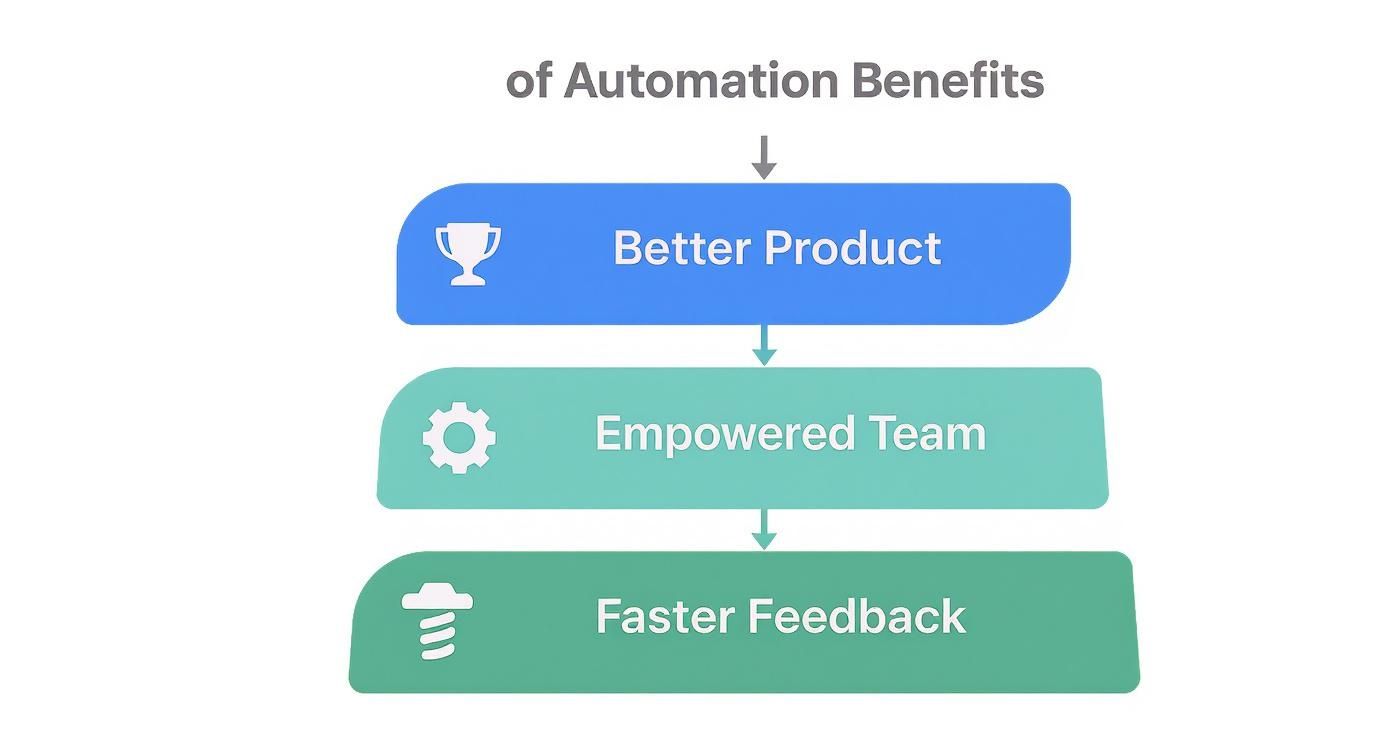
As you can see, it all connects. Fast feedback leads to an empowered team, which directly results in a higher-quality experience for your users.
At the very bottom of the pyramid—the biggest and most important layer—you have unit tests. Think of these as a microscopic look at your code. A unit test checks one tiny, isolated piece of your application, like a single function or method, to make sure it does exactly what you expect. It runs in complete isolation from everything else.
Because they’re so small and have no external baggage, unit tests are lightning-fast. You can run thousands of them in just a few minutes. This gives developers immediate, pinpoint feedback, telling them exactly which function broke the moment they make a change.
Moving up a level, we get to integration tests. While unit tests look at things in a vacuum, integration tests are all about making sure different pieces of your app play nicely together. This is where you’d test if your API can actually talk to your database or if two microservices can communicate without a hitch.
These tests are a bit slower and more involved than unit tests because they have more moving parts. But they’re absolutely essential for catching those tricky bugs that only show up when different services start interacting.
Right at the top of the pyramid are the end-to-end (E2E) tests. These are the big ones. An E2E test simulates a real user’s journey through your application from start to finish, validating that the entire system works as a whole—from the user interface all the way to the back-end servers and databases.
A classic example of an E2E test would be simulating a user who:
E2E tests give you the highest possible confidence that your application is delivering on its promise to users. But there’s a trade-off. They are by far the slowest, most complex, and most fragile tests in your arsenal. A tiny change to the UI can easily break them, which is why you should have far fewer of them than unit or integration tests.
If you really want to get into the weeds, our guide on integration testing vs. end-to-end testing gives a much deeper comparison of the two.
Following the pyramid structure—lots of fast unit tests, a smaller number of integration tests, and just a few critical E2E tests—is how you build a balanced and effective strategy. It gives you the best of both worlds: incredible speed and comprehensive coverage.
The pyramid covers the core functional tests, but a truly complete strategy needs to look beyond that. A couple of specialized tests are key to rounding things out.
Having the right tools is a great start, but it’s only half the battle. Real success with automated web application testing hinges on a well-thought-out strategy. Without one, even the most powerful automation frameworks can devolve into a messy, unmaintainable test suite that causes more headaches than it solves. A strong strategy is your blueprint for success.
This plan is what ensures every test you write is self-contained, reliable, and easy to fix when the application inevitably changes. It’s about being intentional. Think of it like building a house: you wouldn’t start laying bricks without an architectural plan. Your testing strategy is that plan, guiding your efforts toward long-term stability and value.
The real magic happens when your automated tests become a core part of your Continuous Integration/Continuous Deployment (CI/CD) pipeline. The whole point of automation is to ship code faster and with more confidence, and CI/CD integration is how you get there. This means your tests run automatically every single time a developer pushes a new piece of code.
When done right, your CI/CD pipeline acts as a vigilant quality gatekeeper. If a new change accidentally breaks an existing feature, the test suite fails immediately, the build is stopped, and the team gets an instant notification. This creates a tight feedback loop that catches bugs in minutes, not days or weeks later when a manual QA tester finally stumbles upon it.
The benefits here are huge:
Integrating automated web application testing into your CI/CD pipeline transforms quality assurance from a final, separate step into a continuous, automated process. It embeds quality directly into the fabric of your development workflow.
As your application grows, your test suite will grow right alongside it. Without a smart design pattern, maintenance can quickly turn into a nightmare. A tiny UI change—like renaming a button’s ID—could break dozens of tests, forcing an engineer to spend hours hunting down and fixing every single instance.
This is exactly the problem the Page Object Model (POM) was designed to solve.
POM is a popular design pattern that encourages a clean separation between your test logic (the “what”) and your UI interaction logic (the “how”). Instead of hardcoding UI selectors like #submit-button directly in your test scripts, you create a dedicated “page object” class for each page of your application. This class holds all the selectors and methods needed to interact with that specific page.
Now, if a UI element changes, you only have to update it in one place: its corresponding page object. Every test that uses that element is automatically fixed. This simple shift makes your test suite far more resilient to change and dramatically easier to maintain. For a deeper dive into sustainable frameworks, it helps to understand the key considerations for effective test automation that make these patterns work.
Two of the biggest culprits behind flaky tests—those frustrating tests that pass sometimes and fail others for no apparent reason—are inconsistent test data and unstable environments. A solid testing strategy must tackle both head-on.
Here’s how to think about it:
A comprehensive plan is the foundation of any successful quality initiative. For a detailed blueprint on structuring your quality efforts, check out this excellent guide on developing a robust testing strategy and test plan. By focusing on CI/CD integration, smart design patterns, and disciplined data management, you’ll build a foundation for an automated testing practice that truly speeds up development instead of slowing it down.
The next big leap in automated web testing isn’t some far-off concept; it’s happening right now. While traditional automation frameworks have been a game-changer, they still demand a lot of hands-on effort to write and, more importantly, maintain test scripts. This is where Artificial Intelligence comes in, fundamentally simplifying both of these hurdles and making high-quality testing accessible to everyone.
Think about it. What if you could just describe a critical user journey—say, the entire multi-step checkout process—in plain English? Instead of a developer spending hours translating that description into code, an AI agent can grasp your intent and generate a solid end-to-end test in moments. This isn’t just a cool idea; it’s a real, practical way to speed up test development.
This move from manual coding to AI-driven creation is completely reshaping the economics of quality assurance. The global software testing market is already massive and projected to hit $109.5 billion by 2027, with automation testing alone expected to be worth $68 billion by 2025. AI’s role in this growth is undeniable, fueling more efficient test creation and better performance monitoring. You can dig into more of these software testing market statistics to see the full picture.
AI-powered tools, like TestDriver, can take a simple text prompt and turn it into a fully functional test script. This dramatically lowers the technical barrier and cuts down the hours needed to build out a thorough test suite.
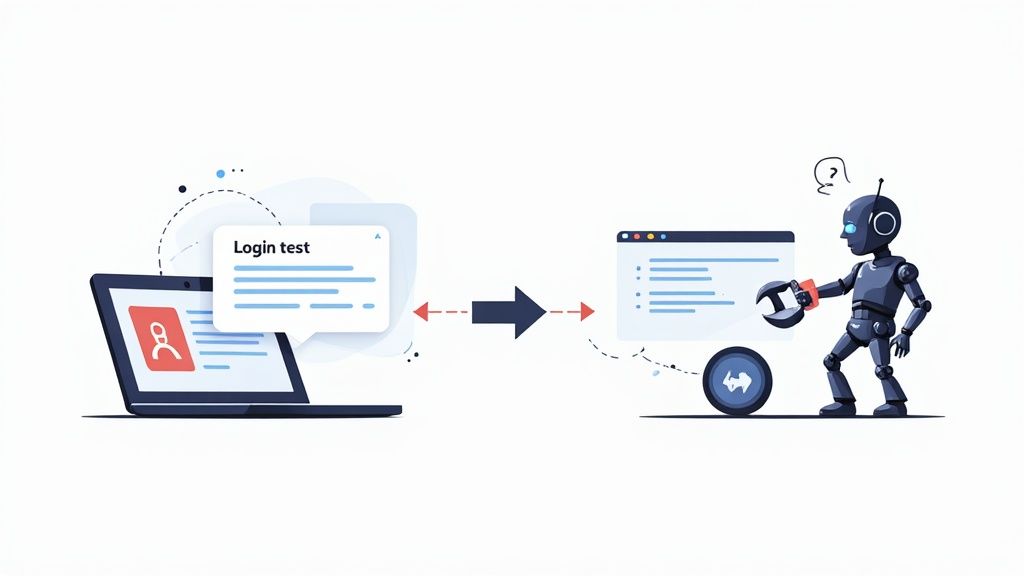
This process allows your team to stay focused on shipping new features instead of getting stuck in the weeds of writing repetitive scripts for things like login flows.
Anyone who’s worked with test automation knows the pain of “flaky” tests. These are the tests that fail not because of a real bug, but because of a minor UI tweak—a button’s ID gets renamed, or an element shifts a few pixels. This brittleness creates a constant maintenance headache and slowly erodes your team’s confidence in the test results.
AI brings a powerful solution to the table: self-healing tests. Instead of locking onto a single, rigid selector to find an element on the page, an AI-powered tool understands the element in its full context, using multiple attributes to identify it.
When a UI change breaks the primary selector, a self-healing test doesn’t just give up and fail. It intelligently looks for the element using other clues—like its text, its position relative to other elements, or its class—and automatically updates the script with the new, correct locator.
This one capability drastically cuts down on the time spent fixing broken tests. Instead of engineers manually patching up the test suite after every front-end update, the tests adapt and repair themselves. They remain a reliable safety net, not a source of frustration.
This intelligent adaptation brings a few huge wins:
By automating not just the running of tests but also their creation and maintenance, AI is making comprehensive automated testing a realistic goal for any team. To see just how deep this change goes, check out our guide on how artificial intelligence is transforming testing practices. It’s an evolution that’s helping teams build better software, faster than ever before.
Jumping into automated web testing can feel like a massive leap forward for your development process, but it’s a path full of common traps. Honestly, knowing what not to do is just as critical as knowing what to do. Getting this right is the difference between a test suite that’s a reliable safety net and one that just adds to the noise.
One of the first temptations is to automate everything. It’s an easy trap to fall into, but it’s a classic mistake. Some things, like exploratory testing or getting a gut check on usability, are just better left to humans. The real goal isn’t 100% automation; it’s smart automation. Focus your energy on the repetitive, high-risk parts of your app that are prone to breaking.
Another huge pitfall is writing brittle tests. You know the type—they shatter the moment a developer makes a tiny, unrelated UI change, like tweaking a CSS class name. This usually happens because the tests are clinging to fragile locators to find elements on the page.
When your test suite cries wolf every time there’s a minor front-end update, your team starts to lose faith. Pretty soon, those red builds get ignored, and your entire automation effort becomes a maintenance headache instead of a tool that builds confidence.
The trick is to build resilient tests from day one.
data-testid attributes. They’re put there just for testing and are way less likely to change on a whim.sleep(5). That’s a recipe for flaky tests. Instead, tell your tests to wait for a condition, like an element becoming visible or clickable. This makes them tough enough to handle real-world lags in network or server response times.The true measure of a good test is not just that it passes, but that it only fails for the right reasons. A brittle test suite is a maintenance nightmare that erodes trust and slows down development, defeating the very purpose of automation.
Finally, a surprisingly common mistake is treating test automation like a one-and-done project. Teams will pour energy into building a great suite of tests and then just… walk away, assuming it’ll work forever. That’s a critical error.
Think of your test suite as a living, breathing part of your codebase. It needs care and feeding. As your application grows and changes, your tests need to evolve with it. Some will need updating, others will need a complete refactor, and some might just need to be retired.
Without a real plan for maintenance, your tests will slowly bit-rot, becoming outdated and irrelevant. You have to bake this work into your regular development cycle. Carving out time for test maintenance is the only way to make sure your automation efforts keep paying off in the long run.
Diving into automated web testing can feel like a big step, and it’s natural to have questions. We’ve gathered some of the most common ones we hear from dev and QA teams to give you some straightforward, practical answers.
Think of this as a quick guide to help you get started on the right foot without getting bogged down in jargon.
The golden rule is: don’t try to boil the ocean. A common mistake is trying to automate everything all at once. Instead, start with your most critical and stable user journeys.
Pinpoint the core functions that your business absolutely depends on. A perfect example is the user login and registration flow—it’s used all the time and is fundamental to the entire user experience. Another great candidate is your main checkout process. Automating these high-value paths gives you the biggest bang for your buck by safeguarding your revenue-critical features.
Start small, show the value, and then build out from there.
The goal isn’t 100% automation coverage; it’s smart automation coverage. Focus on the repetitive, high-impact tests that would cause the biggest headaches for your users and your business if they broke.
Let’s use a car analogy to clear this up.
An integration test is like making sure the engine and transmission work together perfectly. It’s all about verifying that individual parts or services of your application can communicate and function correctly as a group.
An end-to-end (E2E) test, on the other hand, is like taking the fully assembled car for a real test drive. You get in, turn the key, drive to the store, and park. It mimics a complete user journey from start to finish, checking that every layer of your application—from the UI to the database—works together seamlessly.
There’s no single “best” tool—the right choice really comes down to your team’s skills, budget, and what you’re trying to achieve. The market generally falls into three main camps:
Ready to see how AI can speed up your testing? TestDriver helps your team generate reliable end-to-end tests from simple prompts, saving countless hours on manual scripting and maintenance. See how TestDriver works.
Discover how automated testing DevOps transforms your CI/CD pipeline. This guide covers practical strategies, tools, and AI's role in accelerating releases.
Discover how automation testing as a service (ATaaS) transforms software quality. Our guide covers benefits, models, and vendor selection for QA and dev teams.
Implement risk based testing to focus your QA efforts. Learn a step-by-step process to identify, prioritize, and automate tests for critical user flows.
Discover how to automate GUI testing with our complete guide. Learn to choose the right tools, write effective tests, integrate with CI/CD, and leverage AI.
TestDriver runs every pull request in a real desktop sandbox, finds bugs, and builds regression tests - right from your repo.