regression testing best practices for Flawless releases
Discover regression testing best practices to automate, prioritize risk, and stabilize test suites for faster, reliable releases.
Master data driven tests with our guide on setup, best practices, and CI/CD integration. Boost your test coverage and build more reliable software.
Automate and scale manual testing with AI ->
At its core, data-driven testing is a method that separates your test logic from the actual data you’re testing against. Instead of hard-coding values into each test case, you create a single, reusable script. This script then pulls inputs and expected results from an outside source, like a simple spreadsheet or a database.
The real power here is efficiency. You can run that one test script across hundreds, or even thousands, of different data combinations without touching the code.
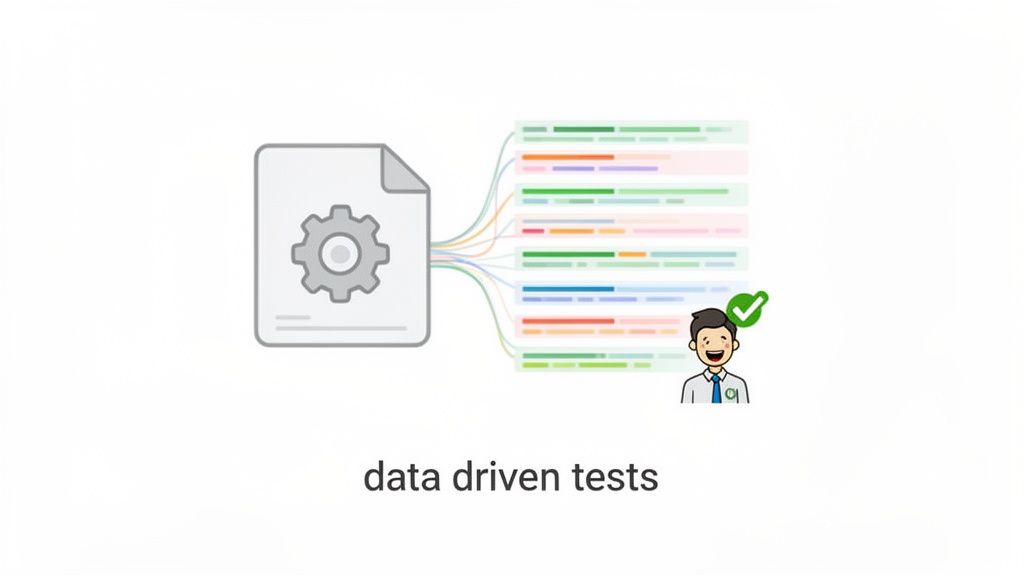
Let’s think about a typical login page test. The old way involves writing one test for a valid login, another for a bad username, a third for a blank password, and so on. Each scenario gets its own dedicated script.
With a data-driven approach, you write just one script that handles the login flow itself. Then, you create a data file—a CSV, for example—where each row represents a complete test case: valid credentials, invalid user, blank password, and any other scenario you can dream up.
This isn’t just a clever coding shortcut; it’s a whole new way for quality assurance teams to think. When you decouple the test logic from the data, your entire testing process becomes more flexible. Need to add a new test case? Just add a row to your data file. No code changes needed. This makes test maintenance worlds easier and opens the door for team members with less coding experience to contribute directly.
The biggest win with data-driven tests is getting massive test coverage with a fraction of the effort. That single script can suddenly check a huge range of user inputs, covering everything from the standard “happy path” to the obscure edge cases that so often lead to bugs. It’s a systematic way to be sure your application behaves as expected against a wide set of data.
This strategy really pays off in several ways:
This approach turns your testing from a list of one-off checks into a scalable, data-powered validation engine. It’s all about working smarter to build more reliable software.
Grasping the core benefits of automated testing puts into perspective why this method is such a key asset. It’s a foundational skill for any team trying to boost efficiency and ship code with more confidence. For today’s software development engineers in test (SDETs), it’s simply non-negotiable.
Great data-driven tests don’t happen by accident; they’re built on a foundation of meticulously designed data. Think of it this way: your test automation scripts are the engine, but the data you feed it is the fuel. That fuel determines how far your tests can go and, more importantly, what they can uncover. Just throwing a list of random inputs at your application won’t cut it. The real goal is to craft a dataset that systematically probes every corner of your application’s logic.
To do this well, you have to wear two hats at once: the user’s and the system architect’s. You absolutely need data that represents the most common, successful interactions—what we often call the happy path. This ensures your core functionality, like a user successfully registering with a valid username and strong password, is always working. Nail this down first.
Once that baseline is solid, the real fun begins. You need to deliberately explore what happens when things go sideways. This is how you build a truly resilient test suite that finds bugs before your customers do.
How you organize your test data is just as important as the data points themselves. A messy, disorganized spreadsheet or file quickly becomes a maintenance nightmare that nobody wants to touch. The best approach is to structure your data in a clean, tabular format. Each row should represent a complete, self-contained test case, and each column should map to a specific input or an expected outcome.
Let’s take a simple user registration form. A well-structured data file might look something like this:
| username | password | expected_result | error_message | |
|---|---|---|---|---|
| valid_user | StrongPass123! | user@example.com | success | null |
| short_pw | Pw1! | user2@example.com | failure | ”Password must be 8 characters” |
| invalid_email | AnotherPass456$ | userexample.com | failure | ”Invalid email format” |
| duplicate_user | SecurePass789% | user3@example.com | failure | ”Username already exists” |
This layout makes every test scenario instantly understandable. Need to add a test for a password that’s missing a special character? Just add a new row. This approach not only keeps your tests readable but also empowers other team members to contribute without ever having to dig into the test script’s code.
Choosing where your test data comes from is a critical decision. Each source has its trade-offs, and the right choice often depends on your specific testing goals, security constraints, and available resources.
| Data Source | Best For | Pros | Cons |
|---|---|---|---|
| Manual Creation | Small, targeted test suites and initial setup. | Simple, precise control over every data point. | Time-consuming, not scalable, prone to human error. |
| Synthetic Generation | Covering a wide range of scenarios without using real data. | Excellent for boundary/edge cases, avoids privacy issues. | Can miss real-world complexities, may require complex tools. |
| Production (Anonymized) | High-fidelity testing that mirrors real user behavior. | Highly realistic, uncovers unexpected real-world bugs. | Anonymization is hard; risk of data leaks if not done perfectly. |
| Third-Party Services | Generating specific types of data (e.g., addresses, names). | Quick and easy, provides realistic-looking data. | Can be costly, may not cover all niche requirements. |
Ultimately, many teams find a hybrid approach works best—using manually created data for core happy paths and supplementing it with synthetically generated data for comprehensive negative and edge case testing.
True test coverage isn’t about just checking boxes; it’s about anticipating failure. A robust dataset must include a healthy mix of scenarios designed to break the system in predictable ways. Start by thinking about your application’s rules and constraints, then create data that intentionally challenges each one.
Here are a few areas to focus on:
Your test data shouldn’t just confirm that the application works; it should actively try to find the specific conditions under which it fails. This proactive approach is the essence of building resilient software.
This focus on data quality isn’t just a best practice; it’s a major industry trend. The global software testing market, now heavily driven by data-centric approaches, is valued at USD 54.44 billion in 2026 and is projected to skyrocket to USD 99.94 billion by 2031, growing at a 12.92% CAGR. This massive growth is fueled by the relentless need for tests that truly mirror complex user behaviors.
When you’re building out these datasets, remember to be smart about using realistic but non-sensitive information, especially when you can’t use production data. For a deeper dive, check out our guide on effective testing strategies without production data.
Once you’ve got your test data structured and ready to go, the real magic happens. The next step is to connect that data to your actual test scripts, a process we call parameterization. This is the key to transforming a static, one-off test into a dynamic powerhouse that can validate dozens of scenarios.
The concept is pretty straightforward. Instead of hard-coding values like a username or an error message directly into your test, you use variables or placeholders. When you run the test, the automation framework grabs a row from your data source (like a CSV or JSON file), plugs those values into the placeholders, and runs the test. Then it loops, grabs the next row, and does it all over again until it runs out of data.
This workflow shows how your data goes from its original source to a validated, structured format that your tests can actually use.
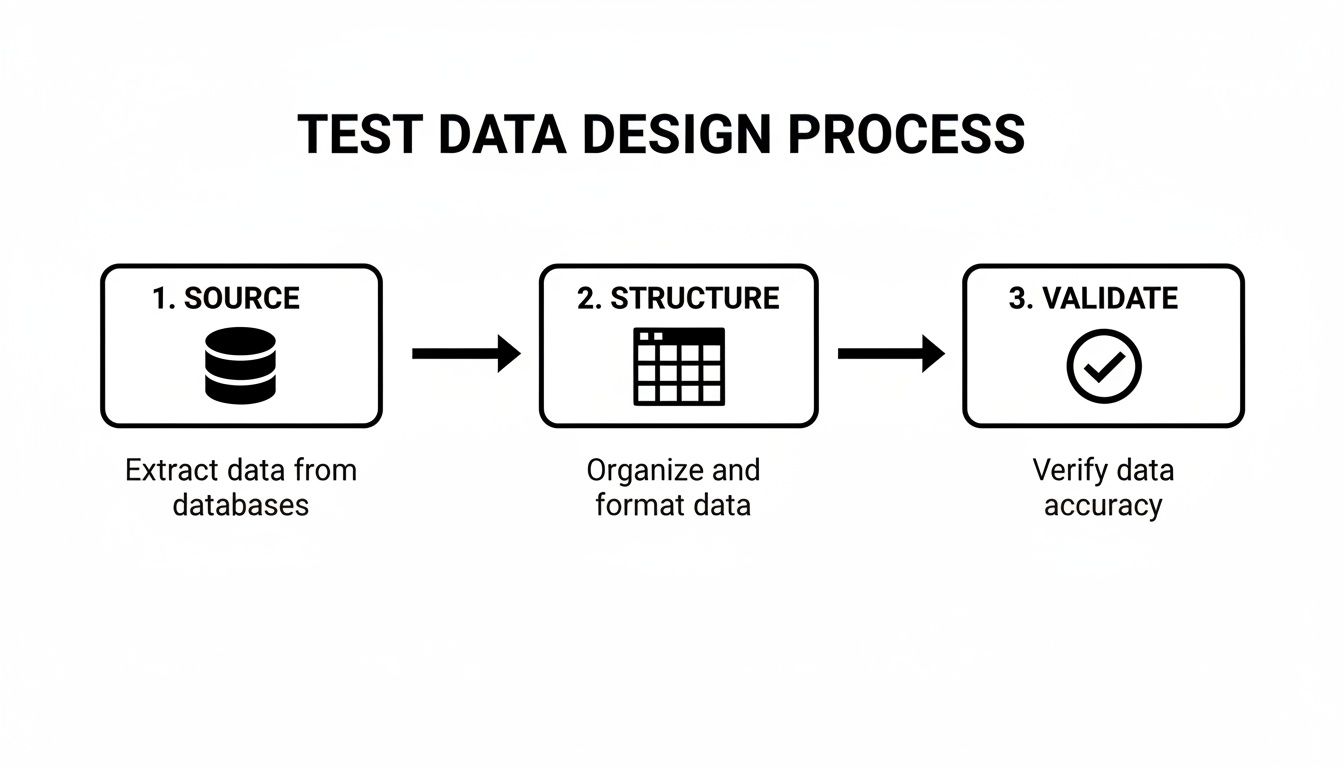
Following this process ensures that what you’re feeding into your tests is accurate and formatted correctly before a single line of test code even runs.
Most modern testing frameworks come with built-in support for data-driven testing, so hooking everything up isn’t as complicated as it sounds. Whether you’re using Playwright, Cypress, or Selenium, the underlying principle is the same, even if the syntax differs.
For example, with Playwright, a common pattern is to read a JSON file that contains an array of test data. Your test runner can then loop through this array, treating each object inside it as a completely separate test case.
Imagine you have a JSON file like this:
// Example: simplified-user-data.json
[
{ “username”: “valid_user”, “password”: “StrongPassword123!”, “expected”: “success” },
{ “username”: “invalid_user”, “password”: “weak”, “expected”: “failure” }
]
Your test script would import this file and iterate over it, running the login logic for each entry. This gives you fine-grained control and lets you build complex assertions based on the “expected” outcome in your data. Managing this data effectively becomes crucial, especially across different codebases. For a deeper dive, check out our guide on the best practices for sharing data between fullstack and Playwright repositories.
While writing the code yourself gives you total control, it also means dealing with boilerplate logic for reading files and setting up loops. This is where modern AI-powered tools like TestDriver completely change the game. Instead of you writing that connection logic, you just tell an AI agent what to do.
You can essentially abstract away all the tedious implementation details. All you have to do is point the AI to your data file and give it a high-level instruction.
Prompt Example: “Using the
user-logins.csvfile, navigate to the login page, fill the username and password fields with the data from each row, and verify that the application shows the expected outcome specified in the ‘result’ column.”
From that simple prompt, the AI agent takes over. It parses the CSV, iterates through the data, drives the browser, and runs the checks—all without you writing a single line of file-reading or looping code.
This approach brings some huge advantages to the table:
This prompt-based method doesn’t eliminate the need for good data design—that’s still your job. It just makes the process of connecting that data to your tests radically more efficient. In the end, whether you choose to code it by hand or use an AI agent, the goal is the same: separate your test logic from your test data to build automated suites that are scalable, easy to maintain, and incredibly powerful.
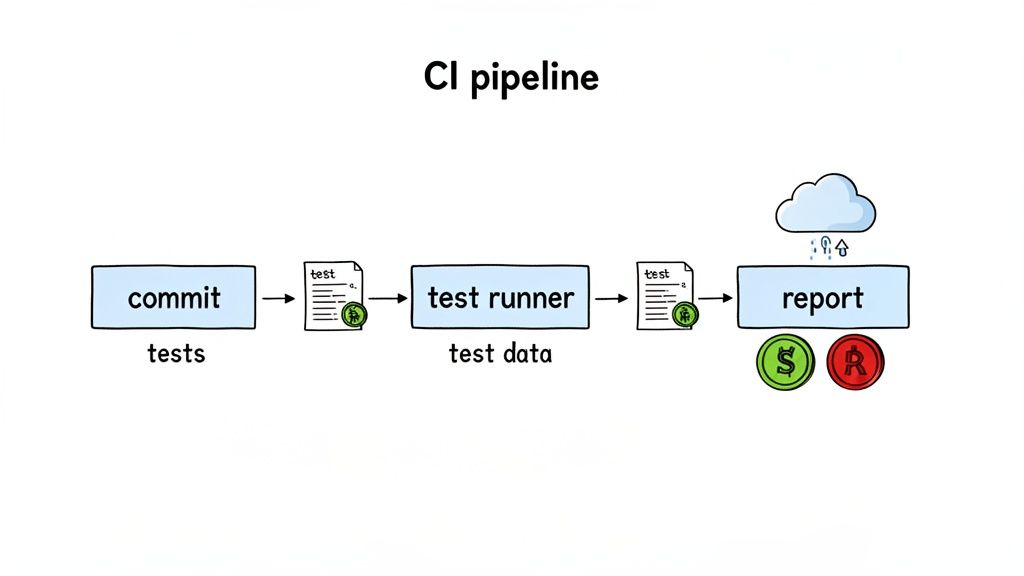
Writing a solid suite of data-driven tests is one thing, but their real value shines when they run automatically, far away from your local machine. Integrating these tests into a Continuous Integration (CI) pipeline turns them into an active gatekeeper for quality, not just a periodic safety check. This is how you catch regressions the instant they’re introduced, not days or weeks later.
The goal here is straightforward: every time a developer commits a code change, the CI server—be it GitHub Actions, Jenkins, or CircleCI—should automatically fire up your entire data-driven test suite. This creates the kind of rapid feedback loop that modern development teams can’t live without.
Before your tests can run, the CI environment needs to be set up to find and use everything it needs. This isn’t just a formality; it’s the foundational work that makes automated execution seamless and reliable.
First and foremost, your test data must be accessible to the CI runner. The simplest and most effective strategy is to version your test data files directly alongside your code in your Git repository. This keeps your tests and the data they rely on perfectly in sync. When you check out a specific branch or commit, you get the exact data needed to validate that version of the code—no guesswork required.
Next, you’ll need to get your pipeline’s configuration file (like a .yml file) in order. This usually involves a few key steps:
With the environment configured, the real fun begins. Your CI workflow should be triggered on every commit to your most important branches, like main or develop. This ensures that no code gets merged without passing the full gauntlet of your data-driven tests.
The result of the test run is just as important as running it in the first place. A single failing test should immediately fail the pipeline build, which in turn blocks a potentially buggy merge. This immediate, unmissable feedback is what makes CI so powerful.
The core idea is to make quality a non-negotiable step in your development process. If the data-driven tests fail, the code simply doesn’t move forward.
Beyond a simple pass/fail, most CI platforms can be set up to generate and store detailed test reports. These artifacts are incredibly useful, showing exactly which data rows caused a failure and giving developers a clear starting point for their fix. For a deeper dive into the mechanics, check out these best practices for integrating testing into your CI/CD pipeline.
Plugging your data-driven tests into a CI pipeline elevates your testing from a one-off task to a continuous, automated habit. This principle of constant verification is a cornerstone of modern software development, and it mirrors practices in other fields, like the use of continuous penetration testing in cybersecurity to maintain a strong security posture.
The market data backs this up. System integrators are forecasted to capture a 68.5% market share by 2035 in software testing, a trend largely driven by the need for data-heavy validation. High-performing organizations see a 78% adoption rate of agile and DevOps practices that lean heavily on automation like this, which contributes to a 30-50% reduction in defects found after release. You can explore more insights on this trend from recent software testing market reports. This shift is essential for expanding test coverage while protecting your application from regressions.
Once your team gets the hang of data-driven tests, it’s easy to get comfortable and just stick with what works. But the real magic happens when you push beyond that initial setup. That’s where you’ll see the biggest jumps in quality and efficiency. Moving into more advanced territory means thinking about your test data as a living, breathing part of your application.
This could mean getting into dynamic data generation. Instead of just pulling from static CSV files, you can have your framework create test data on the fly by hitting an API or talking directly to a test database. This gives you much more realistic end-to-end tests that actually mirror what’s happening in your app right now.
You also have to think about managing stateful data. What about a user account that picks up new permissions or builds an order history over time? Your tests have to reflect that journey. This might mean stringing together a few tests where the output of one becomes the input for the next, giving you a true simulation of a user’s experience from start to finish.
As your test suite grows, so will your data. That neat little spreadsheet that was perfect for a dozen login tests can turn into an absolute monster when you’re dealing with thousands of variations. The trick to scaling is all about organization and making your data easy to maintain.
Whatever you do, don’t fall into the trap of dumping everything into one giant, monolithic data file. That’s a surefire way to create a mess. Instead, slice up your data logically.
Adopting a modular data strategy is the single best way to prevent your test suite from becoming a maintenance nightmare. Keep it clean, keep it organized, and future you will be grateful.
This kind of smart validation is really changing the game. In fact, data-driven testing is a huge reason the testing analysis service market is expected to jump from USD 42.73 billion in 2026 to USD 63.77 billion by 2034. Teams that really nail this and bake it into their DevOps pipelines have seen their overall testing time drop by as much as 60%. You can dig deeper into these market trends and their impact.
Even with the best plan, teams often hit the same roadblocks when they start implementing data-driven tests. Knowing what these traps are ahead of time is half the battle.
One of the most common mistakes I see is building brittle tests that are way too dependent on the exact structure of the data. If your test script shatters every time someone adds a column to your data file, you’ve built a fragile system. A much better way is to use data objects or key-value pairs. That way, your test logic can grab data by name (data['username']) instead of a rigid index (data[0]).
Another classic pitfall is ignoring how your tests affect performance. It’s exciting to run thousands of variations, but it can also grind your CI pipeline to a halt. You have to be strategic. Decide which tests absolutely must run on every single commit and which ones can wait for a nightly build. Not every data point needs to block a developer’s workflow.
Getting ahead of these common issues can make or break your data-driven testing efforts. Here’s a quick-reference table to help you spot and solve them before they become major headaches.
| Pitfall | Why It Happens | How to Avoid It |
|---|---|---|
| Over-reliance on UI | Teams default to UI interactions for everything, which makes tests slow and flaky. | Push testing down the pyramid. Use API calls to set up test states and validate data behind the scenes whenever you can. |
| Data Dependencies | Tests assume specific data already exists in a shared database, leading to inconsistent and flaky results. | Generate fresh, isolated test data for every single test run. Use scripts to seed a clean database before your suite kicks off. |
| Ignoring Data Maintenance | Test data gets stale as the application changes, causing a flood of false negatives. | Make test data updates part of your feature development workflow. When a validation rule changes, update the data file in the same pull request. |
By anticipating these challenges, you can build a far more resilient and effective testing strategy. Remember, the goal isn’t just to automate tests—it’s to create a lasting quality assurance asset that your whole team can rely on.
When teams start getting serious about quality assurance, a few key questions always pop up. Shifting to data-driven testing is a big move, and figuring out the practical side of things is crucial for making it work. Let’s dig into some of the most common questions we hear from developers and QA pros alike.
It’s easy to mix these two up, but they really tackle different automation challenges.
Think of it like this: data-driven testing is about running the exact same test script over and over with different sets of data. A classic example is hammering a login form with a hundred different username and password combinations to check every possibility.
Keyword-driven testing operates at a higher level of abstraction. With this method, you build tests out of reusable components or “keywords,” like Login, AddItemToCart, or VerifyCheckoutTotal. You can then assemble these building blocks in various sequences to create new test scenarios without writing new code.
These two aren’t enemies; in fact, they work brilliantly together. A sophisticated setup might use a keyword-driven framework to outline the high-level user journey, while using data-driven methods to feed specific inputs into each of those keywords.
This is one of those “it depends” questions, but my go-to advice is always to aim for clarity, not just size. A sprawling, messy data file is a maintenance headache just waiting to happen. It’s much better to start with a focused dataset that covers your most important scenarios.
For something like a login page, you might only need 15-20 rows in a spreadsheet. That’s enough to cover your basic positive cases, a few common negative ones, and some edge cases without creating a mess. On the other hand, if you’re testing a complex pricing engine with tons of rules, you might genuinely need thousands of rows.
The goal isn’t to build the biggest data file. It’s to build the smartest one—a clean, well-organized dataset that gives you maximum coverage with the least amount of effort to maintain.
A good rule of thumb is to let your data files grow naturally as the application changes. It’s far more manageable to have several smaller, feature-specific files (login-tests.csv, search-tests.json) than one monster file that does everything.
Absolutely. AI agents are a natural fit for data-driven testing because they’re fantastic at handling the repetitive, grunt work involved. Instead of manually writing the code to open a file, loop through each row, and map variables, you can just hand that task off.
For instance, with an AI-powered tool, your prompt could be as simple as, “Verify the user registration flow using the data in new-users.json.” The agent takes it from there, generating and running a test for each entry, handling the iteration and reporting automatically. This makes the whole process faster and way more accessible, especially for non-coders.
This is a huge one. You should never, ever commit sensitive data like real user passwords, API keys, or personal information directly into your Git repository. It’s a massive security risk.
The standard industry practice is to use a secrets management system. Tools like GitHub Secrets or AWS Secrets Manager are built for this exact purpose.
Here’s the workflow I recommend:
${USER_PASSWORD} or ${API_TOKEN}.This keeps your credentials locked down tight while still letting your automated tests run with the live data they need. It’s the best of both worlds: secure and effective.
Ready to stop writing boilerplate and start shipping faster? With TestDriver, you can generate comprehensive data-driven tests from a simple prompt. See how our AI agent can transform your QA process. Start testing with AI today.
Discover regression testing best practices to automate, prioritize risk, and stabilize test suites for faster, reliable releases.
Explore the real differences in automation vs manual software testing. This guide covers when to use each, ROI, and how to build a winning hybrid strategy.
Discover the top 12 selenium alternatives for modern web testing. Compare open-source, cloud, and AI tools to find the right fit for your QA team.
Learn how to write a test case that's clear, effective, and ready for AI automation. This guide covers structure, examples, and pro tips.
TestDriver runs every pull request in a real desktop sandbox, finds bugs, and builds regression tests - right from your repo.