Automated Regression Tests A Practical Guide for Modern Teams
Build a reliable strategy for automated regression tests. Learn to prevent bugs, speed up releases, and integrate testing seamlessly into your CI/CD pipeline.
Master end to end testing automation with practical steps, modern tools, and CI/CD integration to boost software quality and speed up delivery.
Automate and scale manual testing with AI ->
End-to-end testing automation is your application’s final dress rehearsal. It’s about running through an entire user workflow, from the first click to the final confirmation, to make sure every single piece of the system works together perfectly. Think of it as the ultimate quality check, a way to catch the kind of bugs that individual component tests just can’t see.
Let’s use a simple analogy: ordering a pizza online. A real customer journey involves browsing the menu, choosing toppings, typing in an address, maybe adding a coupon code, and finally paying. This single transaction relies on a whole chain of systems talking to each other—the web frontend, the inventory database, a payment processor, and maybe even an email service to send the receipt.
If the payment gateway can’t connect to the bank, the whole order fails. A unit test might show the “Add to Cart” button works fine, and an integration test could confirm the menu is pulling data correctly. But only an end-to-end test can simulate that entire customer journey and prove every link in that chain is solid.
This is where the real value lies. You stop testing software components in isolation and start validating the actual business processes your application was built for. This is critical because modern apps aren’t simple, single programs anymore. They’re often complex webs of microservices, third-party APIs, and older legacy systems all stitched together. A hiccup at any one of those connection points can bring everything crashing down.
To truly understand the impact, let’s look at how it helps different people on the team.
Automated E2E testing isn’t just a QA function; it delivers distinct, tangible benefits to everyone involved in building and shipping software. It provides a shared layer of confidence that what’s being built actually works in the real world.
| Team Role | Primary Benefit | Impact on Workflow |
|---|---|---|
| Developer | Confidence in Changes | Pushing code feels safer. They can be sure a small change in one area didn’t accidentally break a critical user flow somewhere else. |
| QA Engineer | Strategic Focus | Frees them from manually checking the same core user paths over and over, allowing more time for exploratory testing and complex edge cases. |
| Product Manager | User Experience Assurance | Guarantees that the designed user journey is exactly what customers will experience, protecting revenue and brand reputation. |
By automating these comprehensive checks, each role is empowered to do their best work without constantly worrying about introducing system-wide regressions.
End-to-end testing isn’t just about finding bugs; it’s about building confidence. It’s the final sign-off that proves a new feature or release is truly ready for production because it has been validated against real-world scenarios.
The explosive growth of software complexity has made this kind of testing essential. The market numbers tell the same story: the test automation space is expected to nearly double, jumping from USD 28.1 billion in 2023 to an estimated USD 55.2 billion by 2028. This massive investment shows just how vital this practice has become for modern software delivery.
Ultimately, end to end testing automation is your best defense against failures that directly affect your users and your bottom line. It doesn’t just check code; it validates the entire business process your application delivers. For a more technical breakdown, check out our guide on what is end-to-end testing. It’s the only way to be sure every piece of your digital assembly line is working in concert to deliver a flawless product.
A solid E2E automation strategy is more than just a plan—it needs a rock-solid technical foundation. I like to think of this foundation, or framework, as the chassis of a race car. It’s the underlying structure that holds everything together, letting the engine—your actual tests—perform at its absolute peak. Without that solid chassis, even the most powerful engine is just a noisy paperweight.
In the same way, a well-designed framework makes your tests reliable, scalable, and, most importantly, easy to maintain. It gives you the structure you need to handle complex user journeys and slots right into your development lifecycle. When you get this right, testing stops being a chore and becomes a genuine competitive advantage.
Putting together a great framework means assembling a few key components. These aren’t just tools you pick at random; they’re essential parts of a cohesive system built for effective end to end testing automation.
For example, think about a simple but critical user journey for ordering a pizza online. Your framework has to be able to test every step of this flow reliably.
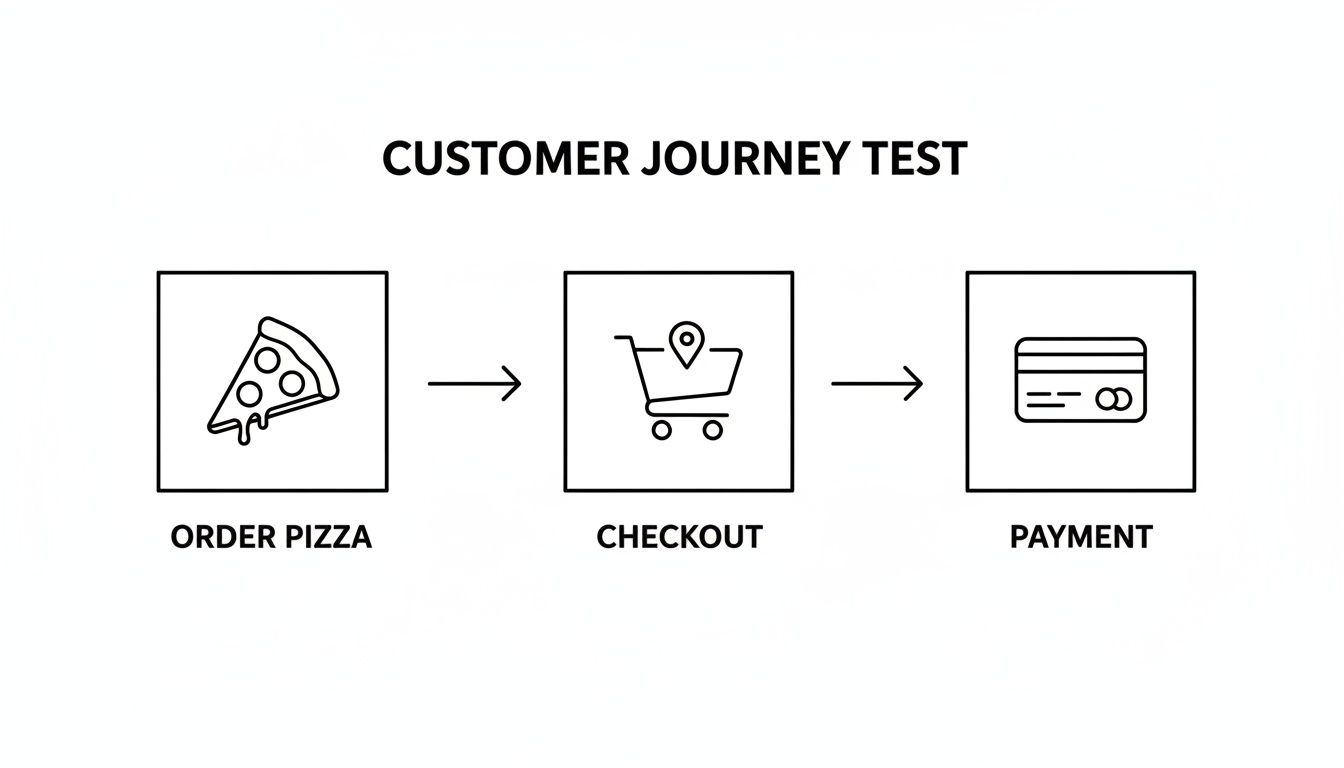
This simple diagram shows how multiple backend systems—inventory, payments, and user accounts—all have to talk to each other perfectly just to complete one order. That’s what your E2E tests are there to confirm.
A modern automation framework can’t live on an island. It truly shines when you make it a core part of your Continuous Integration and Continuous Deployment (CI/CD) pipeline. This integration creates an automated quality gate that stands guard over your production environment.
Here’s how it works: a developer pushes new code. That single action automatically kicks off the CI/CD pipeline, which builds the application and then runs your entire E2E test suite against it in a fresh, isolated environment.
The real goal of CI/CD integration is to make quality an unavoidable part of the development process. It changes testing from a manual task done after the fact into an automated, real-time feedback loop.
This setup gives you immediate feedback. If a single test fails, the build is marked as “broken,” and that faulty code is blocked from ever reaching users. Developers get an instant notification, so they can jump on the fix while the code is still fresh in their minds.
This automated workflow is the ultimate safety net for your application. It’s designed to catch regressions—those pesky bugs that pop up when new code breaks something that used to work. One study even found that at least 20% of severe failures in cloud applications are caused by exactly these kinds of cross-system interaction bugs.
By automating these checks, you build a system that inspires confidence. Your teams can ship code faster and more often, knowing that a robust suite of E2E tests is constantly verifying that critical user journeys are stable. You get to accelerate your release velocity without sacrificing quality, which is exactly what modern software development is all about.
Ask any QA engineer what their biggest headache is, and they’ll likely say “flaky tests.” These are the tests that pass one minute and fail the next for no obvious reason. This kind of unpredictability kills trust in your automation, sending engineers on wild goose chases for bugs that don’t exist.
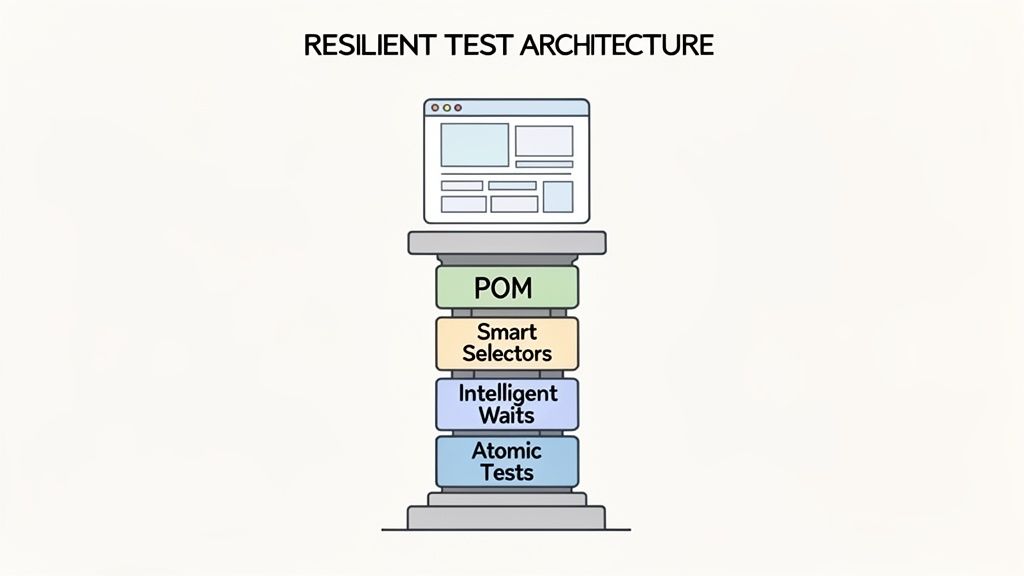
Building resilient tests isn’t just a nice-to-have; it’s the absolute foundation of a successful end to end testing automation strategy. A resilient test can handle minor UI tweaks without shattering. It’s predictable, stable, and, most importantly, maintainable. This stability doesn’t happen by magic—it comes from smart design choices that separate your test logic from the nitty-gritty details of the application’s code.
One of the most effective strategies for building durable tests is the Page Object Model (POM). Think of it like creating a remote control for each page of your application. Instead of littering your test scripts with selectors and click commands, you centralize them into dedicated “page object” classes.
This approach pays off in two major ways:
login() function from your LoginPage object. Your test code stays clean, short, and easy to read.LoginPage object—and all ten tests are fixed instantly. This slashes maintenance time.By abstracting away the “how” of page interactions, your tests can finally focus on the “what”: validating the actual user journey.
Brittle selectors are another prime suspect behind flaky tests. A selector is simply the address your test uses to find an element, like a button or a search bar. If you rely on overly specific or auto-generated IDs, your test is guaranteed to break the moment a developer refactors that part of the UI.
The trick is to use selectors that describe an element’s purpose, not its appearance.
Instead of a fragile, meaningless selector like
div > div:nth-child(2) > button, use a stable, purpose-built attribute like[data-testid="login-button"]. This creates a solid contract between your application and your tests that is far less likely to break.
Just as critical is how your tests wait for things to happen. Hard-coding a “wait for 5 seconds” delay is a recipe for failure. A much smarter method is to use intelligent waits, which continuously check the application until a specific condition is met, like an element becoming clickable. This makes your tests both faster and far more reliable, because they only proceed when the app is truly ready.
To prevent one failure from toppling your entire test run, you need to design atomic tests. This means each test case is a self-contained unit. It should set up its own data, run the test, and clean up after itself without depending on any other test. This isolation makes pinpointing the root cause of a failure much, much easier.
This is also where modern AI is completely changing the game. New tools are introducing “self-healing” capabilities that can automatically adapt to UI changes. For end-to-end testing automation, this is a huge leap forward. AI-native platforms are now boasting 95% self-healing accuracy, which means only 5% of app changes require a human to step in. This can eliminate up to 88% of the manual test maintenance that bogs down traditional automation frameworks.
Ultimately, writing resilient tests is about being deliberate. By combining proven patterns like POM with smart selectors, intelligent waits, and the power of AI, you can build an automation suite that your team actually trusts. For more deep-dive strategies, check out our complete guide on end-to-end testing best practices.
For years, writing automated tests felt like a necessary chore. It was slow, required specialized coding skills, and often became a bottleneck in the development cycle. Someone with deep technical knowledge had to painstakingly script out every click, keystroke, and validation for even a simple user journey. But what if you could just… describe the test you wanted to run, in plain English?
That’s not science fiction anymore. It’s exactly how AI is reshaping end to end testing automation. We’re moving away from writing brittle lines of code and toward writing simple, intuitive prompts.
Let’s get practical. Imagine you need a test for a brand-new customer going through your entire checkout process. Traditionally, this was a job for a skilled SDET, who would spend hours, maybe even a full day, scripting every step in a framework like Selenium or Cypress. They’d have to find the right selectors for each button and field, add waits, and write assertions to confirm everything worked.
With an AI-powered platform like TestDriver, that entire workflow gets a massive upgrade. A product manager or QA analyst can now accomplish the same thing with a single, clear instruction.
Prompt Example: “Test the entire checkout flow for a new user buying a subscription. The user should add the premium plan to their cart, proceed to checkout, enter their shipping and payment information, and successfully complete the purchase.”
From that simple description, the AI generates the complete, executable test case. It figures out the steps, identifies the UI elements, and builds in the necessary checks. This isn’t just a minor improvement; it fundamentally changes the time, effort, and skills needed to build robust test coverage.
When test creation is this straightforward, it’s no longer a task reserved for a handful of specialists. Quality assurance becomes a team sport.
This is what it looks like in action. The TestDriver platform shows how that plain-English prompt is all it takes to kick off the creation of a complex test.
This accessibility is why industry forecasts predict that by 2026, 74% of enterprises will be using AI in their testing processes. We’re seeing a shift toward hyperautomation, where AI agents handle the repetitive, time-consuming tasks, freeing up humans to focus on strategy and complex problem-solving.
To really drive home how big this shift is, it helps to see a side-by-side comparison. The gap between old-school scripting and AI-powered generation is massive.
Traditional Scripting vs AI-Powered Test Generation
Here’s a look at how an AI agent like TestDriver stacks up against conventional, manual scripting methods for creating E2E tests.
| Aspect | Traditional Scripting (e.g., Selenium/Cypress) | AI-Powered Generation (e.g., TestDriver) |
|---|---|---|
| Effort Required | High; requires manual scripting of every step, selector, and assertion. | Low; requires writing a single, high-level prompt in plain English. |
| Skills Needed | Specialized coding knowledge in languages like JavaScript, Python, or Java. | Strong understanding of the user journey; no coding required. |
| Creation Speed | Slow; can take hours or even days for a complex user flow. | Fast; tests are generated in a matter of seconds or minutes. |
| Maintenance | Brittle; tests often break with minor UI changes, requiring manual fixes. | Resilient; AI can often adapt to minor changes or simplify updates. |
The efficiency gains are clear. This evolution in testing is just one piece of a much larger puzzle in software development, where AI is becoming a core part of the toolkit. In fact, many of the 12 essential AI product development tools for mobile teams are built on similar principles of intelligent automation.
By removing the friction from creating tests, AI allows teams to build more comprehensive test suites in a fraction of the time. If you want to dig deeper into this, check out our article on how artificial intelligence is transforming testing practices. Ultimately, this lets everyone focus less on the how of testing and more on the what—shipping a high-quality, bug-free product.
Automation that just spits out a pass/fail report isn’t doing its job. To prove its worth and make a case for more investment, you have to connect your test results to real business outcomes. It’s time to stop chasing vanity metrics.
The real question isn’t “how many tests did we run?” but “what did those tests actually tell us?” Answering that means building a dashboard of key performance indicators (KPIs) that gives everyone, from engineers on the ground to executives in the boardroom, a clear snapshot of your application’s health and the effectiveness of your end to end testing automation.
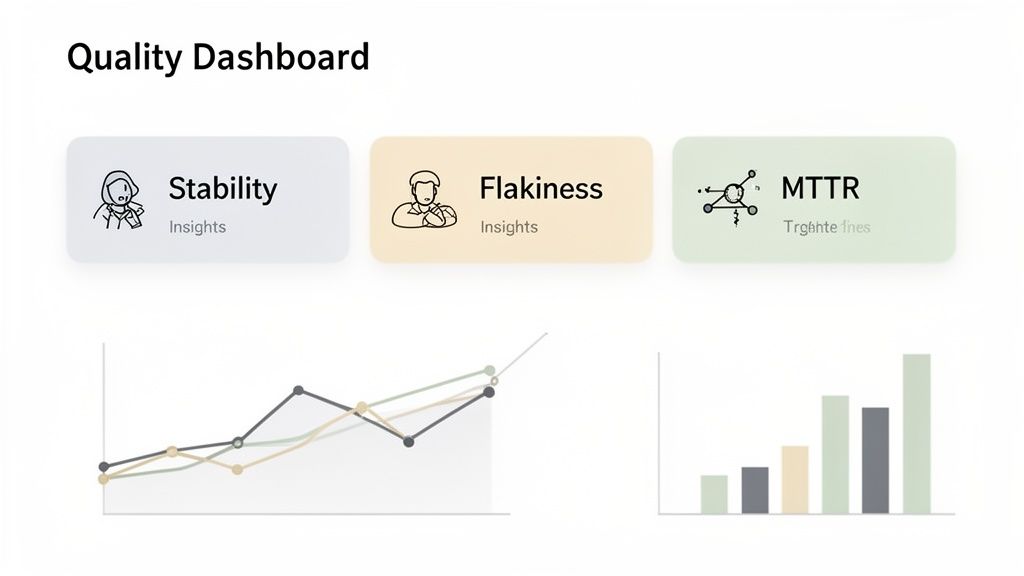
A truly useful quality dashboard tells a story. It goes way beyond a simple pass rate by focusing on metrics that reveal the reliability and stability of your entire testing operation.
Here are the vitals you should be tracking:
Watching these numbers helps you shift from constantly putting out fires to proactively spotting and fixing issues in your test framework or application before they blow up.
A great dashboard does more than just display data; it turns that data into action. It needs to be easy to understand and tailored to who’s looking at it, telling a clear story about product quality and the ROI of your automation efforts.
An engineering team, for example, will want to see the granular details—which tests are the flakiest, or which user flows have the highest MTTR. But for leadership, you need to zoom out and connect those metrics to bigger business goals.
The ultimate goal of a quality dashboard is to demonstrate value. It should answer questions like: “How is our automation helping us release faster?” or “Are we catching more critical bugs before they reach production?” This transforms testing from a cost center into a clear business asset.
You can even combine metrics to tell a more powerful story. Imagine a chart that shows your flakiness rate going down while your deployment frequency goes up. That’s a crystal-clear visual that proves your investment in test stability is paying off by enabling faster, more confident releases.
At the end of the day, these metrics are your roadmap for continuous improvement.
Is your MTTR creeping up? Maybe your test failure reports aren’t detailed enough, and it’s time to beef up your logging and error reporting. Got a test that’s constantly flaky? It might be time to refactor it, quarantine it, or even delete it if it’s not providing enough value to justify the noise.
By consistently measuring the real-world impact of your end to end testing automation, you create a powerful feedback loop that makes your entire development cycle stronger. You can spot weaknesses, celebrate wins, and build an undeniable, data-backed case for investing in a rock-solid quality process. This is what separates a good automation strategy from a great one.
Jumping into end to end testing automation can feel like trying to boil the ocean. It’s a huge undertaking. But you don’t have to automate everything at once. The key is to treat it like a strategic journey, not a single destination.
We’re going to break this down into three simple, common-sense phases. The whole idea is to start small, score a quick win, and build from there. This approach helps you prove the value early on, which is crucial for getting everyone on board.
First things first: get an early win on the board.
Pick one single, absolutely critical “happy path” user journey. Think about the core of your business—what’s the one flow that must work? It could be the user sign-up process or the main checkout flow. Pour all your initial energy into automating just that one scenario.
Why start so small?
When you finish this phase, you’ll have a reliable, automated test that’s already protecting a vital piece of your business. That’s a huge first step.
With that first success in your pocket, it’s time to build on it.
Now, you can start expanding your test suite to cover more ground. This means tackling more complex scenarios, including negative paths (what happens when a user messes up?) and common edge cases. This is also the perfect time to plug your automation directly into your CI/CD pipeline.
Once your E2E tests are a mandatory check in your deployment process, you’ve fundamentally changed the game. They stop being a chore you run occasionally and become a real-time quality gate.
This is the move that shifts end to end testing automation from a reactive bug-hunt into a proactive shield that defends your user experience. No code gets merged unless it passes a full regression check against your most important user flows.
The final phase is all about making your automation suite sustainable. As you add more tests, you’ll inevitably run into two classic problems: flaky tests and slow execution times. This is where you focus on refinement.
You’ll start refactoring brittle tests, dialing in better wait strategies, and fine-tuning selectors to make them rock-solid. This is also a good time to look at more advanced tools—like AI-powered platforms—that can offer things like self-healing tests to cut down on maintenance.
The goal here is simple: build a fast, reliable, and low-maintenance automation suite that your team actually trusts. This is how you scale your quality efforts without drowning in upkeep.
Diving into a new testing strategy always kicks up a few practical questions. When teams first get their hands dirty with end to end testing automation, they tend to run into the same hurdles. Let’s walk through a few of the most common ones and how to think about them.
Honestly, wrestling with test data is often the gnarliest part of building complex E2E tests. The best approach I’ve found is to treat your data as isolated and ephemeral.
What does that mean? Each test should create the exact data it needs to run—like a brand-new user account or a specific product entry—and then tear it down afterward. This keeps tests from tripping over each other. If you rely on a static, shared database, you’re just asking for flaky tests when one test run messes up the data another one was expecting.
This one trips up a lot of people, but the difference boils down to scope and perspective.
Integration testing is all about making sure different pieces of your system can talk to each other. It’s usually done at the API or service level and answers questions like, “Does the payment service get the right response from the user database?”
End to end testing automation is the whole enchilada. It simulates a real user’s journey through your application’s interface, validating an entire business workflow from start to finish. It answers the much bigger question: “Can a user actually sign up, add an item to their cart, and successfully check out?”
An integration test ensures the pipes are connected correctly. An end-to-end test ensures water flows all the way from the reservoir to the faucet, delivering a great user experience.
Good news: you don’t need a massive budget to make an impact. The smartest way to start is to think small and focus on what delivers the most bang for your buck.
Pick the single most critical “happy path” in your application. This is usually the main checkout flow, the sign-up process, or whatever action keeps your business running. Automate just that one journey.
Getting that one critical workflow locked down proves the value of automation to everyone else. Plus, many powerful open-source frameworks are free. By focusing on value over volume, even a tiny team can build a solid automation safety net without breaking the bank.
Ready to turn simple prompts into powerful, comprehensive E2E tests? See how TestDriver can accelerate your entire testing workflow. Start generating tests with AI today at testdriver.ai.
Build a reliable strategy for automated regression tests. Learn to prevent bugs, speed up releases, and integrate testing seamlessly into your CI/CD pipeline.
Discover the 12 best codeless automation testing tools for web, API, and mobile. Our 2026 guide helps you choose the right platform for your QA workflow.
Discover how automated user interface testing boosts software quality and speed. This guide covers everything from core concepts to CI/CD and AI.
Discover how automated functional tests can transform your QA process. Learn core concepts, best practices, and how AI is making test creation faster than ever.
TestDriver runs every pull request in a real desktop sandbox, finds bugs, and builds regression tests - right from your repo.