How Are Test Cases Written A Guide to Modern QA
Discover how are test cases written for modern software. This guide covers manual best practices and how to leverage AI for faster, smarter QA testing.
Learn how to create a test case that drives quality. This guide breaks down test case writing with real examples, common mistakes, and modern QA strategies.
Automate and scale manual testing with AI ->
At its core, creating a test case is about defining a handful of key elements: a clear goal, any necessary setup (preconditions), the exact steps to follow, and what you expect to see happen. This structure is what makes a test repeatable and reliable, no matter who’s running it.
Think about a simple login test. You’d need a valid user account (the precondition), steps for entering the email and password, and the expected result of landing on the user dashboard. Simple, right? But getting this right is the foundation of solid QA.
A great test case is so much more than a to-do list; it’s a strategic asset that has a direct line to your product’s success. In the world of rapid development cycles, knowing how to write a good test case isn’t just a “nice-to-have” skill—it delivers real, tangible value to the business.
Think of well-written tests as a universal translator between developers, QA engineers, and product managers. They get everyone on the same page about how a feature is supposed to work. This shared understanding is absolutely critical for catching bugs early in the process, which is exactly when they’re cheapest and easiest to squash.
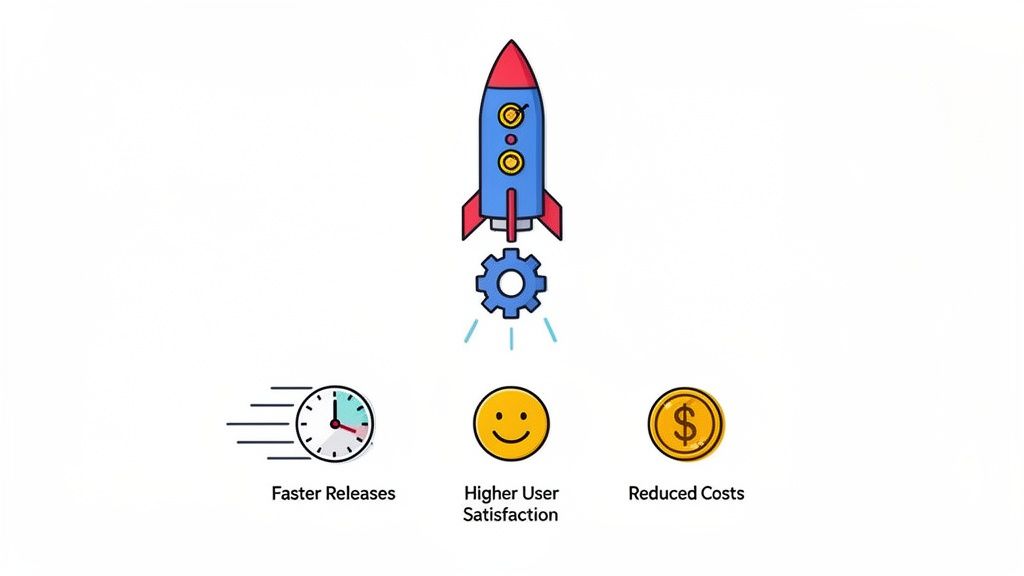
The true magic of effective test cases is how they inject both speed and confidence into every single release. They form the backbone of any serious quality assurance strategy, and the benefits are clear:
This isn’t just a hunch; the entire industry is doubling down on quality. The software testing market was valued at a whopping USD 55.8 billion in 2024 and is on a steep upward trajectory. If you want to see more projections on the software testing market, the data makes it obvious: quality assurance is big business.
This growth proves that knowing how to create a test case is no longer a niche skill for the QA team. It’s becoming a core competency for any software team that wants to perform at a high level.
A well-written test case is a form of documentation. It describes a specific piece of functionality so clearly that a new team member can understand the feature’s intent just by reading it.
Putting in the effort to write thoughtful, detailed test cases pays off every time. It builds a repeatable, scalable process for ensuring your product is rock-solid.
And now, modern tools are taking this to the next level. Solutions like TestDriver can actually take the principles of a good manual test case and generate automated end-to-end tests from simple text prompts. It’s a game-changer, turning clear instructions into powerful automation that saves a ton of time without cutting corners on quality.
To write a test case that actually finds bugs, you have to understand its anatomy. Think of it less like a stuffy formal document and more like a simple, clear recipe for breaking—and then fixing—your software. Each piece has a job to do, and when they all come together, you get a repeatable instruction set that anyone on your team, from a junior tester to a senior dev, can follow without confusion.
Let’s dissect these essential parts using a classic example: testing the user login flow on a website.
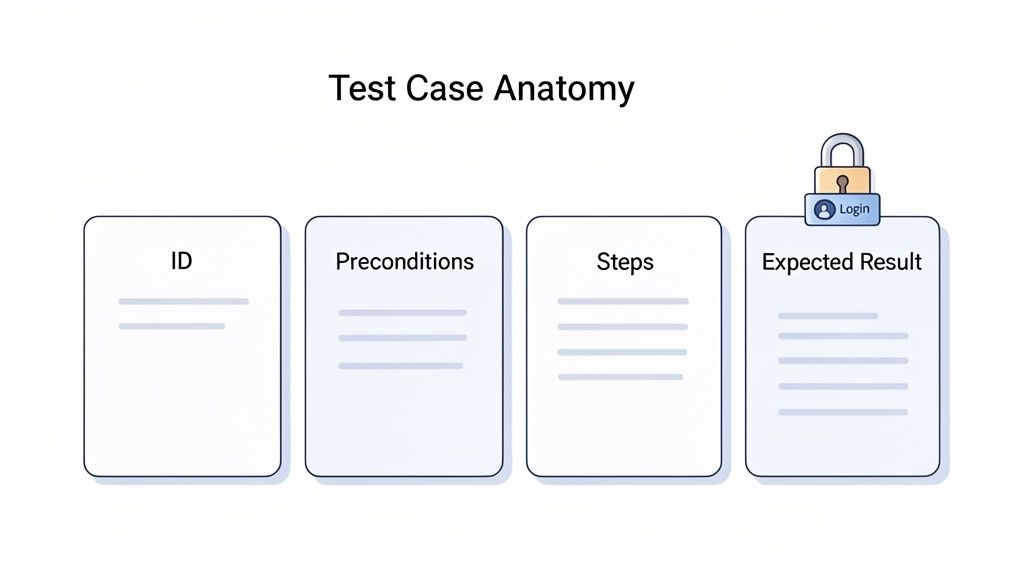
Every single test case needs a unique Test Case ID. This is non-negotiable for staying organized. A simple, predictable naming convention like [Feature]-[TestType]-[Number] (e.g., LOGIN-Positive-001) works wonders. This ID becomes the shorthand you’ll use in bug reports, sprint planning, and team chats.
Just as critical is a sharp, descriptive Title. It needs to spell out the test’s exact purpose. A title like “Verify successful login with valid credentials” tells you everything you need to know, while a lazy one like “Login Test” is practically useless.
Preconditions lay out everything that must be true before you even start the test steps. I can’t stress this enough: this is the most critical and most frequently botched part of a test case. Getting this right is the difference between a reliable test and a flaky one that has your team chasing ghosts.
For our login example, the preconditions might look something like this:
Skimping on preconditions is a classic rookie mistake. In fact, some engineering managers report that teams spending just 20% more time on detailing preconditions see a 25% drop in production bugs. That initial investment pays off, big time.
A test case without clear preconditions is like trying to follow a map without a starting point. You might eventually get there, but you’ll waste a lot of time and effort along the way.
The Test Steps are the real meat of the test case. These are the numbered, sequential actions the tester needs to perform. The golden rule here is to be painfully clear and simple. Write each step as a direct command, leaving no room for interpretation.
Here’s how you’d write the steps for our login scenario:
Each action needs to be distinct and verifiable. This structure removes all ambiguity and ensures you get consistent results, no matter who is running the test. For a deeper dive, check out our guide on the best practices for structuring effective test cases.
Finally, every test step culminates in an Expected Result. This is where you state exactly what should happen if the application is behaving correctly. For our login test, the expected result is simple: “User is successfully authenticated and redirected to the main dashboard page.”
When the test is run, the tester records the Actual Result—what really happened. If the actual matches the expected, the test passes. If it doesn’t, it fails, and it’s time to write a bug report. This direct comparison is the final verdict on whether the feature works as intended.
Knowing the building blocks of a test case is one thing. Writing one that your team genuinely finds useful and relies on? That’s a whole different ballgame. The best test cases are sharp, concise, and focused. They become the single source of truth for how a feature is supposed to behave, cutting through ambiguity and ensuring everyone tests the same way, every time.
A fantastic way to achieve this clarity is by borrowing a technique from Behavior-Driven Development (BDD): the Given-When-Then format. This simple structure forces you to frame tests from a user’s perspective, making them instantly understandable to everyone—not just the engineering team.
When you start using this format, you create a shared language that bridges the gap between developers, QA, and product managers. It’s powerful because it ties every test directly back to a user action or a business requirement, so you’re always focused on testing what truly matters.
Here’s a quick breakdown of how it works:
This structure almost magically pushes you toward writing more focused, atomic tests. A rookie mistake is trying to cram too many actions and checks into a single test case. This just leads to chaos when a test fails. Was it the login? The item addition? The final checkout step? Who knows.
Ideally, each test case should verify a single outcome. If you need to test multiple scenarios, just write multiple, smaller test cases. It’s that simple.
A great test case tells a story about a single user interaction. It has a clear beginning (Given), a specific action (When), and a predictable ending (Then). Anything more complicates the plot and makes it harder to follow.
Let’s make this real. Imagine you’re testing an e-commerce “Add to Cart” button. A poorly written test case isn’t just unhelpful; it can actively cause problems.
Here’s a side-by-side comparison:
| Vague Test Case | Clear and Actionable Test Case |
|---|---|
| Title: Add to Cart Test | Title: TC-ATC-001 Verify item is added to cart from product page |
| Steps: 1. Go to site. 2. Find product. 3. Click add. 4. Check cart. | Given a user is on a product detail page. When the user clicks the “Add to Cart” button. Then a confirmation message “Item added to your cart” is displayed AND the cart icon’s item count increases by 1. |
| Expected Result: It works. | Expected Result: The user receives immediate feedback, and the cart state updates correctly. |
The clear version leaves nothing to chance. It specifies the starting point, the exact action, and two distinct, measurable outcomes. The vague one is a recipe for confusion.
This level of detail is a lifesaver, especially when onboarding new testers or developers. Of course, finding the right balance of detail is a skill in itself, and you can learn more about balancing detailed test cases for new starters to make your documentation work for everyone on the team. This clarity is what makes your tests maintainable, reusable, and a true asset to your project.
Even the most seasoned QA pros have their share of test case nightmares—those tangled, vague, or outdated scripts that create more confusion than clarity. Learning to write an effective test case is just as much about sidestepping these common traps as it is about following a template. If you can spot these issues early, you’ll keep your test suite lean, reliable, and genuinely useful.
One of the most common mistakes I see is cramming too many actions into a single test case. It’s tempting, right? You create one big “mega-test” that runs through an entire user journey, from login to checkout. But when that test inevitably fails, good luck figuring out exactly where things went wrong. Was it the login? The search function? The payment gateway? A single failure point makes the entire test result useless.
Another classic pitfall is writing steps that only make sense to the person who wrote them. Using a ton of technical jargon or assuming everyone has the same deep product knowledge just creates friction. New team members or even developers trying to reproduce a bug will be left scratching their heads. A test case should be a crystal-clear recipe that anyone on the team can follow without needing a translator.
The same goes for vague expected results. “The page should load correctly” tells you nothing. A good expected result is precise and verifiable, like: “The user is redirected to the ‘Order Confirmation’ page, and the order ID is displayed.”
The whole point of a test case is to eliminate ambiguity. Every step should lead to a predictable and measurable outcome. If there’s room for interpretation, there’s room for bugs to hide.
It’s easy to focus only on the “happy path”—the ideal scenario where the user does everything perfectly. But the real value of thorough testing often comes from poking around the edges. What happens if someone tries to upload a massive file? Or enters emoji into a phone number field? These are the kinds of edge cases that can bring an application to its knees.
Finally, treating your test cases like they’re set in stone is a recipe for disaster. Products change, features get updated, and so must your tests. An outdated test case that keeps failing for no good reason erodes the team’s trust in the entire QA process. It just becomes noise.
This is a widespread problem. A 2020 survey found that only 44% of organizations managed to automate 50% or more of their tests, partly because so much effort is wasted on maintaining flaky, outdated scripts. You can explore more insights into AI in test automation to see how teams are trying to tackle this.
The best way to fight back is to build a simple maintenance habit. My rule of thumb? If a feature is changed in a sprint, the test cases tied to it get a review. It’s a small, consistent effort that prevents your test suite from becoming a liability and ensures it remains a valuable tool for protecting quality.
Everything you’ve just learned about writing a great manual test case is the perfect foundation for test automation. Clarity, a tight scope, and specific, measurable outcomes aren’t just nice-to-haves for manual testing—they’re the absolute bedrock for creating automated tests that don’t constantly break. This foundation is what helps you create a test case that can actually evolve with your product.
Many teams get stuck when they try to move into traditional automation. The problem is that writing and maintaining scripts is incredibly slow and fragile. A developer changes a button’s ID, and suddenly, your whole test suite falls apart. This often means engineers end up spending more time fixing broken tests than building new features.
That’s where a newer, AI-driven approach comes in.
The infographic below shows some of the most common mistakes I see that make manual test cases a nightmare to maintain, let alone automate.
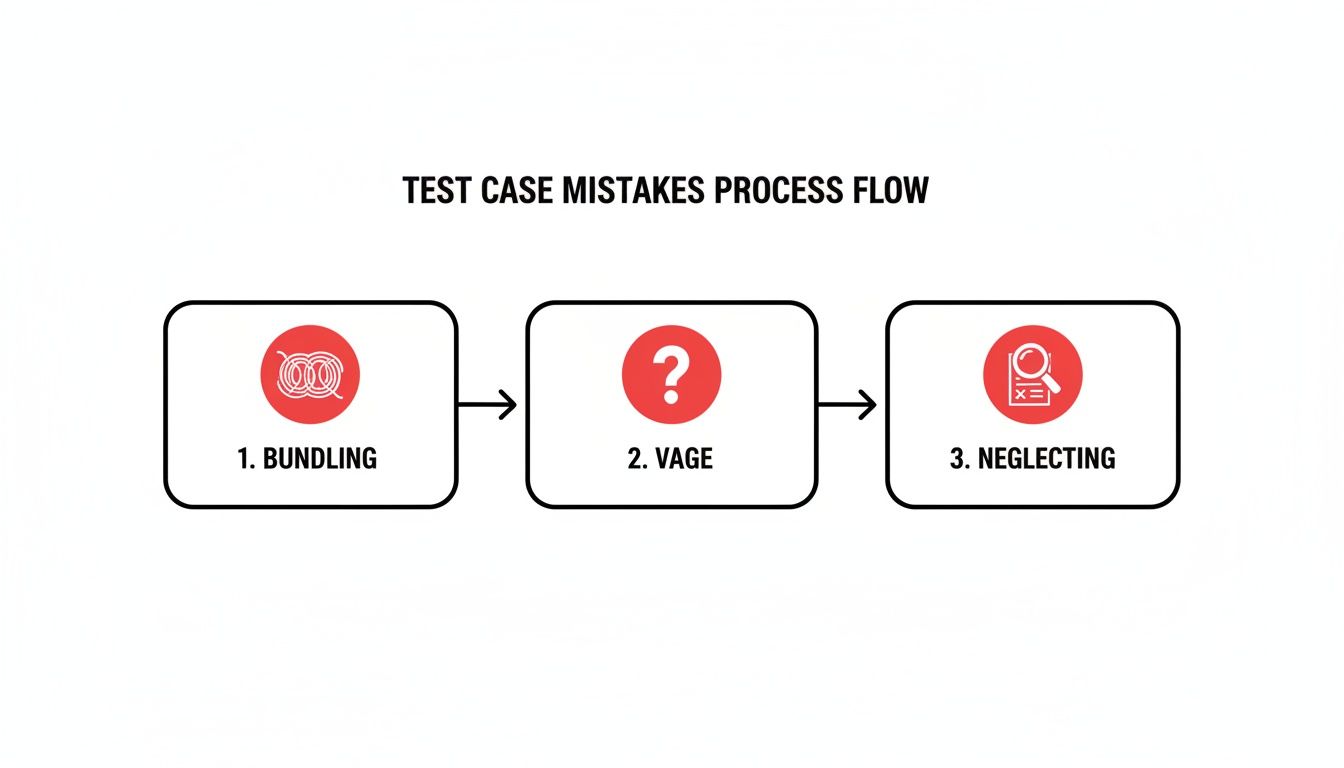
Bundling too many actions, being vague, or skipping over edge cases—each one of these bad habits makes the jump to automation ten times harder.
Modern tools like TestDriver were built to solve this exact problem. Instead of painstakingly scripting every click and keystroke, you can take the clear objective from your manual test case and turn it into a simple, plain-English prompt.
An AI agent can then generate a complete end-to-end test in a matter of minutes, not hours.
For instance, a manual test case objective like “Verify a user can successfully reset their password via the forgot password link” becomes a direct instruction for the AI. It figures out the flow, navigates the app, and validates the result just like a human would, but with the speed and consistency of an automated system.
This shift completely changes the QA role. You stop being a script janitor and become a test strategist. Your focus moves to defining critical user journeys and letting the AI sweat the small stuff.
This approach massively speeds up the entire testing cycle. Interestingly, Ireland leads the world with 61.2 software testers per 100,000 people, showing how a high concentration of QA talent can accelerate development. But for teams using tools like TestDriver, AI can generate test scenarios 3x faster, letting smaller teams achieve the kind of test coverage that once required a huge headcount.
This isn’t just about going faster. It’s about freeing up your most valuable people—your skilled QA engineers and developers—from mind-numbing, repetitive tasks. They can put their expertise to better use on work that actually requires a human brain:
Of course, you don’t just blindly trust the AI. Validating the output is still a critical step. By combining human oversight with AI-powered generation, you get the best of both worlds: tests that are built fast and are accurate and effective. To help you get this right, check out our guide on the best practices for validating AI-generated test cases in software development. This hybrid approach—blending human intelligence with machine speed—is where quality assurance is headed.
Even after you get the hang of writing test cases, a few questions always seem to surface. Let’s clear up some of the most common points of confusion to help you build a truly solid testing process.
Think of it like this: a test scenario is the high-level goal, the “what” you’re trying to prove. For example, “Check if a user can log in.” It’s a broad statement about a piece of functionality.
A test case, however, is the nitty-gritty, the “how.” It’s the detailed, step-by-step recipe to validate that scenario. It lays out the specific preconditions (like having a valid user account ready), the exact actions to perform (enter username, enter password, click “Login”), and the precise expected outcome (the user lands on their dashboard).
The scenario is the big idea; the test case is the actionable plan to make it happen.
There’s no magic number here. A common trap is to chase a specific count instead of focusing on what really matters: effective coverage. The right number of test cases is directly tied to the complexity and risk of the feature you’re testing.
The smartest way to approach this is through risk-based testing. Focus your energy on creating thorough test cases for the most critical user journeys—the ones where a bug would cause the most pain for users or the business.
It’s a tempting thought, but trying to automate everything is usually a mistake. The best candidates for automation are tests that are repetitive, stable, and data-driven. These are perfect for regression suites that you need to run over and over again.
On the other hand, some testing just needs a human touch. Things like usability testing, accessibility checks, or exploratory testing—where you’re actively hunting for unexpected bugs—rely on human creativity and intuition.
The best strategy is a balanced one. Let automation handle the repetitive, heavy lifting on your core end-to-end flows. This frees up your team to do the creative, human-centric testing that a machine simply can’t. It’s no surprise that the market for Unified Functional Testing tools is projected to grow from USD 2.5 billion in 2022 to USD 5.2 billion by 2030. The industry is clearly betting on this blended, end-to-end approach. You can discover more software testing statistics and trends to see where things are headed.
Your test cases should be living documents, not relics you write once and forget. They need to be updated anytime the feature they cover changes.
A great habit to get into is making test case maintenance part of your development sprints. When a developer picks up a ticket to modify a feature, updating the associated test cases should be part of the “definition of done.” Periodically reviewing your entire test suite to remove outdated or irrelevant tests is also key to keeping it lean, effective, and easy to manage.
Ready to stop writing brittle scripts and start generating robust end-to-end tests in minutes? With TestDriver, you can turn your clear test objectives into powerful, AI-driven automation with a simple prompt. See how it works at https://testdriver.ai.
Discover how are test cases written for modern software. This guide covers manual best practices and how to leverage AI for faster, smarter QA testing.
Learn how to write a test case that's clear, effective, and ready for AI automation. This guide covers structure, examples, and pro tips.
Boost QA with a practical test case design guide featuring proven techniques, clear writing tips, and AI-driven insights for smarter testing.
Master how to write the test cases with this practical guide, sharing real-world strategies for reliable software testing.
TestDriver runs every pull request in a real desktop sandbox, finds bugs, and builds regression tests - right from your repo.