Mastering the Software Testing Life Cycle From Start to Finish
Explore every phase of the software testing life cycle (STLC). This guide breaks down each step, from planning to AI integration, for smarter and faster QA.
Explore the real differences in manual vs automated software testing. Our guide covers costs, ROI, and when to use each for optimal software quality.
Automate and scale manual testing with AI ->
The core difference between manual and automated software testing is pretty simple: manual testing is all about human insight and exploration, while automated testing relies on pre-written scripts and tools to run tests over and over. One champions the irreplaceable value of human intuition for things like usability and visual appeal. The other delivers raw speed and precision for the repetitive, data-heavy work.
To build a solid quality assurance process, you have to get to grips with what manual and automated testing truly are. They aren’t competing against each other; they’re complementary approaches that solve different problems across the software development lifecycle. Think of one as the creative explorer and the other as the tireless, methodical guard.

Manual testing is exactly what it sounds like—a human-driven process. A QA engineer interacts with an application just like a customer would, either following a set of test cases or simply exploring the system to find bugs, usability snags, and visual glitches. This approach is absolutely essential for any scenario that needs a subjective, human perspective.
You really can’t automate things like:
Even with automation everywhere, manual testing isn’t going away. It still holds a significant 47% of the global software testing market share, which proves its worth in catching the subtle issues that scripts fly right past. For a deeper look, check out our guide on https://testdriver.ai/articles/the-importance-of-manual-testing-in-modern-software-development.
Automated testing is where we bring in the machines. It uses specialized tools and custom scripts to run tests, comparing the actual results against what was expected. The main goals here are to boost efficiency, guarantee consistency, and get fast feedback, especially for teams working in CI/CD pipelines. A good starting point is understanding the basics, like those covered in these unit testing best practices.
Automation is the powerhouse for:
The real value of automation isn’t just speed—it’s reliability. By turning test logic into code, teams create a repeatable and scalable safety net that catches regressions before they ever get to production. That protects both the user experience and the company’s reputation.
Before we dive deeper, here’s a quick side-by-side look at the fundamental differences between these two testing approaches. This table offers a high-level summary to keep in mind as we explore their specific pros, cons, and use cases.
| Attribute | Manual Testing | Automated Testing |
|---|---|---|
| Execution Method | Performed by a human tester | Executed by software scripts |
| Best For | Usability, exploratory, and UI testing | Regression, load, and repetitive tasks |
| Human Element | High (requires intuition and creativity) | Low (focused on pre-defined logic) |
| Initial Setup | Low (test cases can be written quickly) | High (requires script development) |
| Long-Term Speed | Slower and less scalable | Fast, consistent, and highly scalable |
| Scalability | Difficult and resource-intensive | Easy to scale across environments |
This at-a-glance comparison sets the stage, but the real magic happens when you understand why and when to choose one over the other—or how to blend them effectively.
Ditching the simple pro/con list reveals a much more interesting story in the manual vs. automated testing debate. Real success comes from understanding the trade-offs across critical areas like execution speed, long-term accuracy, test coverage, and the maintenance that inevitably follows. A surface-level analysis just calls automation “faster,” but that completely misses the balance between upfront investment and long-term payoff.
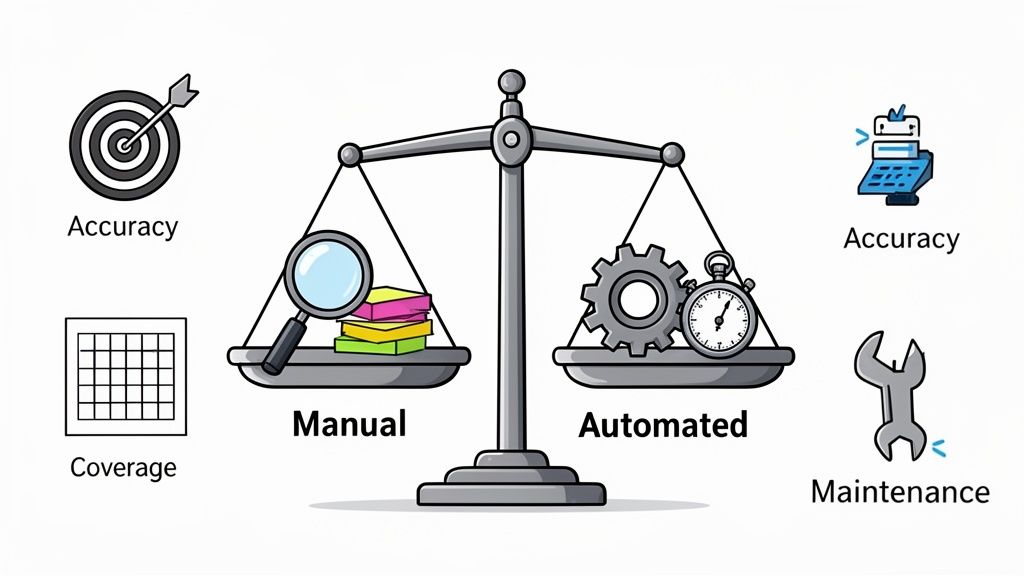
The most obvious difference, of course, is raw execution speed. An automated script can rip through thousands of checks in the time it takes a human to validate a single user flow. For large regression suites, this isn’t just an advantage; it’s a game-changer. Automation provides feedback in minutes within a CI/CD pipeline, not days.
But “speed” isn’t just about how fast a test runs—it’s also about how long it takes to create it. A manual tester can jump into a new feature and start providing valuable feedback almost immediately. In contrast, building a robust, reliable automation script demands a serious upfront investment in coding, debugging, and integration.
So, the true measure of speed really depends on your context. Manual testing wins the sprint for quick, exploratory validation, while automation dominates the marathon of repeatable, high-volume checks.
At first glance, it seems like automation would be inherently more accurate. It completely removes the risk of human error, especially in mind-numbing, repetitive tasks where a manual tester’s focus can naturally drift. A script runs the exact same steps with the exact same data every single time, which guarantees consistency.
That consistency, however, can be a double-edged sword. A poorly written script will consistently produce the wrong results, flooding your team with false positives or, far worse, missing real bugs (false negatives). This erodes trust in the entire test suite and wastes countless developer hours chasing ghosts. You can find more details in our guide on the key considerations for effective test automation.
A manual tester might miss a tiny detail on their tenth run-through of a checkout process, but an automation script will miss a glaring visual bug every single time if it wasn’t explicitly programmed to look for it. Accuracy in automation is only as good as the logic coded into the script.
Human testers, while not perfect, bring something a script can’t: adaptability. They can spot things outside the strict confines of a test case—a broken image, a slow-loading element, or a user flow that just feels wrong—that a rigid script would blissfully ignore. This makes manual testing a critical safety net for catching issues automation is blind to.
Test coverage is another area where the comparison isn’t so black and white. Automation is the undisputed champion of breadth. It can execute tests across countless data combinations, browsers, and device configurations that would be financially and logistically impossible to cover manually. Think of it excelling at data-driven testing, like verifying calculations for thousands of different inputs in a fintech app.
On the other hand, manual testing excels at depth. An experienced QA engineer performing exploratory testing can dive deep into a single feature, using creativity and intuition to uncover strange edge cases and usability problems. This “unscripted” approach is absolutely vital for ensuring a feature doesn’t just work, but is also intuitive and enjoyable for the end-user.
The market reflects this reality. Test automation is growing rapidly, scaling from $25.4 billion to $29.29 billion at an impressive 15.3% CAGR. And yet, it has only replaced 50% or more of manual testing in 46% of enterprise cases. This shows that human-led depth is still indispensable. You can find more insights in the latest software testing statistics on TestGrid’s blog.
Finally, let’s talk about maintenance—the critical factor that’s so often underestimated when teams get excited about automation. When an application’s UI changes, every single automated script that touches those altered elements has to be updated. This maintenance can quickly become a massive bottleneck, turning a once-efficient automation suite into a growing pile of technical debt.
Manual test cases need updates, too, but the process is usually far simpler. A person can adapt to minor UI changes on the fly and update the documentation later. It’s a much lower cognitive load than debugging complex code. The great irony is that a high-maintenance automation suite can sometimes end up costing more time and resources than the manual process it was meant to replace. This makes choosing the right, low-maintenance tooling a crucial strategic decision from day one.
Deciding between manual and automated testing isn’t just a technical debate—it’s a financial one. And if you only look at the upfront “sticker price,” you’re missing the point entirely. A simple salary-versus-software comparison fails to capture the hidden costs and long-term value that truly shape this decision. To make the right call, you need to think in terms of Total Cost of Ownership (TCO) and Return on Investment (ROI).
On the surface, manual testing looks cheap. The most obvious expense is your QA team’s salary, but that’s just the tip of the iceberg. The real costs are recurring, and they add up fast, slowing down your releases and eating into your budget over time.
Think about what you’re really paying for:
The biggest hidden cost of relying too heavily on manual testing is the opportunity cost. While your sharpest engineers are monotonously clicking through the same old regression tests, they aren’t doing the creative, high-impact work—like exploratory and usability testing—that actually uncovers the most critical user-facing problems.
Test automation completely flips the cost model. You’re looking at a much higher investment upfront, but the whole point is for that investment to pay for itself over and over again by slashing manual effort and tightening feedback loops.
Your initial investment will likely include:
But once that foundation is built, your ongoing costs are mostly just for maintenance and infrastructure. These are almost always far lower than the recurring salaries of a large manual QA team.
The real return—the ROI—comes from business-level improvements. When you can run your entire regression suite on every single code commit, you find bugs almost instantly. We all know that fixing a bug during development is 10x-100x cheaper than fixing it after it’s in the hands of a customer. That incredibly fast feedback loop lets you release faster and with more confidence, which is a massive competitive advantage.
To make a truly informed decision, you need to lay out the numbers. The table below breaks down the key financial factors to consider when calculating the TCO and potential ROI for both manual and automated testing. It helps move the conversation beyond a simple “people vs. tools” debate.
| Financial Factor | Manual Testing Considerations | Automated Testing Considerations |
|---|---|---|
| Initial Costs | Low. Primarily onboarding and training new team members. | High. Includes tool licensing, framework setup, and initial script creation. |
| Recurring Costs | High and continuous. Driven by ongoing salaries, benefits, and team growth. | Moderate. Consists of script maintenance, infrastructure costs, and tool renewals. |
| Execution Cost | High. The cost per test run is directly tied to an engineer’s time. | Extremely Low. Once written, the cost per automated test run is almost zero. |
| ROI Drivers | Limited to finding bugs within a specific, time-boxed release cycle. | Faster time-to-market, drastically reduced cost-per-bug, and increased developer productivity. |
| Scalability Cost | Linear. Costs grow directly in line with your team size and application complexity. | Logarithmic. Costs increase much more slowly as the test suite grows. |
By breaking it down this way, you can build a solid, data-driven business case. The goal isn’t just about cutting costs. It’s about strategically reinvesting the engineering hours you save into innovation and the kind of high-value quality assurance work that automation simply can’t replace.
Knowing the difference between manual and automated testing is the first step. Knowing exactly when to use each is what really separates a decent QA strategy from a great one. This isn’t about one method being inherently better; it’s about making a smart, strategic choice based on the context to get the most out of your resources and ship a high-quality product. The right call always comes down to the specific task, how mature the feature is, and what you’re trying to achieve with the test.
Manual testing is still king in scenarios that demand human intelligence, creativity, and subjective judgment. A script just can’t replicate a user’s gut feeling or their frustration with a clunky interface.
Here are the prime situations where manual testing really shines:
The real value of manual testing comes from answering the question, “Does this product just work, or is it actually a good experience?” Automation confirms function, but only a person can validate the feel and flow.
Automation is the powerhouse of modern CI/CD pipelines. It’s built for tasks that are repetitive, predictable, and need to be done on a massive scale. It gives you the speed and consistency needed for fast, reliable software releases.
You should absolutely turn to automation for these key areas:
The chart below breaks down the fundamental cost and ROI factors that usually guide the decision between manual and automated testing.
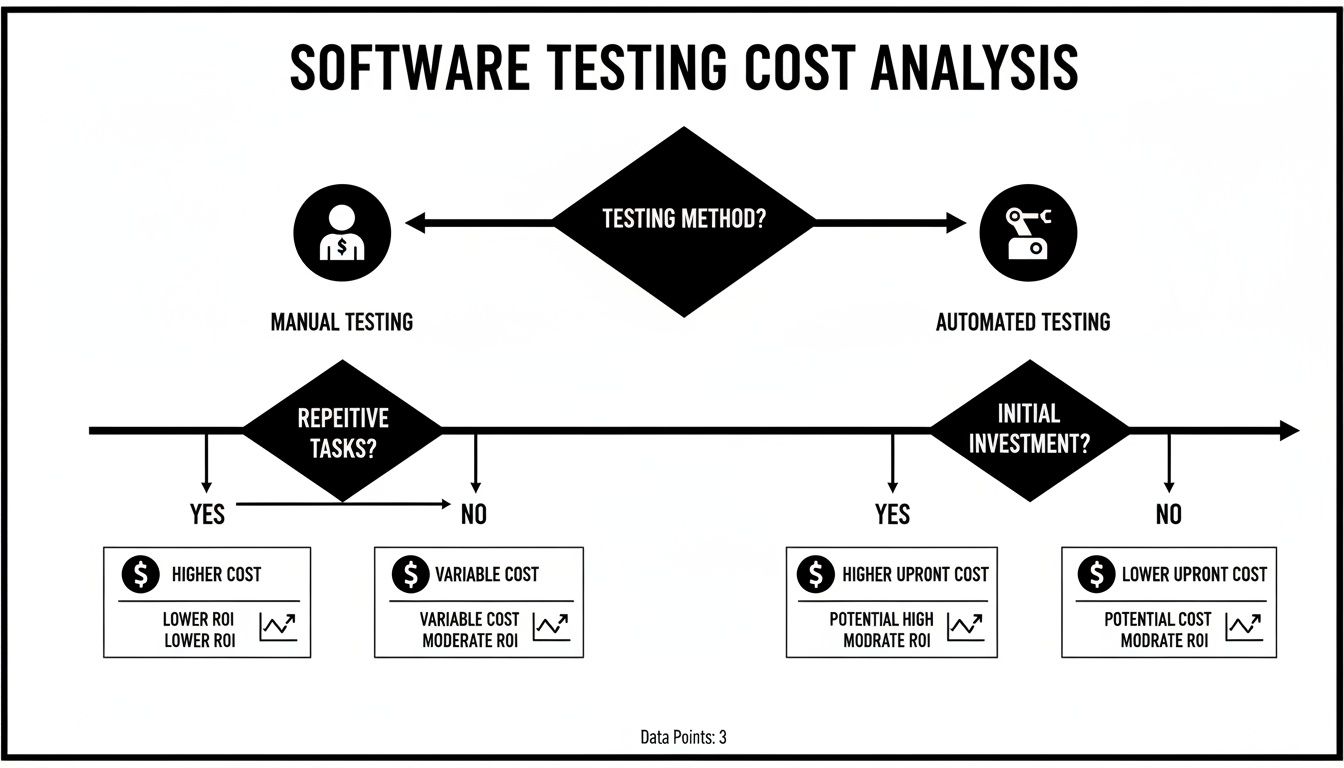
As the flowchart shows, manual testing has ongoing operational costs, while automation requires a bigger upfront investment that pays for itself over time through sheer speed and efficiency. By matching the right testing method to the right job, teams can build a balanced and powerful strategy that maximizes test coverage and gets releases out the door faster.
The whole “manual vs. automated testing” debate often misses the point. It’s not an either/or fight. The smartest quality assurance strategies don’t pick a side; they build an intelligent hybrid model that gets the best of both worlds.
This approach pairs the irreplaceable creativity and intuition of a human tester with the raw speed and efficiency of automation. The result is a system where each method makes the other stronger.
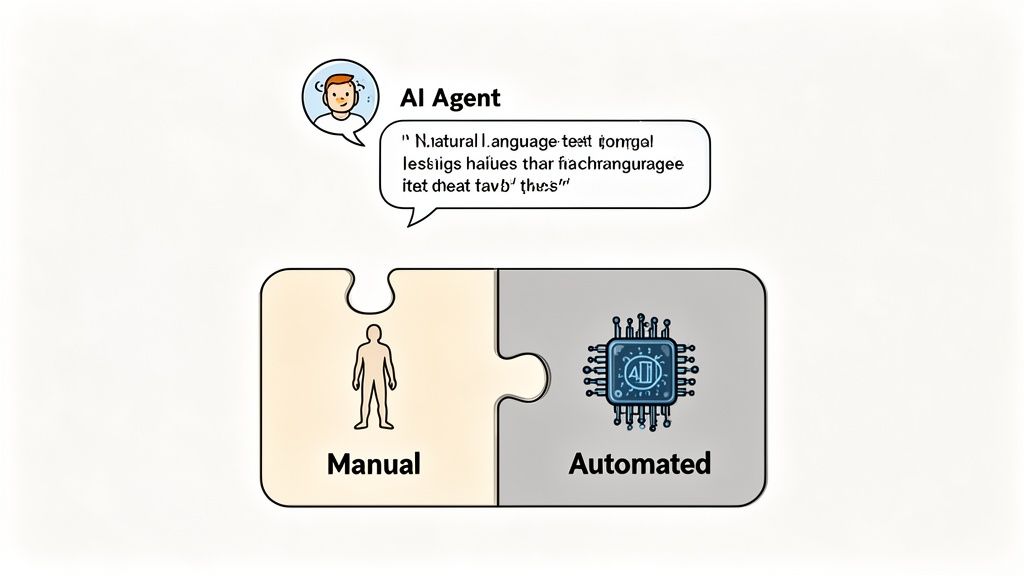
This kind of balanced strategy used to be hard to pull off, but modern AI tools are changing the game. Historically, the biggest blocker for automation was the steep learning curve and massive time sink required to write and maintain test scripts. AI is tearing down that barrier.
AI-powered testing tools are completely redefining what it means to automate. Instead of forcing engineers to write complex, line-by-line scripts with tools like Selenium or Cypress, these new platforms let teams generate solid tests from simple, natural language prompts. This is a huge deal because it dramatically lowers the technical skill needed to get started.
What this shift really means is that robust test automation is no longer just for specialized Software Development Engineers in Test (SDETs). Now, developers and QA pros can whip up complex end-to-end tests in a fraction of the time. Automation is becoming just another part of the daily development workflow, not some separate, time-consuming phase.
The real impact of AI in testing isn’t just about writing scripts faster. It’s about democratizing automation, allowing the entire engineering team to contribute to quality and freeing up expert QA professionals to focus on the high-value, exploratory work that only a human can perform.
A great example of this evolution in action is TestDriver, an AI agent built for exactly this purpose. It lets teams generate comprehensive test scenarios from simple prompts, turning a high-level idea into executable code without all the traditional scripting overhead.
For instance, you can see how its clean, prompt-based interface works.
The interface shows how a user can describe a journey in plain English, and the AI agent translates that directly into a functional end-to-end test. This approach cuts way down on the time and specialized knowledge needed to build and maintain a good automation suite.
So, what does this actually look like on a real project?
Imagine your team is about to release a redesigned e-commerce checkout flow. Instead of grinding through days of manual regression testing, you can take a much more efficient, hybrid approach.
Here’s a practical breakdown of that workflow:
This human-led effort would focus on the tricky areas automation can’t touch:
This hybrid model creates a powerful synergy. The AI-driven automation builds a foundation of speed and reliability, making sure the core app stays stable. That foundation then empowers your manual testers to move beyond boring, repetitive checks and focus on the nuanced, user-centric quality issues that make or break a great product.
You can learn more by exploring ways to integrate AI into your quality assurance strategy effectively. By combining machine efficiency with human insight, teams can achieve much broader test coverage and ship better software, faster.
When you’re trying to figure out the right mix of manual and automated testing, a lot of questions pop up. Even if you understand the theory, putting it into practice brings its own set of challenges. Let’s tackle some of the most common questions engineering managers and QA pros ask to help you build a smarter, more balanced testing process.
The short answer is no. This is probably the biggest misconception out there, but the truth is that automation and manual testing are built for fundamentally different things. Automation is a workhorse—it’s fantastic at running the same repetitive, predictable tests over and over with incredible speed, which is why it’s a must-have for regression and load testing.
But automation has no intuition. It can’t tell you if a new feature feels awkward to use or if a design is visually confusing. That’s where human creativity and judgment are irreplaceable.
The best quality strategies don’t choose one over the other; they blend them. Automation creates a solid foundation of repetitive checks, freeing up your human testers to dig into the complex, user-focused work like exploratory, usability, and ad-hoc testing where they add the most value.
The goal isn’t to replace people with scripts; it’s to create a partnership. Automation is your safety net, catching regressions and ensuring core functionality works. Manual testing provides the human insight that confirms the application is not just functional, but genuinely good for the people using it.
Hands down, the single biggest mistake is trying to automate everything at once. Teams get excited by the promise of massive efficiency gains and set an ambitious goal of 100% automation. This “big bang” approach almost always fails. It leads to huge upfront costs, a maintenance nightmare, and a terrible return on investment.
A much better way forward is to start small and grow your automation efforts thoughtfully. Pinpoint the highest-value targets first.
Here’s a simple framework for where to begin:
By focusing on a small set of high-impact tests first, you can show value quickly, build momentum, and learn what works for your team before you try to scale up. This incremental approach has a much, much higher chance of long-term success.
AI-powered testing tools are completely reframing this conversation. They’re making automation so much more accessible and efficient that the traditional lines between manual and automated work are starting to blur.
In the past, automation required serious coding skills and a huge time commitment to write and maintain test scripts. But modern AI tools like TestDriver flip that script. They let teams generate complex end-to-end tests from simple, plain-English prompts.
This shift has a few huge implications:
AI doesn’t make manual testing obsolete. Instead, it lets you automate more of your test cases more easily. This frees up your team to dedicate their valuable time to uniquely human tasks like deep exploratory testing and fine-tuning the user experience.
To really understand how well your QA process is working, you need to look at a mix of metrics covering both your manual and automated efforts. A single number will never tell the whole story. Think of it as a balanced scorecard that gives you a complete picture.
Here’s a breakdown of what to track:
For Manual Testing:
For Automated Testing:
For Your Overall Hybrid Strategy:
Ready to make your testing strategy more efficient? TestDriver uses an AI agent to help you generate end-to-end tests from simple prompts, dramatically reducing scripting time and expanding your test coverage. See how it works.
Explore every phase of the software testing life cycle (STLC). This guide breaks down each step, from planning to AI integration, for smarter and faster QA.
Learn how to make test cases in software testing with practical guidance on designing, writing, and automating tests.
Learn how to write testcase with practical examples, clear structure, and automation tips to boost software quality.
Discover the 12 best codeless automation testing tools for web, API, and mobile. Our 2026 guide helps you choose the right platform for your QA workflow.
TestDriver runs every pull request in a real desktop sandbox, finds bugs, and builds regression tests - right from your repo.