Manual vs Automated Software Testing A Practical Guide
Explore the real differences in manual vs automated software testing. Our guide covers costs, ROI, and when to use each for optimal software quality.
Explore every phase of the software testing life cycle (STLC). This guide breaks down each step, from planning to AI integration, for smarter and faster QA.
Automate and scale manual testing with AI ->
The software testing life cycle (STLC) is a disciplined, step-by-step process that quality assurance teams follow to test software thoroughly. It’s not just about finding bugs at the end; it’s a comprehensive framework designed to ensure quality is built into the product from the very beginning.
Think of it as the QA team’s version of the development lifecycle—a strategic plan that brings order to the chaos of testing.
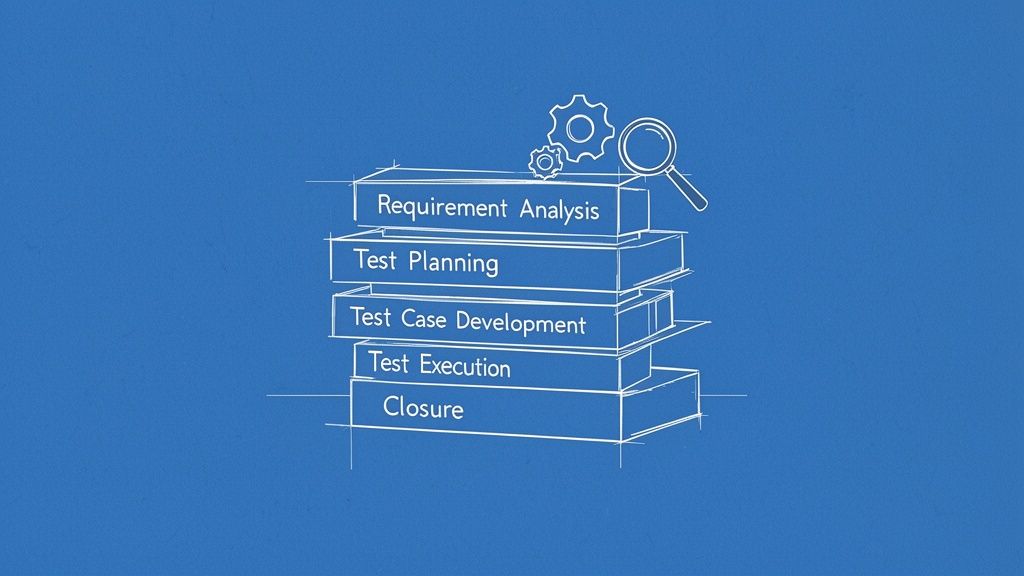
Imagine trying to build a skyscraper without architectural blueprints. You might get a few floors up, but you’d have no real confidence in the foundation, the structural integrity, or whether the elevators will actually work. That’s what developing software without a testing plan feels like. The Software Testing Life Cycle (STLC) is that essential blueprint for quality.
It provides a methodical approach where each phase logically flows into the next. This structure transforms testing from a haphazard, reactive task into a proactive and predictable engineering discipline. You start with a plan, you build your tests, you run them, and you close the loop, ensuring every feature meets user expectations before it ever goes live.
In a world where speed is everything, it’s tempting to cut corners on testing to ship code faster. But that’s a recipe for disaster—leading to frustrated users, damaged reputations, and expensive fixes down the road. The STLC acts as the guardrails that help you move fast without breaking things.
Adopting a structured process offers some serious advantages:
The concept of a formal STLC isn’t new—it dates back to the late 1970s. But it’s more relevant than ever, adapting from waterfall to agile and now to AI-driven workflows. With the global software testing market expected to hit $93.94 billion by 2030, getting this process right is a massive competitive advantage. Explore more software testing statistics.
The core principles of the software testing life cycle are timeless, but how we execute them is changing fast. AI is no longer a futuristic buzzword; it’s a practical tool that can supercharge every phase of the STLC.
Modern AI agents can read requirements documents to help you draft a test plan, generate hundreds of complex test cases from a single sentence, and even write detailed bug reports with screenshots and logs. Throughout this guide, we won’t just cover the classic STLC framework; we’ll show you exactly how you can use tools like TestDriver to make the entire process smarter and more efficient.
Every great software project starts with a solid plan, and for testing, that foundation is built long before any tests are actually run. This is where we move from the idea of quality to a concrete, actionable strategy. It all begins with two critical phases: analysis and planning. Think of it as being a detective first, then an architect.
The whole process kicks off with Requirement Analysis. This is the detective work. Testers dig deep into project documents, user stories, and acceptance criteria. The goal isn’t just to understand what the software is supposed to do, but why it needs to do it. It’s a collaborative effort, working closely with product managers and developers to clear up any fuzzy details and spot potential gaps.
What exactly does the user need? How should the system react in different scenarios? Nailing down these answers early on saves a ton of headaches and rework later. This phase is all about defining what’s testable and getting everyone on the same page.
Once the requirements are crystal clear, the team puts on their architect hats for the Test Planning phase. This is where the blueprint for the entire testing effort gets drawn up. A good test plan isn’t just paperwork; it’s a formal document that lays out the scope, strategy, and resources you’ll need to get the job done right.
This essential document usually covers:
It’s easy to think of a test plan as something you create once and then forget. But in agile, it has to be a living, breathing document. For a closer look at how to keep your plan relevant, check out our guide on understanding modern test planning in agile development.
Effective test planning is more than just making lists. It’s about having the foresight to connect every testing activity directly to business goals, giving your whole QA team a clear roadmap to follow.
Traditionally, digging through requirements and building a test plan is a manual, often tedious, process. A QA engineer could easily spend days reading documents just to figure out test coverage. This is where a tool like TestDriver comes in, acting like an intelligent co-pilot right from the start.
Instead of a human manually reviewing everything, an AI agent can scan requirement documents or user stories and immediately point out key areas that need testing. It can spot complex user flows, flag tricky edge cases you might have missed, and even help estimate how much effort is needed.
For instance, give TestDriver a requirement for a new e-commerce checkout flow, and it might suggest tests for things like:
This doesn’t mean the AI replaces the tester’s expertise. Not at all. It enhances their skills, helping them build a much stronger testing foundation, much faster. It turns vague ideas into a solid, well-defined strategy, paving the way for a successful testing cycle.
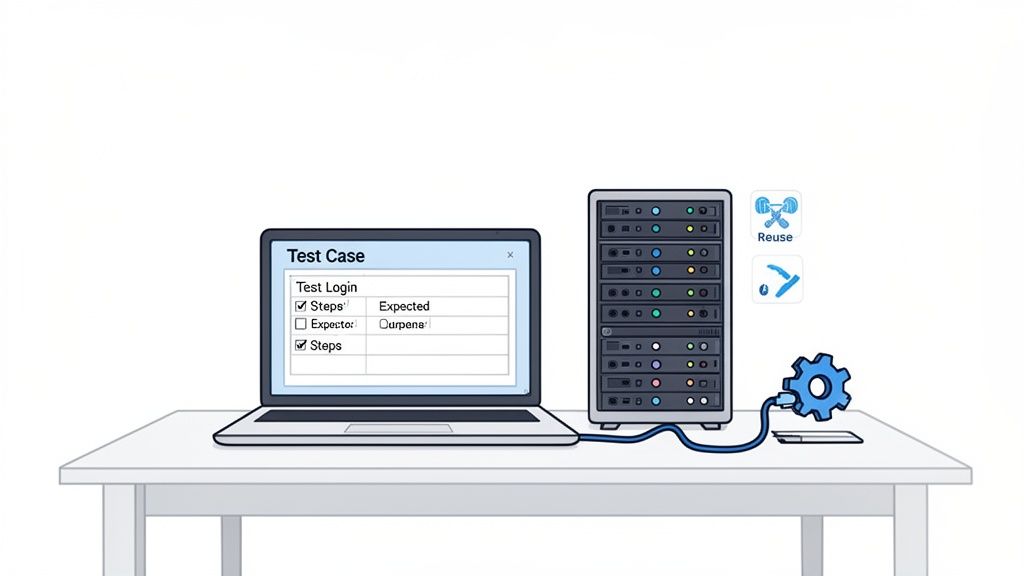
With a solid test plan in hand, we move from strategy to action. This is the point in the software testing life cycle where we roll up our sleeves and start building the tools for validation and preparing the stage for execution. It’s really a two-part process: first, we design the test cases, and second, we set up a pristine environment to run them in.
Think of it like getting ready for a major science experiment. First, you write down every step of the procedure with absolute clarity. Then, you set up a controlled lab where no outside variables can mess with your results. Both steps are essential if you want an outcome you can trust.
The Test Case Development phase is where QA engineers get down to the nitty-gritty, translating abstract requirements into specific, step-by-step instructions. A test case isn’t just a vague idea; it’s a formal script that details exactly what actions to perform, what data to use, and what the expected outcome should be. Good test cases are the absolute backbone of effective quality assurance.
They need to be:
This phase demands meticulous attention to detail. A poorly written test case can easily miss a critical bug. Even worse, it could produce a false positive, sending the development team on a wild goose chase for a problem that doesn’t even exist.
The core principle is simple: write each test case as if you’re giving instructions to someone who has never seen the application before. This clarity ensures consistency, regardless of who is executing the test.
Traditionally, this meant manually writing hundreds, or even thousands, of test scripts—a tedious and error-prone process. This is where modern AI agents completely change the game. Instead of scripting line by line, a tester can now use a simple prompt to get the job done.
For example, a prompt like, “Verify the login flow fails when using an invalid password and shows an error message,” allows a tool like TestDriver to instantly generate a complete, automated test case. This includes all the necessary steps, assertions, and even the required test data. This shift from manual scripting to intent-based instruction is a massive leap in efficiency.
For startups, this approach to the software testing life cycle means they can validate entire user flows without writing a single line of code. Historically, the 2001 Agile Manifesto pushed for more iterative cycles. AI now accelerates that principle exponentially, with some reports showing that 70% of teams are already using AI for test case creation. You can discover more insights on the state of testing from recent reports.
Once your test cases are ready, you need a reliable place to run them. The Test Environment Setup phase is all about configuring the necessary hardware, software, and network settings to mirror the live production environment as closely as possible.
This stage is absolutely critical. If your test environment doesn’t match production, your test results are basically useless. A bug you find in a misconfigured environment might not exist in the real world, and a bug you miss because of environmental differences could slip right through to your users.
Key activities in this phase include:
A common pitfall here is “environment drift,” where the test setup slowly deviates from the production one over time. That’s why it’s so important to run regular validation checks and smoke tests. These quick checks confirm the environment is stable and ready for testing before you kick off a full execution cycle. This preparation ensures that when a test fails, you can be confident the issue is in the code—not the setup.
This is where the rubber meets the road. After all the careful planning, analysis, and setup, we finally get to the Test Execution phase. It’s the moment of truth in the software testing life cycle, where the QA team methodically runs through the test cases and logs every single result.
The process is simple in concept but demands incredible attention to detail. You’re comparing what the software actually does against what your test case says it should do. Did the user log in successfully? Did the right error message pop up after a failed attempt? Every outcome—pass or fail—gets recorded, building a clear, traceable record of the application’s health.
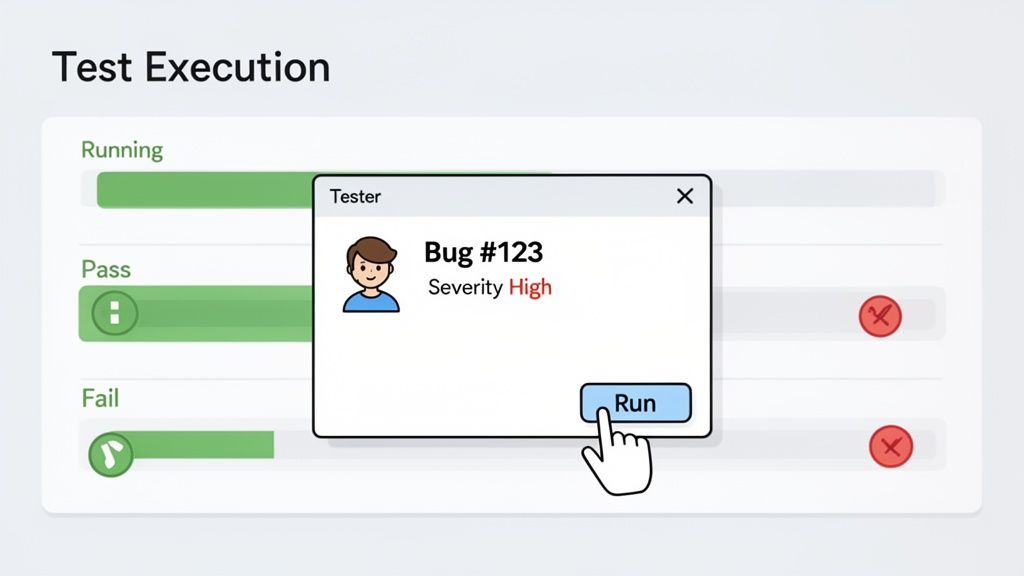
When a test case fails, you’ve found a defect, or what most of us just call a bug. This discovery kicks off a parallel process that’s just as important as running the test in the first place: Defect Tracking. Honestly, a bug that isn’t documented properly is a bug that might as well have never been found.
An effective bug report isn’t just a quick note; it’s a precise, actionable piece of communication for the development team. It has to give a developer everything they need to understand, replicate, and ultimately fix the problem.
“A well-written bug report is the single most important artifact in the entire testing process. It’s the bridge between identifying a problem and getting it solved.”
The magic word here is reproducibility. If a developer can’t make the bug happen on their end, fixing it becomes a frustrating guessing game. That’s why a solid report always includes clear, numbered steps to reproduce the issue, screenshots or videos for context, and specifics about the test environment (like the browser version or operating system).
Once a bug is logged, you can’t just toss it onto a giant pile. Teams need a system to triage the incoming issues, which is where severity and priority come in. They sound similar, but they measure two very different things.
This two-axis system helps product managers and dev leads make smart, informed decisions about what to tackle first, ensuring the team’s effort is always focused on the most impactful problems. From there, the defect has its own lifecycle, moving from “New” to “In Progress,” “Ready for Retest,” and, with any luck, “Closed.”
Traditionally, running a full regression suite with thousands of test cases could take hours, sometimes even days of manual work. This created a massive bottleneck, especially for teams working in fast-paced CI/CD environments where shipping code multiple times a day is the norm.
This is where AI-powered execution completely flips the script on the software testing life cycle. For QA engineers and SDETs, this means AI agents can generate and run end-to-end tests from simple, plain-English prompts. This capability shrinks what used to be days of work into minutes, slotting perfectly into CI/CD pipelines. Every single commit can trigger a new test suite—running unit tests in seconds and comprehensive end-to-end tests in under an hour. Find out more about how AI is transforming QA workflows and timelines.
Instead of manually clicking through a complex user journey, a tester using TestDriver can just type a prompt: “Test the checkout process with an international shipping address and a discount code.” The AI agent then autonomously executes that entire flow, validating each step along the way.
The output isn’t just a pass/fail status. It’s an instant, detailed report packed with screenshots of each step, performance timings, and console logs, giving developers immediate and rich feedback. This incredible speed allows teams to test every code change thoroughly, catching bugs almost as soon as they’re written and keeping quality consistently high with every single release.
The final phase of the software testing life cycle, Test Cycle Closure, is often the most overlooked. It’s easy to think the job is done once the last test is run, but this is where good teams separate themselves from the great ones. This isn’t just about stopping the tests; it’s a crucial moment for reflection, learning, and setting the stage for continuous improvement.
Think of it like the post-game analysis after a major championship. The game is over, but the coaches and players don’t just go home. They gather to review game footage, analyze stats, and discuss what went right and what went wrong. This disciplined review is exactly how they prepare to win the next game.
The main deliverable here is the Test Closure Report. This isn’t just some bureaucratic formality; it’s a comprehensive document that tells the whole story of the testing effort. It acts as a single source of truth for all stakeholders—from project managers to executives—helping them understand the real quality of the product and make a truly informed release decision.
A solid test closure report should always include:
This report is the official sign-off, confirming that testing for the cycle is done. For teams on the hook for a go/no-go decision, knowing when software testing should be considered complete is everything, and this report provides the hard data to back up that call.
Metrics are the heartbeat of the Test Cycle Closure phase. Without them, you’re just guessing about quality. Tracking the right key performance indicators (KPIs) allows teams to pinpoint weaknesses, celebrate strengths, and build a data-driven culture for future testing.
The most mature QA organizations don’t just collect data; they use it to predict the future. Statistics from the World Quality Report 2025-26 show that 94% of organizations now use production data to inform their risk analysis and closure phases, turning raw metrics into powerful predictive assets. Learn more about how data is shaping modern testing strategies.
Here are a few essential metrics to keep an eye on during this phase.
This table breaks down some of the most important KPIs that engineering and QA teams rely on to measure success and drive improvements in the testing life cycle.
| Metric | What It Measures | Why It’s Important |
|---|---|---|
| Defect Density | The number of confirmed defects per size unit of the software (e.g., per 1,000 lines of code or per feature). | High density in a specific area signals a hotspot that likely needs more focused testing or even some refactoring. |
| Test Case Effectiveness | The percentage of defects found by the executed test cases out of the total defects found (including those found by users). | A high score means your test suite is doing its job well. A low score suggests your tests aren’t catching the right bugs. |
| Defect Leakage | The percentage of defects that were missed during testing and discovered by users in the live production environment. | This is a critical measure of QA effectiveness. The goal is always to keep this number as close to zero as possible. |
By tracking these metrics, teams can move from simply reacting to bugs to proactively improving the quality of their entire development process.
AI-powered tools like TestDriver make this a whole lot easier. Instead of spending hours manually pulling data from different places, the platform automatically gathers all the test results into clean, intuitive dashboards. This gives engineering managers real-time insights so they can make confident, data-driven decisions about product readiness without getting buried in spreadsheets.
So, how does this all work in the real world? Bringing artificial intelligence into your testing process isn’t just a futuristic idea; it’s a practical way to supercharge every single phase of the STLC. Think of AI as an incredibly smart assistant that helps with everything from initial planning and test creation to running the tests and analyzing the results.
It’s not about replacing your QA team. It’s about giving them superpowers. Imagine an AI that reads through user stories and immediately points out critical test scenarios or tricky edge cases that a person might miss. This frees up your engineers to do what they do best: creative, exploratory testing that requires a human touch.
Let’s look at a common scenario. A developer just shipped a new two-factor authentication (2FA) feature for your login page. The old way involved a QA engineer painstakingly writing out a detailed, step-by-step test script, which could easily eat up a good chunk of their day.
Now, picture this with an AI-powered tool like TestDriver. The QA engineer just writes a simple, plain-English prompt:
“Verify that a user can successfully log in using a valid password and a correct 2FA code sent via SMS. Then, test that the login fails with an incorrect 2FA code and displays an appropriate error message.”
From that one sentence, the AI generates a complete, automated end-to-end test in seconds. It knows how to navigate to the login page, enter the credentials, handle the 2FA step, and check for the right success or failure message. What used to take hours now takes less than a minute. For those interested in the underlying tech, exploring Large Language Models (LLMs) provides a deeper look into what makes this possible.
This shift is happening fast. Projections show that by 2026, 71% of organizations will be using AI in their daily operations, with 34% specifically applying it to Quality Engineering. They’re doing it to get better test coverage across all the browsers and devices their customers use and to make sure new features don’t break old ones.
AI’s job isn’t done after the tests run. During the test closure phase, it shines by digging into the results to find patterns and insights. It can automatically pull together all the execution data, spot recurring failures, and display everything in clear, easy-to-read dashboards.
This is where all that testing effort pays off, turning raw data into a clear path for making the product better.
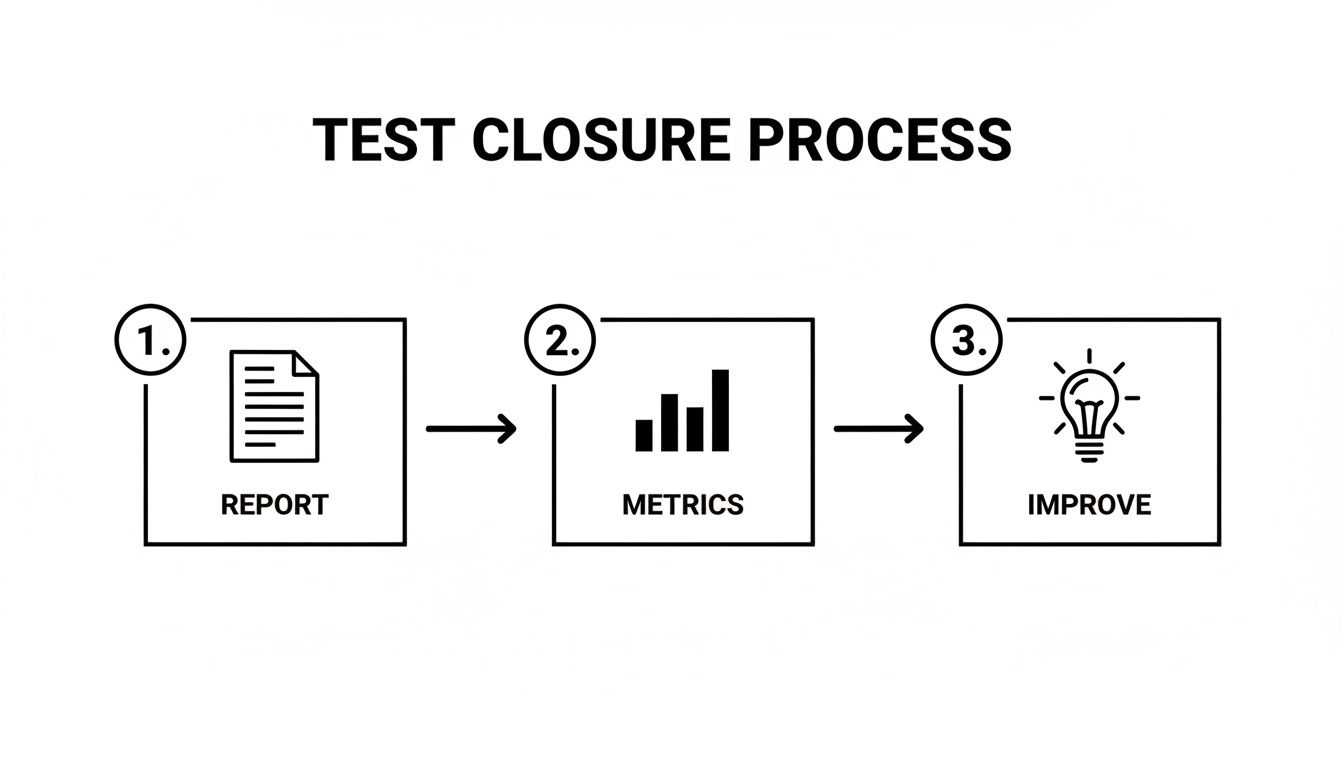
For engineering managers, this means no more guesswork. You get reliable, data-backed insights to confidently decide if a product is ready for release. If you’re ready to bring this into your own workflow, our guide on https://testdriver.ai/articles/how-to-integrate-ai-into-your-quality-assurance-strategy-effectively is a great place to start.
Even with a good map, you’re bound to have questions when navigating a process like the STLC. Let’s tackle some of the most common ones that come up, so you can put these ideas into practice with confidence.
Think of the Software Development Life Cycle (SDLC) as the master blueprint for the entire project—from the first spark of an idea all the way through launch and ongoing maintenance. The Software Testing Life Cycle (STLC) isn’t separate from it; it’s a critical, specialized track that runs inside the SDLC.
Simply put, the SDLC is all about building the product, while the STLC is laser-focused on validating it. The two are completely intertwined. In any modern team, these cycles don’t run one after the other but in parallel, feeding into each other constantly.
Yes, absolutely. The STLC might have its roots in older, more rigid models like Waterfall, but its core principles are incredibly flexible. The real difference is in the rhythm and scale of the cycle.
The phases themselves don’t go away—they just become faster, smaller, and more repetitive. You’re shifting from one long marathon to a series of quick, iterative sprints that keep development moving.
Getting started can feel like a huge task, but you don’t need to boil the ocean. The key is to start small with a pilot project and build from there. Focus on the basics first.
By introducing these habits gradually, you’ll start to build a solid foundation and show everyone the benefits of a more structured process without causing a major disruption.
Ready to bring intelligent automation to your software testing life cycle? With TestDriver, your team can generate comprehensive end-to-end tests from simple prompts, dramatically reducing manual effort and accelerating your releases. See how it works at https://testdriver.ai.
Explore the real differences in manual vs automated software testing. Our guide covers costs, ROI, and when to use each for optimal software quality.
Discover the 12 best codeless automation testing tools for web, API, and mobile. Our 2026 guide helps you choose the right platform for your QA workflow.
Discover how quality assurance in software development works. Learn modern QA processes, key testing types, and how AI is revolutionizing software delivery.
Master software testing in DevOps with our guide. Learn shift-left, automation, CI/CD integration, and AI-driven testing to boost quality and release speed.
TestDriver runs every pull request in a real desktop sandbox, finds bugs, and builds regression tests - right from your repo.