10 Best Practices for QA Testing to Elevate Quality in 2025
Discover 10 actionable best practices for QA testing to enhance software quality. Learn about TDD, BDD, automation, CI/CD, and more for 2025.
Learn how to build a test strategy doc that aligns teams and delivers results. Get actionable steps on scope, tools, AI, and metrics.
Automate and scale manual testing with AI ->
A test strategy doc is the master plan for quality. It’s a high-level guide that lays out the principles and general approach for all testing you’ll do for a project, or even across the whole organization. Think of it as the strategic compass for your quality assurance efforts—it defines the ‘why’ and the ‘how’ before anyone writes a single test case.
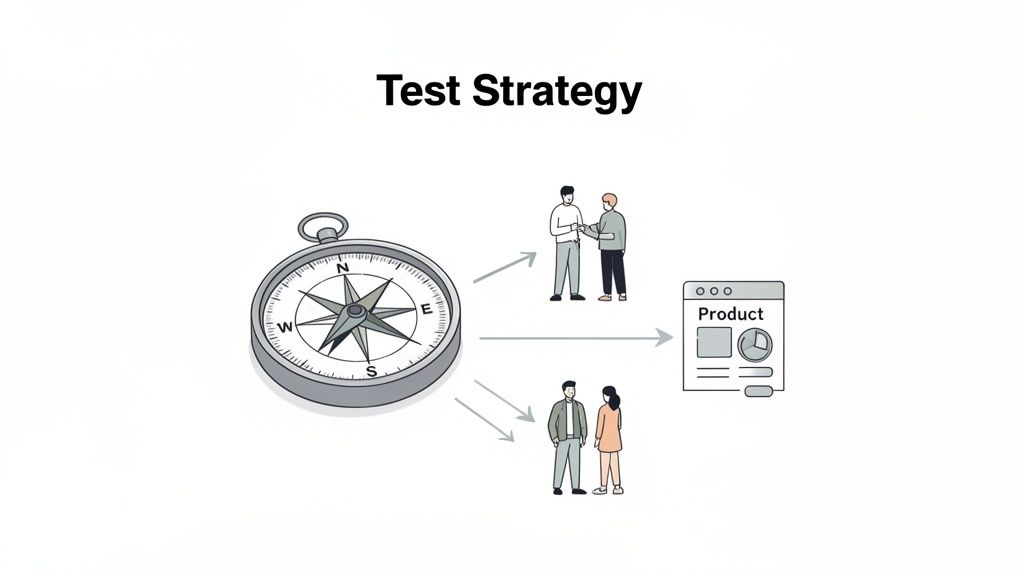
Let’s be real—documentation can feel like a total drag. A lot of teams see the test strategy as just another piece of bureaucratic overhead, something to get out of the way before the “real” work starts. But that mindset completely misses the point. This isn’t just paperwork; it’s the strategic foundation that keeps your project from descending into chaos and gets everyone aiming for the same quality target.
Without a clear strategy, teams fall into the same old traps. Scope creep takes over, critical bugs make it to production, and the tension between developers and QA becomes palpable. I’ve seen it happen: the QA team is heads-down, hammering away on UI tests, while the dev team is silently rolling out massive backend architectural changes. The result? A messy release where the biggest risks were completely ignored. A solid strategy document stops that kind of misalignment before it starts.
A well-crafted test strategy serves as the single source of truth for everyone involved, from the product owner to the junior engineer. It needs to give clear, concise answers to the big questions:
By putting these decisions down on paper, you build a shared understanding that informs every action. This kind of proactive planning is non-negotiable in today’s market. The global software testing market hit USD 55.8 billion in 2024 and is on track to reach USD 112.5 billion by 2034, all because structured quality assurance has become essential. A coherent strategy is how you navigate that growth effectively.
A great test strategy turns testing from a reactive bug hunt into a proactive, quality-building discipline. It ensures every hour of testing is aimed squarely at what matters most to the business and its users.
Modern tools can also take your strategy from a static document to a living guide. For instance, you can integrate AI-driven tools like TestDriver into your approach, allowing you to generate end-to-end tests from simple text prompts. This cuts down on the manual scripting grind and directly supports the strategic goal of boosting automation coverage.
If you’re still fuzzy on where this document fits in, check out our guide on understanding the key differences between a test strategy and a test plan.
Alright, you’ve nailed down the “why” behind your testing. Now comes the critical part: drawing the lines on the map. This is where you get brutally honest about what your team will test and, just as important, what you’re consciously leaving out. Trust me, any ambiguity here is a direct path to scope creep, missed deadlines, and painful conversations down the road.
Defining scope isn’t just a simple checklist of features. It’s about creating an explicit contract with your stakeholders. It prevents that all-too-common nightmare scenario where, a week before launch, someone asks why a critical third-party integration wasn’t tested. A well-defined scope sets clear expectations from the very beginning.
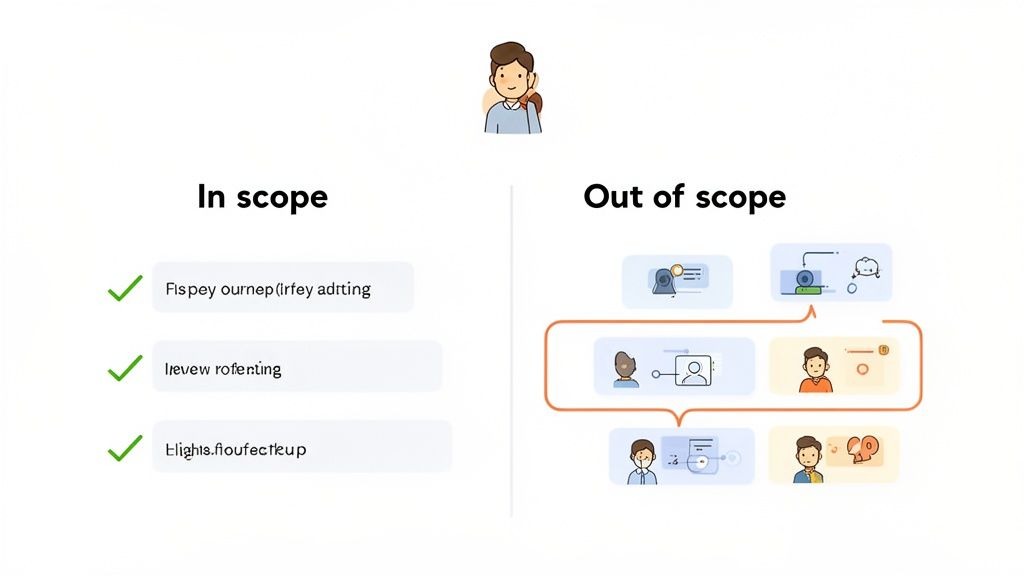
To make your scope practical, you need to break the project down into real-world, testable chunks. Think less about the backend architecture and more about the user journeys and business capabilities you’re delivering.
Here’s a practical way to draw those lines:
Here’s a rule of thumb I’ve always used: If a stakeholder has to ask, “Are we testing this?” your scope isn’t clear enough. A solid test strategy document answers that question before it’s even asked.
With the boundaries set, you need to define what success looks like. Vague goals like “test the login page” are almost useless—they don’t give your team a target to aim for. Actionable objectives link your day-to-day testing directly to tangible business outcomes.
It’s about moving from fuzzy ideas to concrete, measurable targets. Let’s look at how to translate some common vague goals into specific, actionable test objectives.
| Component | Vague Definition | Specific Definition |
|---|---|---|
| User Onboarding | ”Ensure the sign-up process works." | "Confirm new users can register via email and Google SSO with <1% error rate and receive a welcome email within 30 seconds.” |
| Core Functionality | ”Test the checkout flow." | "Validate that users can add items, apply a discount code, and complete a credit card purchase in under 60 seconds with a 99.9% success rate on Chrome, Firefox, and Safari.” |
| Performance | ”Make sure the dashboard loads fast." | "Verify the main user dashboard loads all data widgets in under 3 seconds with up to 500 concurrent users.” |
This level of detail is a game-changer. It transforms testing from a generic bug hunt into a focused process that validates specific business requirements and performance benchmarks. Your test strategy becomes a powerful alignment tool, ensuring every test case contributes to a clear, valuable goal.
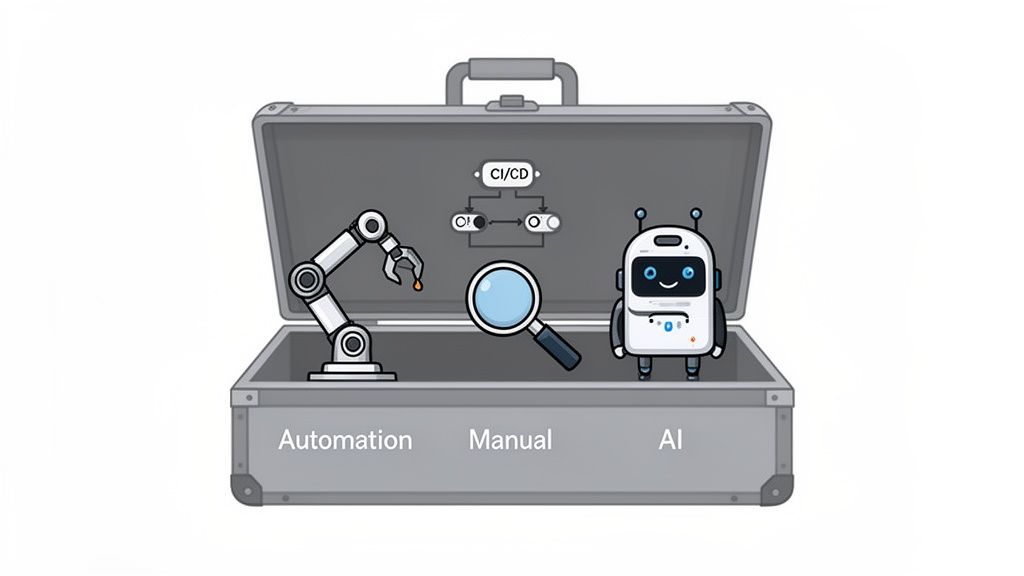
With your scope and objectives locked in, it’s time to get down to the “how.” This is where you lay out the practical, on-the-ground decisions about your testing methods, the tools you’ll use to get the job done, and the environments where all the magic happens.
This part of your test strategy doc is the engine room—it’s what turns your high-level goals into a concrete engineering plan that everyone can follow.
The classic debate always starts with manual versus automated testing. But honestly, framing it as an “either/or” choice is a rookie mistake. Any effective, modern strategy I’ve seen in the wild is a hybrid approach.
The real skill is being smart and deliberate about which tests you automate and which you wisely leave in the hands of a human.
Automation is your workhorse for anything repetitive and predictable. Think regression suites that need to run a dozen times a day, data-heavy tests checking hundreds of input variations, or performance tests simulating a Black Friday-level user surge. These are the tasks where humans are slow, expensive, and frankly, get bored and make mistakes.
Manual testing, on the other hand, is where human intuition shines. It’s irreplaceable for exploratory testing, nuanced usability assessments, and quick ad-hoc checks. A skilled tester can spot a subtle UI misalignment or an awkward user workflow that an automated script would blissfully ignore every single time.
Your strategy needs to draw a clear line in the sand. Here’s a solid starting point:
A truly smart hybrid strategy doesn’t just split up the work; it creates a powerful feedback loop. Insights from manual exploratory testing often uncover critical edge cases. The next step? Codify those findings into your automated regression suite, making your safety net stronger with every cycle.
Once you’ve decided on the “what,” you need the “with.” Your toolkit is more than just a list of software; it’s the ecosystem that supports your entire process, from planning and execution all the way to reporting. Don’t just list the tools—explain why you picked each one and how it connects to the others.
Key Tool Categories to Cover
For a much deeper look, our guide on how to choose the right tools for software testing offers a complete framework for making these decisions.
Modern test strategies are getting a massive boost from AI, especially in accelerating test creation. This is where a tool like TestDriver slots perfectly into a hybrid approach. It can slash the manual effort of scripting complex end-to-end (E2E) tests.
Instead of an engineer sinking hours into writing brittle automation code, they can give the AI a simple prompt describing what a user would do.
For example, a prompt like, “Verify a new user can sign up, add a product to their cart, and proceed to checkout,” can generate a fully executable E2E test in just a few minutes. This is a game-changer for getting broad test coverage on critical workflows without slowing down development.
In your test strategy doc, you can make this an official part of your process. For instance: specify that all new critical-path features must have an initial E2E test generated by an AI agent before manual exploratory testing even begins.
Finally, your strategy must be crystal clear about where the testing will happen. A typical project has several environments, and each one serves a distinct purpose. Any confusion here is a recipe for disaster—think tests that pass in one environment only to fail spectacularly in another.
Your document should explicitly outline each one:
For every environment, be sure to specify the hardware, software configurations, and how test data is managed. This level of detail ensures that when a test passes in staging, you have rock-solid confidence it will behave the same way in production.
It’s one thing to define a great testing approach, but how do you actually prove you’ve tested everything that matters? This is where your test strategy document becomes more than just a plan—it becomes your evidence-based guarantee of quality. The real goal here is to build confidence by showing complete test coverage and crystal-clear traceability.
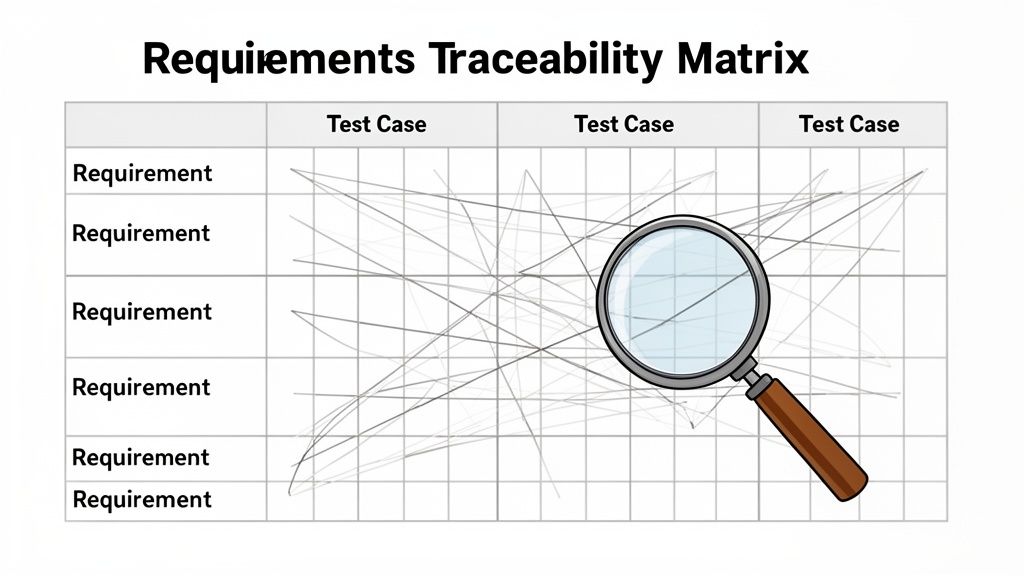
You have to be able to connect every single test case directly back to a business requirement, user story, or acceptance criterion. If you can’t, you’re essentially testing in a vacuum. You might have thousands of passing tests, but you won’t know if they’re the right tests or if a critical piece of functionality was missed entirely.
This is exactly why a Requirements Traceability Matrix (RTM) is your best friend.
An RTM is usually a table that maps your requirements directly to the test cases designed to validate them. It creates a bulletproof audit trail, proving that every specified feature has corresponding test coverage. This isn’t just about ticking boxes for bureaucracy; it’s a strategic safety net.
The true power of an RTM is in the gaps it reveals. When you see a requirement with no test cases linked to it, you’ve just uncovered a critical blind spot before it can ever make it to production.
With a clear line of sight from requirements to tests, you can now get strategic about categorizing and prioritizing your team’s efforts. Let’s be honest: not all tests are created equal. A test for the “Forgot Password” link is important, but it carries far less business risk than a test for the credit card payment flow.
Your test strategy doc should clearly outline how you’ll classify tests to focus your team’s energy where it counts the most. You need to move beyond a chaotic, first-in-first-out approach and implement a system.
Common Test Categories and Their Purpose:
By sorting your tests into these kinds of buckets, you can execute them based on business risk, not just technical complexity. This ensures that even when deadlines are tight, the most important functionality gets the most attention. For a deeper dive, our article on effective strategies for measuring test coverage offers some great insights.
Finally, a complete strategy has to address how you manage the assets your team creates day in and day out. Your test scripts and the data they use are just as valuable as the application code itself—they deserve the same level of care and control.
Your document should specify your approach to version control. Will you store automation scripts in the same repo as the application code or in a separate one? Using a system like Git is non-negotiable for tracking changes, collaborating with other QAs, and rolling back if a new test script starts causing problems.
You also need a solid plan for test data management. How will you get realistic data for your tests? Will you use anonymized production data, synthetic data generators, or manually created datasets? A clear data strategy prevents that all-too-common problem where tests fail not because of a bug, but because the underlying data is stale or invalid. This discipline keeps your tests reliable and meaningful over the long haul.
A test strategy isn’t just a roadmap to a successful launch; it’s your battle plan for everything that could go wrong. The real mark of a mature QA process is its ability to see around corners and anticipate problems before they completely derail a release. This means getting real about risk assessment.
We’re not just talking about product bugs here. You need to think bigger. What happens if that critical third-party API goes down mid-sprint? Or what if the new hardware we need for testing doesn’t show up until the day before code freeze? These are project risks, and they have a direct, often painful, impact on quality.
The key is to turn that vague sense of dread into a concrete plan. For every potential risk you identify, you need a clear mitigation strategy. This is how you transform anxiety into action.
Once you’ve planned for the worst, you need to define how you’ll prove you’re doing your best work. This is where Key Performance Indicators (KPIs) come in, and they are your best friend when communicating with leadership. Most stakeholders don’t live in the weeds of testing, but they definitely understand data. The right metrics are your chance to translate all your team’s hard work into tangible business value.
It’s time to move beyond simple pass/fail rates. Sure, that number is a decent pulse check, but it barely scratches the surface. Real impact is shown through metrics that tell a story about efficiency, effectiveness, and how stable the product is becoming over time.
An effective QA dashboard does more than just display numbers—it tells a compelling story about quality. It shows where the team is winning, shines a light on recurring problem areas in the code, and proves that your testing efforts are making the product better with every single release.
This focus on measurement is only getting more critical. The global application testing market represented 55% of the software testing share in 2022 and is expected to blow past £40 billion by 2032. This growth is all about the demand for quality in a world of fast-paced DevOps. Even with sophisticated tools, 71% of AI testing users still double-check the outputs, which underscores why you need solid strategies built around reliable systems, like TestDriver’s uptime reporting. You can dig into more insights about the test automation market to see how these trends are shaping our work.
The metrics you choose to track and report on will define how your team’s success is perceived. Instead of just showing that you’re busy, focus on metrics that demonstrate genuine impact on the product and the business. Here are a few that really matter.
| Metric | What It Measures | Why It’s Important |
|---|---|---|
| Defect Density | The number of confirmed defects per code module or feature (e.g., per 1,000 lines of code). | This helps you pinpoint the most fragile or complex parts of your application, guiding where to focus future testing and even development refactoring. |
| Defect Removal Efficiency (DRE) | The percentage of defects your team finds before a release compared to all defects found (including those found by users after release). | This is a direct measure of your test process’s effectiveness. A high DRE is one of the most powerful arguments for the value of your QA function. |
| Mean Time to Detection (MTTD) | The average time it takes to find a bug from the moment it’s introduced into the codebase. | A short MTTD means your testing is tightly integrated with development. Catching bugs faster means they’re cheaper and easier to fix. |
| Test Case Pass Rate | The percentage of executed test cases that passed in a given test cycle. | This offers a quick, high-level snapshot of a build’s stability. A sudden nosedive in this metric is an immediate red flag that something is seriously wrong. |
By building these kinds of metrics directly into your test strategy doc, you’re not just planning tests—you’re establishing a baseline for quality. You give stakeholders a clear, data-driven story of the QA process’s health and its impact on the bottom line. This changes the conversation from “Are you done testing yet?” to “How is our quality improving release over release?” and makes the value of your team undeniable.
Alright, we’ve covered all the theory. Now it’s time to pull everything together into a document that actually works. To help you get started, I’ve put together a practical template based on what I’ve seen succeed in the real world.
This isn’t a rigid, fill-in-the-blanks exercise. Think of it as a flexible framework. Your goal is to adapt it to fit your project’s unique personality and scale. A lean startup shipping an MVP might have a tight, two-page test strategy doc. An enterprise team tackling a complex system migration will naturally need a much more detailed plan, especially when it comes to risk and compliance. The core ideas, however, stay the same.
A great test strategy document tells a story. It guides the reader logically from the big-picture goals down to the nitty-gritty execution details. This structure makes sure a product manager, a developer, or a new QA engineer can jump in and find exactly what they need without getting lost.
Here’s a breakdown of the essential sections:
Think of your template as a living blueprint. The first draft sets the direction, but it’s meant to be challenged and updated. As the project evolves, your strategy should evolve with it to stay relevant.
Before you hit “publish” and share your strategy with the team, run it through one final check. This isn’t just about proofreading; it’s about pressure-testing your plan to make sure it’s solid, complete, and ready for action.
Use this checklist as your final sanity check:
Running through these questions ensures your test strategy doc becomes more than just a document—it becomes a powerful tool that drives alignment and gets everyone marching in the same direction.
As you start putting all this into practice, you’ll probably find a few questions pop up. It happens to everyone. Let’s clear up some of the most common points of confusion so you can move forward with confidence.
This one comes up all the time. It’s easy to mix them up, but the distinction is crucial.
Think of your Test Strategy as the high-level quality philosophy for your product, or even your whole company. It’s the “how we approach quality” blueprint. It’s built to last and doesn’t change often.
A Test Plan, on the other hand, is tactical and project-specific. It gets into the weeds: who’s testing what, when, and with what resources for a specific release or feature.
A simple analogy: the strategy is your constitution for quality; the plan is the specific bill you pass for the upcoming sprint. The strategy always guides the plan.
Your test strategy should be a living document, not something you write once and forget. It’s not set in stone.
While the core principles should be fairly stable, it’s a good idea to review it at major project milestones. A big shift in your tech stack is another perfect reason to revisit it. Most importantly, if your quality metrics are heading in the wrong direction, that’s a red flag telling you it’s time for an update.
For teams working in an agile world, a quick review and refresh every quarter is a solid rhythm to get into.
Yes, but it doesn’t need to be a 50-page monster. Scale it to fit your reality. For a startup or a small team, a lean, one-page strategy can be incredibly powerful.
Just outline your scope, your main tools (maybe you’re using AI to generate E2E tests with something like TestDriver), and the top quality goals you’re aiming for. That’s it.
This simple bit of planning makes sure that even with a lean team, your testing efforts are:
Doing this early prevents a ton of chaos down the road and helps a small team deliver a surprisingly high-quality product.
Ready to speed up your testing and bring AI into your strategy? TestDriver helps you generate end-to-end tests from simple prompts, freeing up your team to focus on what matters most. See how it works at TestDriver.ai.
Discover 10 actionable best practices for QA testing to enhance software quality. Learn about TDD, BDD, automation, CI/CD, and more for 2025.
Discover how quality assurance in software development works. Learn modern QA processes, key testing types, and how AI is revolutionizing software delivery.
Explore manual versus automated testing: compare use cases, ROI, and a practical framework to choose the best approach for your team.
Boost QA with a practical test case design guide featuring proven techniques, clear writing tips, and AI-driven insights for smarter testing.
TestDriver runs every pull request in a real desktop sandbox, finds bugs, and builds regression tests - right from your repo.