Top insights: testing strategy vs test plan explained
Discover the differences between testing strategy vs test plan with practical examples to boost your QA outcomes.
Stop writing test strategy documents no one reads. This guide offers actionable advice and proven frameworks to create living strategies that align your team.
Automate and scale manual testing with AI ->
A test strategy document is your high-level game plan. It’s the document that spells out the why, what, and how behind your entire quality assurance effort. Think of it as the north star for your project, making sure everyone is aligned on the testing approach, scope, and ultimate goals.
Let’s be real for a moment. Most test documentation gets written, filed away, and never looked at again. I’ve seen teams stumble not because their test plan was flawed, but because they had no guiding strategy at all.
This void creates confusion, wastes a ton of resources, and leads to one inevitable outcome: shipping buggy software. Without that clear direction, testing devolves into a chaotic scramble of running checklists instead of a focused, value-driven activity.
A solid test strategy is the cure for that chaos. It’s the “why” that connects the big-picture product goals with the day-to-day engineering work. It ensures everyone, from the product manager down to the junior dev, is on the same page about what quality means for your project.
It’s absolutely critical to understand the difference between a test strategy and a test plan. So many teams use these terms interchangeably, but they serve completely different functions.
A test strategy is the high-level, long-term vision for quality. The test plan, on the other hand, is a tactical document that gets into the nitty-gritty for a specific release or feature.
A test strategy defines the game, outlining the rules and objectives. A test plan is the playbook for a single match, detailing specific plays and player assignments.
For instance, your strategy might state, “We will automate all critical payment workflows to mitigate financial risk.” The corresponding test plan would then specify, “Jane will write three Selenium scripts to test the credit card checkout flow by Friday.” Getting a grip on the understanding the key differences between a test strategy and a test plan is foundational for any effective QA leader.
To make this crystal clear, here’s a quick breakdown:
| Attribute | Test Strategy Document | Test Plan Document |
|---|---|---|
| Scope | High-level, project-wide, or organizational. | Specific to a feature, release, or sprint. |
| Focus | Defines the approach and objectives (the “why” and “what”). | Details the activities and resources (the “how,” “who,” and “when”). |
| Lifespan | Long-term, fairly static but reviewed periodically. | Short-term, created for each testing cycle. |
| Ownership | Typically owned by a QA Manager or Test Lead. | Often created by a Test Lead or individual QA engineer. |
| Example | ”Prioritize performance testing for all user-facing APIs." | "Test the v2.1 API endpoint for login latency under 200ms.” |
Seeing them side-by-side really highlights how the strategy sets the stage, while the plan executes the performance.
In today’s world of rapid CI/CD pipelines, a static document collecting dust is worse than useless. A modern test strategy has to be a living document that breathes and adapts with every agile sprint and new technology you adopt.
It needs to be a flexible framework that guides decision-making without becoming a rigid bottleneck. Frankly, this adaptability isn’t just a nice-to-have anymore; it’s essential for survival.
And the data backs this up. The global software testing market has blown past $45 billion and is on track to nearly double. More importantly, projects with a real strategy see 3x higher success rates. Those without one? They face a staggering 35% digital transformation failure rate.
These numbers paint a clear picture: a well-crafted strategy is a direct investment in your project’s success. It ensures your team’s hard work actually contributes to building a reliable, high-quality product people love.
A great test strategy isn’t just a document you create to check a box. It’s the blueprint that guides your team, gets everyone on the same page, and ultimately protects the quality of your product. If you’re starting from scratch, it can feel like a huge task, so let’s break it down into the core components that really matter.
Think of each section as answering a crucial question before anyone writes a single test. When the whole team understands the “what,” “why,” and “how” of your testing approach, you eliminate confusion and make the entire process run smoother.
This simple diagram shows how your high-level strategy directly feeds into your tactical test plans.
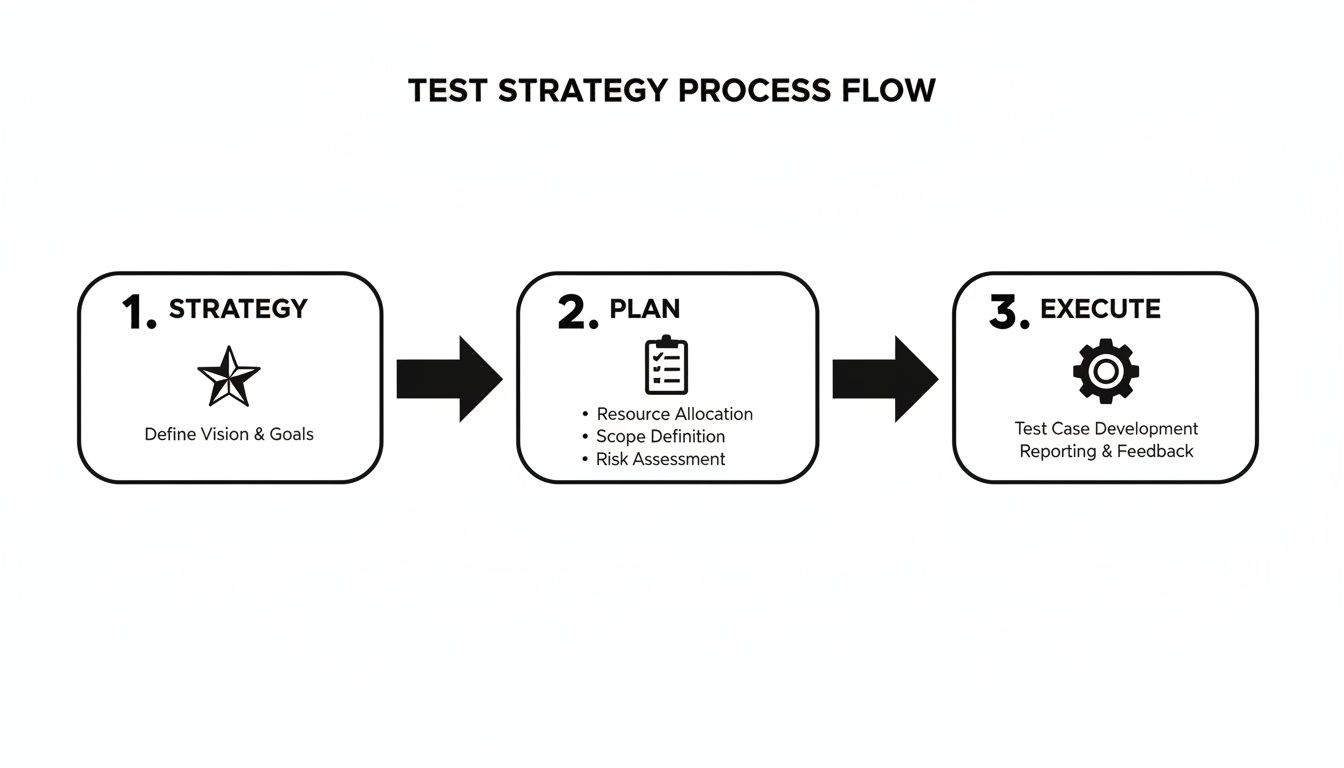
Your strategy sets the big-picture direction. The plan is where you outline the specific, actionable steps to get there.
The first thing to get straight is the different layers of testing you’ll commit to. This isn’t just jargon—it’s about setting clear expectations for where your team will focus its energy. The classic “testing pyramid” is still a fantastic model for this.
Here’s where you draw a line in the sand. A clearly defined scope is your best weapon against “scope creep,” that all-too-common problem where testing spirals out of control. Be brutally honest about what’s in scope and—just as important—what’s out of scope.
For instance, your document might say something like:
In Scope: All user authentication and payment processing workflows on the web app. Out of Scope: Third-party analytics integrations and the legacy admin panel. Those will be handled in a separate testing cycle.
Your objectives need to be just as sharp. A vague goal like “ensure high quality” is useless. Instead, aim for something measurable: “Achieve a 95% pass rate for all critical-path E2E tests before we even think about deploying.”
Your team can’t test effectively if they don’t know where to do it or what tools to use. This section is all about removing guesswork and preventing those last-minute configuration nightmares.
Get specific about the hardware and software for each environment (Dev, Staging, UAT, etc.). List the required operating systems, browser versions, and mobile devices. This simple step saves countless hours by heading off the dreaded “well, it works on my machine” problem.
This is also where you lock in your testing toolkit. The tools you choose should align with your team’s skills and the project’s goals. For a deeper look at how test documentation is changing, check out our guide on traditional vs modern test plan formats.
Think about the trade-offs:
| Tool Type | Example | Best For |
|---|---|---|
| Code-Based Framework | Selenium | Teams with strong coding skills who need granular control over browser automation. |
| AI Testing Agent | TestDriver | Teams who want to create reliable E2E tests from plain English, slashing script maintenance time. |
Your strategy should explain why you chose a particular tool. Justify the decision based on your objectives and any constraints you’re working with.
Let’s be real: no project is risk-free. A mature testing process doesn’t ignore risks; it identifies them upfront and makes a plan to tackle them head-on.
Get your team together and brainstorm everything that could go wrong. Risks can be technical (“that third-party API is notoriously unstable”) or logistical (“this tight deadline leaves no room for full regression testing”).
Once you have a list, prioritize each risk by its likelihood and potential impact. Then, for the big ones, create a clear mitigation plan.
Example of Risk Mitigation:
By tackling your test strategy document one practical section at a time, you build more than just a piece of paper. You create a powerful guide that aligns your entire team, clarifies what success looks like, and sets your project up for a high-quality release.
I’ve seen more test strategies fail from a vague scope than any other single reason. When the lines are blurry, you get endless testing cycles, your team burns out, and the document itself gathers digital dust because no one trusts it. Drawing clear boundaries is non-negotiable, and it takes real collaboration with product managers and developers to get it right.
Without a sharp focus, your team is essentially flying blind. You end up wasting precious hours on low-impact features while mission-critical workflows go untested. The whole point here is to build a focused plan that gets everyone on the same page about what actually matters for a successful release.
The first step? Get the key players in a room—virtual or otherwise—and hash out what’s in and what’s out. And I mean explicitly. Your test strategy document needs to spell out which features, user journeys, and platforms are the priority for the upcoming cycle.
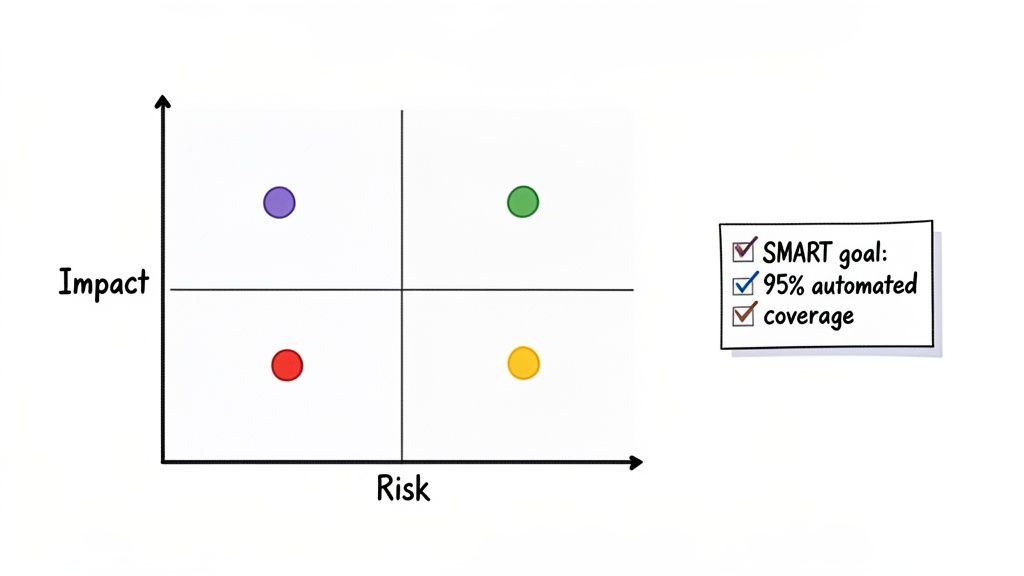
Let’s be honest: you can’t test everything with the same intensity. Nor should you. With limited time and resources, you have to place your bets wisely. This is where a risk-based testing approach becomes your best friend, helping you focus your team’s energy where it will make the biggest difference.
It all comes down to evaluating features based on a few core factors:
Mapping these out helps you build a simple risk matrix. This visual isn’t just for show; it’s a powerful tool that helps you and your stakeholders see at a glance where the testing heat needs to be applied.
You don’t need a fancy, over-engineered system for this. A straightforward four-quadrant matrix plotting the likelihood of failure against the business impact is usually all it takes to cut through the noise.
| Risk Level | Likelihood of Failure | Impact of Failure | Testing Priority |
|---|---|---|---|
| High | High | High | Top Priority: Requires extensive automated and manual testing. |
| Medium | Low | High | High Priority: Focus on comprehensive functional and E2E tests. |
| Medium | High | Low | Medium Priority: Good candidate for targeted automated regression tests. |
| Low | Low | Low | Low Priority: Basic smoke testing or exploratory testing may suffice. |
Suddenly, prioritization shifts from a subjective debate to a data-informed decision. This matrix becomes the backbone of your strategy, justifying why you’re dedicating your team’s most valuable resource—their time—to certain areas over others.
With your scope locked down and priorities set, the final piece is translating abstract ambitions into concrete, measurable objectives. A goal like “improve product quality” sounds nice, but it’s completely unhelpful because you can’t measure it.
This is exactly why we use SMART goals. They force you to be Specific, Measurable, Achievable, Relevant, and Time-bound.
A great test strategy doesn’t just list goals; it defines success. It turns a mission statement into an actionable plan that everyone can understand and track.
Instead of a fuzzy target, you create a clear finish line. This small change transforms your test strategy documents from passive guides into active tools that drive accountability.
Here’s how that transformation looks in the real world:
See the difference? The second one is powerful. It tells the team exactly what to do, how success will be measured, and when it’s due. There’s no room for misinterpretation, and it gives you a clear benchmark to evaluate the effectiveness of your entire testing effort.
Let’s get one thing straight: the old “automate everything” mindset is a trap. A truly mature testing process isn’t about replacing manual testers with scripts. It’s about empowering them. The goal is to automate the repetitive, predictable work so your team can focus their brainpower on the high-value, exploratory testing that machines simply can’t do. Your test strategy document is the blueprint for making this happen.
Think of it as a framework for making smart decisions. It needs to clearly define what gets automated and why. This is what stops teams from sinking weeks into automating a flaky, low-impact feature that’s already slated for a redesign. Instead, you build a system that prioritizes automation candidates based on real-world business value.
This strategic shift is why the automation testing market is projected to explode from $25.4 billion to $63.05 billion by 2032. The ROI is just too clear to ignore. We’re seeing 25% of companies get an immediate return from their automation efforts, and 44% of firms are now automating over half their test suites. These are the teams guided by a coherent strategy. You can discover more insights on these software testing statistics to see how a solid plan makes all the difference.
At the heart of any smart automation strategy is a simple, repeatable evaluation process. Before a single line of code gets written for a test, the test case itself has to prove it’s worth the effort.
Your document should spell out the criteria for making that call. We’re talking about factors like:
By writing these criteria down in your test strategy, you create a shared vocabulary for the entire team. It stops the subjective back-and-forth and turns the debate into an objective, data-backed decision about where to invest your engineering time.
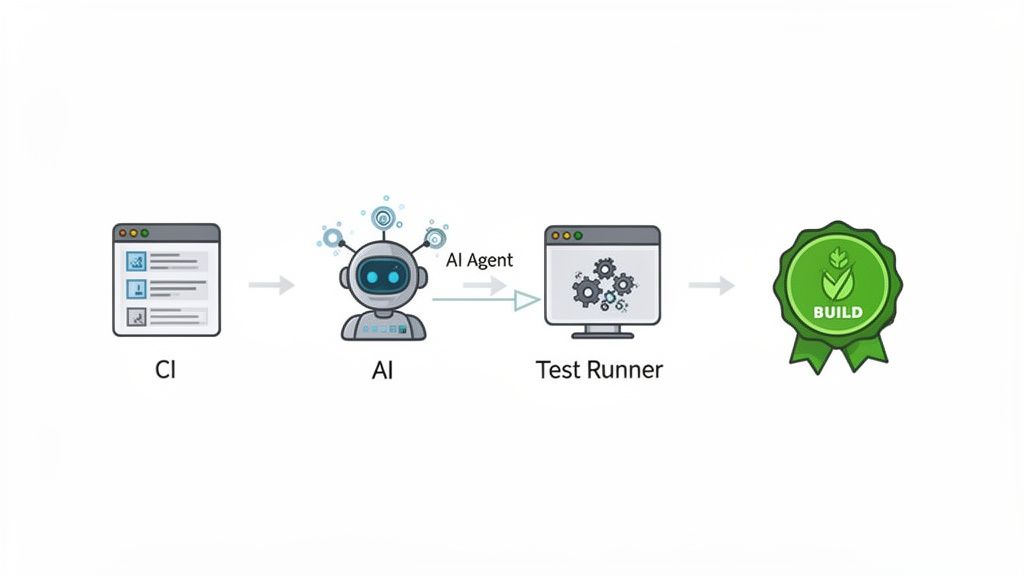
The game is changing again, this time with AI. Modern AI tools are making automation more accessible and efficient than ever before. AI agents can now generate solid end-to-end tests from simple, plain-English descriptions, which dramatically cuts down the time it takes to build out your test suite.
For example, an AI agent like TestDriver can take a prompt like, “Verify a new user can sign up, log in, and add an item to their cart,” and spit out the necessary test steps in moments. This is huge. It bridges the gap between technical and non-technical folks, allowing product managers and manual QAs to contribute directly to the automation workload.
Your test strategy document should explicitly address the role of AI. Define where and how you plan to use these tools—whether it’s for generating E2E tests, analyzing results to spot flaky patterns, or even creating realistic test data.
This isn’t just a hypothetical benefit. Engineering managers who are weaving AI into their testing workflows are already cutting their manual testing effort by as much as 50%. By planning for this in your strategy, you’re setting your team up to grab those efficiency gains. For a deeper look, check out our guide on how to integrate AI into your quality assurance strategy effectively.
A strategy document collecting dust on a shared drive is useless. It only becomes powerful when it’s wired directly into your team’s day-to-day workflow. This is where your high-level goals meet the on-the-ground reality of your CI/CD pipeline. Your strategy must detail exactly how automation is woven into your development process.
It should give clear answers to these critical questions:
By detailing these CI/CD touchpoints, your test strategy document becomes more than a guide—it becomes an operational playbook. It makes quality a shared, automated responsibility and ensures your standards are enforced with every single code change.
So, you’ve built a solid test strategy document. That’s a huge win, but the work isn’t over. A test strategy that just gathers dust on a shared drive is worse than having no strategy at all—it gives you a false sense of security while the project moves on without it.
Your strategy document needs to be a living, breathing guide. To make that happen, you need a clear way to measure its impact and a regular rhythm for keeping it fresh. This creates a feedback loop: the results you track inform the strategy, and the updated strategy drives even better results.
You can’t improve what you don’t measure. Gut feelings about quality are nice, but hard data tells the real story. Tracking the right metrics is how you prove your testing approach is actually working and pinpoint where you can do better.
Think of these metrics as a health check for your entire quality process. They help answer the big questions: Are we catching bugs before they hit production? Is our testing efficient? Is the product getting more stable over time?
Instead of drowning in data, focus on a few key performance indicators (KPIs) that tie directly back to the goals in your strategy document.
Keeping your test strategy documents up-to-date shouldn’t be a random, “when we get to it” task. It needs to be a scheduled, proactive habit. A simple checklist can help make sure the document always reflects your team’s current reality.
Your test strategy document should be a compass, not an anchor. Regular reviews ensure it keeps pointing your team in the right direction, rather than holding them back with outdated assumptions.
The best way to keep the document relevant is to treat it as a team-owned asset. Use the following events as triggers to schedule a review with key stakeholders—that means developers and product managers, not just QA. This builds buy-in and keeps everyone aligned.
When you pair solid metrics with a consistent maintenance plan, your test strategy transforms from a static file into a dynamic tool. It becomes a cornerstone of your team’s commitment to quality and continuous improvement.
Even the best strategy document will spark questions once you start putting it into practice. That’s a good thing—it means people are actually using it. Let’s tackle some of the most common questions I hear from teams on the ground.
Your test strategy should be a living document, not a museum piece. The moment it stops reflecting how your team actually works, it’s useless.
I’ve found a quarterly review is a great starting point for most teams. It’s a solid, predictable cadence.
But, you can’t just wait for the calendar. Some events should trigger an immediate review:
For smaller, everyday changes like a new feature, you can usually handle the specifics in a test plan. But if that feature introduces a completely new type of risk (like, say, your first real-time collaboration tool), it’s time to pull up the main strategy doc and see what needs to be adjusted.
This is a really important distinction, especially if you work in a larger company.
A Master Test Strategy is the high-level rulebook for the entire organization or department. It answers the big questions: What does “quality” mean to us? What are our standard tools? What are our non-negotiable principles for testing? It ensures everyone is playing the same game.
A Project-Specific Test Strategy is where you apply those rules to a single project. It zooms in on the unique scope, risks, and testing needs for that one initiative.
I like to think of it this way: The Master Strategy is the company’s “Building Code.” It ensures every structure we build is safe and meets a certain standard. The Project-Specific Strategy is the blueprint for one particular house—it details the unique layout and materials, but it still has to follow the main code.
For many agile teams, the project-specific doc is much more lightweight. It might just be a section in a project charter that references the master strategy as its foundation.
This is a balancing act. Get it wrong, and your document either gets ignored or becomes a bottleneck.
If it’s too detailed and prescriptive, it’s not a strategy anymore—it’s a bloated test plan that’s impossible to maintain. People in fast-moving agile teams will just ignore it.
But if it’s too vague, it offers no real guidance.
A great rule of thumb is to focus on the ‘what’ and ‘why,’ and let the test plan handle the ‘how,’ ‘who,’ and ‘when.’
For example, your strategy should define the principle:
Then, the test plan for a specific sprint gets tactical:
You can’t force buy-in. The biggest mistake I see is when a QA lead or manager writes the test strategy document alone, then presents it to the team as gospel. That never works.
If you want people to own it, you have to involve them from the very beginning.
When the whole team helps build the strategy, it stops feeling like a mandate and starts feeling like a shared commitment to building something great.
Ready to supercharge your E2E testing and bring your strategy to life? TestDriver lets you create reliable tests from simple English prompts, cutting down on script maintenance and freeing up your team to focus on what matters.
Discover the differences between testing strategy vs test plan with practical examples to boost your QA outcomes.
Clearly understand the difference in the test plan vs test strategy in software testing. This guide covers roles, scope, and when to use each for better QA.
Explore our definitive guide on white box vs black box testing. Learn key differences, practical applications, and how to choose the right strategy.
Discover how quality assurance in software development works. Learn modern QA processes, key testing types, and how AI is revolutionizing software delivery.
TestDriver runs every pull request in a real desktop sandbox, finds bugs, and builds regression tests - right from your repo.