Mastering Automated User Interface Testing
Discover how automated user interface testing boosts software quality and speed. This guide covers everything from core concepts to CI/CD and AI.
Master UI test automation with this practical guide. Learn to choose frameworks, write reliable tests, integrate CI/CD, and leverage AI for faster releases.
Automate and scale manual testing with AI ->
At its core, UI test automation is simply using software to run tests that check an application’s user interface. It mimics what a real person would do—clicking buttons, filling out forms, navigating menus—to make sure the front end works exactly as it should. This isn’t just about finding bugs; it’s about protecting your brand and your revenue.
In software development today, speed is the name of the game. Everyone is under pressure to ship features faster, but moving quickly introduces a ton of risk. Think about it: a single broken button in a checkout flow can kill sales and instantly erode the trust you’ve built with your users.
This is why a solid UI test automation strategy is no longer just a nice-to-have for the QA team. It’s a mission-critical part of the business.
Your UI tests are the last line of defense for quality. Sure, unit and API tests are vital for checking individual components and backend logic, but they can’t tell you if everything works together in a way that makes sense to a user. UI automation is the only way to see your application through your customer’s eyes.
Good UI test automation delivers a lot more than just a list of bugs; it gives you a real strategic advantage. When you have a reliable test suite, you’re essentially building a safety net. This gives your developers the confidence to innovate, refactor, and push changes without constantly worrying about breaking something.
Instead of fearing regressions, they can focus on building value, knowing that the most important user journeys are protected.
This confidence translates directly into tangible business results:
UI test automation bridges the gap between development work and business goals. It stops being a “cost of quality” and becomes a shared responsibility that directly fuels revenue, customer satisfaction, and team confidence.
Ultimately, investing in UI test automation is about building a culture of quality. It gets developers, QA, and product managers all on the same page, working toward a shared goal: delivering a flawless user experience. For any team serious about shipping high-quality software quickly, it’s the bedrock of your entire process.
Jumping straight into coding your UI test automation without a clear plan is a classic mistake. It feels like you’re moving fast, but it’s really just building a house without a blueprint. You’ll inevitably find yourself dealing with cracks in the foundation later on. A truly successful, scalable automation suite is built on a solid strategy, not just a collection of clever scripts.
The first thing you need to do is define what “success” actually looks like for your team. Don’t just set a vague goal like “automate tests.” Get specific. Are you trying to lock down critical, revenue-generating user journeys, like the checkout or signup flows? Or is your main objective to stop regressions from popping up in that complex legacy system nobody on the team fully understands anymore? Maybe you just need to validate new features before they ever see the light of day.
Your goal dictates your strategy. A team focused on preventing regressions in a stable product will approach automation very differently than a startup trying to validate new features at breakneck speed.
Thinking this way helps translate your efforts into tangible business benefits—better quality, faster delivery, and a whole lot more confidence in your releases.
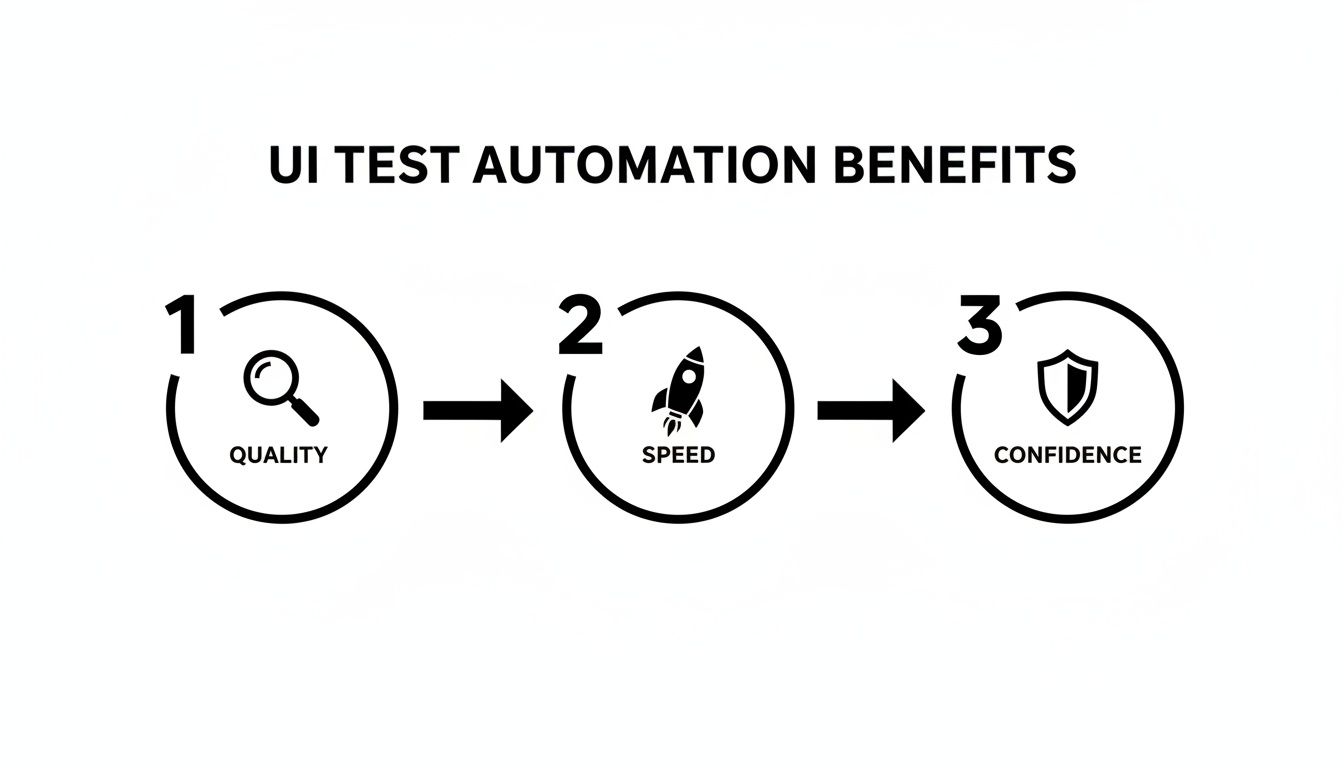
It all feeds into a virtuous cycle. Higher quality and increased speed boost team confidence, which in turn lets you ship value to users faster and more reliably.
Once you have your goals sorted, the next big decision is picking the right framework. Let’s be honest, the market is crowded, and there’s no single “best” tool. The best tool is the one that fits your team, your tech stack, and your project.
For instance, if your team lives and breathes JavaScript and is working on a modern single-page app, a tool like Cypress or Playwright will feel like a natural fit. They’re built for the modern web. On the other hand, if you’re in a large enterprise with developers using multiple languages and a non-negotiable need for extensive cross-browser support, the battle-tested Selenium WebDriver is probably your safest bet.
Here’s a quick rundown to help you frame the decision.
A high-level comparison of popular UI automation frameworks to help teams select the best fit for their project needs, technical stack, and team skillset.
| Framework | Primary Language | Key Advantage | Best For |
|---|---|---|---|
| Selenium | Java, Python, C#, JS, Ruby | Unmatched cross-browser support and language flexibility. It’s the long-standing industry standard. | Large, diverse teams that need to test across a wide array of browsers, including legacy versions. |
| Cypress | JavaScript / TypeScript | An all-in-one tool with fantastic debugging and a great developer experience. | Frontend teams building modern web apps who want fast, reliable feedback loops. |
| Playwright | JS/TS, Python, Java, .NET | Modern architecture, incredible speed, and powerful features like network interception. | Teams wanting cutting-edge automation capabilities and strong multi-language support from a modern tool. |
No matter which framework you choose, remember that the tool is just one piece of the puzzle. The real success comes from how you implement it.
You could have the best framework and the clearest goals, but your efforts will fall flat if you ignore two critical elements: stable test environments and reliable test data. I’ve seen this trip up more teams than I can count.
Your test environment needs to be a predictable, repeatable clone of production. Any variation introduces flakiness. Using containers is a game-changer here, as it ensures every test run starts from an identical, pristine state.
Likewise, your tests need clean, predictable data to work with. Hardcoding user IDs or pointing your tests at a chaotic, shared database is a recipe for disaster. Your tests should be self-sufficient—creating the data they need on the fly and cleaning up after themselves. Investing time in these foundational elements upfront is the single most effective way to prevent maintenance headaches and build a UI test automation suite that actually scales.
Anyone can cobble together a test that passes once. The real challenge in UI test automation is building a suite of tests that are stable, easy to read, and actually provide value six months down the line. A fragile test suite that breaks with every minor code change is worse than having no automation at all—it just drains time and erodes everyone’s trust in the process.
The secret to building a resilient testing strategy is to fundamentally separate what your test is trying to accomplish from how it interacts with the UI. This is where a few key design patterns become your best friends.
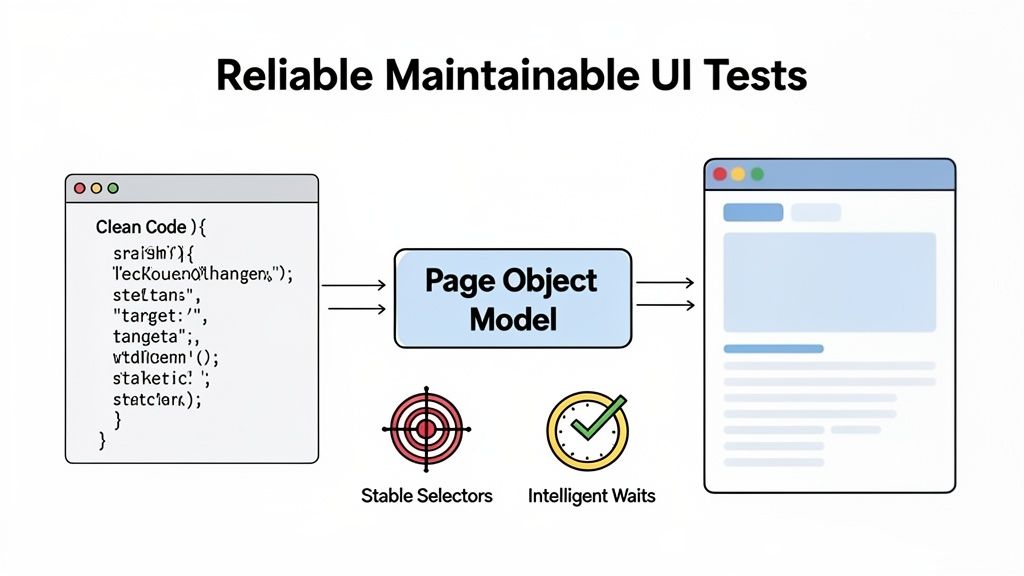
The Page Object Model (POM) is a battle-tested design pattern that makes a world of difference for test maintainability. Instead of littering your test scripts with UI selectors and interaction logic, you abstract it all away.
You create a separate class for each page or major component of your application. This class becomes the single source of truth for that piece of the UI. It holds all the selectors for the elements on the page and provides clear, human-readable methods for interacting with them. For instance, a LoginPage object might have methods like loginWithCredentials(username, password) or clickForgotPasswordLink().
The beauty of POM is its simplicity. When a developer changes a button’s ID, you only have to update it in one place: the corresponding page object. Your actual test scripts, which call these high-level methods, don’t need to change at all. This single point of maintenance will save you countless hours as your app grows.
Your tests are only as good as the selectors they use to find elements. A poorly chosen selector is a ticking time bomb just waiting to fail. Relying on brittle locators, like auto-generated IDs or complex, deeply nested XPath and CSS paths, is one of the main reasons tests break. A small front-end refactor happens, the selector is no longer valid, and your test fails—even though the feature itself works perfectly.
To sidestep this, you need to prioritize selectors that are tied to function, not just form.
data-testid="submit-button". These are completely independent of styling or the DOM structure and almost never change unless the element’s core purpose changes.role="button" or aria-label="Search" is a fantastic alternative. It makes your tests more robust while simultaneously encouraging better accessibility practices in your application. It’s a win-win.Timing issues are the arch-nemesis of reliable UI tests. Modern web apps are highly asynchronous; content loads dynamically, and network requests introduce unpredictable delays. Hardcoding a fixed wait, like sleep(5000), is a surefire recipe for a flaky test. Sometimes the element is ready in 1 second, and you’ve wasted four. Other times, it takes 6 seconds, and your test fails for no good reason.
This is where intelligent waits (often called explicit waits) come in. Instead of pausing for a fixed duration, you tell the automation framework to wait until a specific condition is met, up to a maximum timeout. For example, you can tell your test to “wait until this button is clickable” or “wait until this loading spinner disappears.”
This approach makes your tests both faster and more reliable. They move on the instant the application is ready, eliminating unnecessary delays and making them far more resilient to slow network connections or system load. For a deeper dive into this, check out our guide on how to overcome flaky tests and maintenance in functional test automation.
So you’ve written a solid set of reliable tests. That’s a huge win, but they aren’t doing you much good just sitting there. The real magic happens when you weave your ui test automation suite directly into your Continuous Integration/Continuous Deployment (CI/CD) pipeline. This is what turns a folder of scripts into a genuine quality gate, giving your team instant feedback on every change.
By doing this, you’re set up to catch regressions the moment they’re introduced, not days later when a manual QA cycle finally gets around to it. The goal is to make quality an automated, non-negotiable part of shipping code.
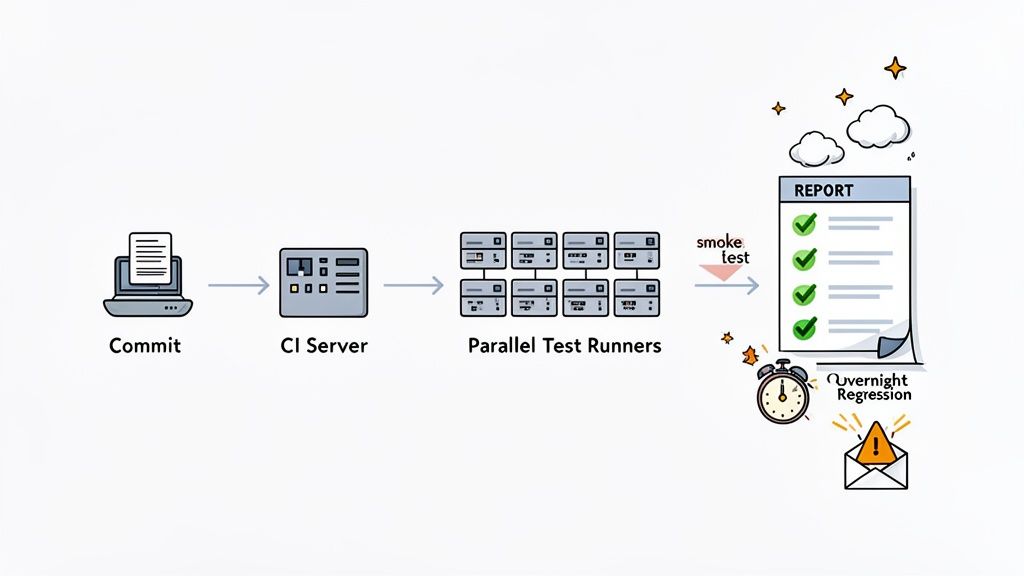
First things first, you need to set up triggers to run your tests automatically. Modern CI/CD platforms like GitHub Actions, GitLab CI, or Jenkins make this part pretty painless. You can configure workflows to kick off your UI test suite based on specific events in your development cycle.
From my experience, a tiered approach works best for balancing speed and coverage:
This strategy gives you the quick feedback developers need without sacrificing the deep coverage that ensures a stable product. We dive deeper into this concept in our guide on the best practices for integrating testing into your CI/CD pipeline.
Even with smart triggers, UI tests can be notoriously slow. A 45-minute test run can grind a fast-moving development team to a halt. The secret to fixing this is parallel execution—running multiple tests at the same time across different machines or containers.
Think about it: by splitting a 45-minute test suite to run across just three parallel jobs, you cut the feedback time down to 15 minutes. This one change can have a massive impact on developer productivity and keep the whole team from getting bogged down.
Most modern test frameworks and CI platforms support parallelization out of the box. Taking the time to configure your pipeline to use it is probably one of the highest-impact optimizations you can make. It ensures your quality checks are an accelerator, not a bottleneck.
Finally, none of this matters if nobody sees the results. When a test fails, the right people need to know right away. Set up your CI/CD tool to push alerts directly to Slack, Microsoft Teams, or email. Even better, route the failure notification directly to the developer who committed the change. This creates a tight feedback loop and a culture of ownership where developers can jump on a fix immediately.
The next big step in UI test automation isn’t some far-off concept—it’s already here, and it’s being driven by artificial intelligence. For as long as I can remember, QA teams have been wrestling with the same old problems: test scripts so fragile they break at the slightest UI tweak, and a creation process that just can’t keep pace with agile sprints.
AI is changing that reality by tackling those very issues head-on.
This isn’t just hype, either. The numbers back it up. The market for AI in test automation, valued at USD 0.6 billion in 2023, is expected to soar to USD 3.4 billion by 2033. Right now, a whopping 78% of software testers are using AI to get more done, and 44% of companies have already baked it right into their QA workflows. These aren’t just early adopters anymore.
One of the coolest things AI brings to the table is the idea of self-healing tests. If you’ve written automation, you know the drill. Your scripts depend on static element locators like CSS selectors or XPaths. The moment a developer changes a button’s ID or refactors a component, your tests shatter, and you’re back to the tedious cycle of fixing them.
AI-powered tools approach this differently by understanding the UI more like a human does—contextually. Instead of relying on a single, brittle locator, the AI analyzes a whole host of attributes: the element’s position, its text, its color, and how it relates to everything else on the page.
So, when that button’s ID changes, the AI can still recognize it based on its other properties and just update the locator on the fly. The test passes, and you didn’t have to lift a finger.
This self-healing capability is a genuine game-changer. It shifts test maintenance from a constant, reactive headache to a far more manageable task. Suddenly, your engineers are free to build new, valuable tests instead of just patching up old ones.
Another massive leap is AI-driven test generation. We all know that scripting an end-to-end test from scratch is a painstaking, detail-oriented process that can take hours. AI agents like TestDriver completely flip that script.
Instead of writing line after line of code, you can now give an AI a simple instruction in plain English.
Imagine just typing: “Test the checkout flow for a returning customer using a saved credit card.” That’s it. The AI takes that intent, interacts with your application just like a user would, and spits out a complete, ready-to-run end-to-end test. It finds the locators, writes the steps, and adds the assertions, all in a few minutes.
This approach massively speeds up the creation of a solid test suite.
As test automation continues to evolve, getting familiar with techniques like training AI models on custom data will be key. We’re moving away from a world where we write code line-by-line and into one where we simply define our intent and let intelligent systems figure out the rest. You can read more about how artificial intelligence is transforming testing practices in our deep-dive article on the topic.
When you start diving into UI test automation, a few common questions always seem to pop up. Moving from theory to practice uncovers the real-world challenges, and knowing how to tackle them from the get-go can be the difference between a valuable test suite and a maintenance nightmare.
Let’s walk through some of the questions we hear most often from teams navigating this process.
There’s nothing that kills confidence in an automation suite faster than flaky tests. You know the ones—they pass, they fail, and nobody knows why. The first thing you have to do is play detective and find the root cause. Is it a timing issue? A problem with your test data? Or is the test environment itself unstable?
If you suspect timing is the problem, your first move should be to hunt down and eliminate any fixed waits. I’m talking about commands like sleep(3000). They’re brittle. Instead, switch to dynamic or explicit waits that tell the test to pause only until a specific condition happens, like an element becoming visible or clickable. Your tests will be faster and far more reliable.
When test data is the culprit, the best practice is to make your tests completely self-sufficient. Each test should be responsible for creating the exact data it needs to run, and just as importantly, cleaning up after itself when it’s done. This simple rule prevents tests from stepping on each other’s toes and removes dependencies on a fragile, shared database state.
I like to use a restaurant analogy here.
UI testing is like being a customer. You sit in the dining room, order from the menu, and see how everything comes together—the service, the presentation, the entire experience. It’s the ultimate test of the complete user-facing product.
API testing, on the other hand, is like walking straight into the kitchen. You’re not worried about the dining room; you’re checking the quality of the ingredients and making sure the core cooking processes work correctly. API tests are much faster and less fragile than UI tests, which makes them ideal for validating business logic, error handling, and all sorts of edge cases.
A smart testing strategy doesn’t choose one over the other; it uses both. Build a wide foundation with fast API tests to cover your core logic, and then layer a select number of high-impact UI tests on top to validate the most important user journeys.
It’s tempting to try and automate everything, but that’s a recipe for disaster. The classic testing pyramid is still the best guide for this.
Your automation strategy should look like a pyramid. The base should be a massive number of fast, stable unit tests. The middle layer should be a healthy collection of integration and API tests.
And at the very top? That’s where your UI tests live. This layer should be small and focused. Since they are the slowest and most brittle, you have to be strategic. Don’t waste time automating every button and link. Instead, focus your UI test automation exclusively on the critical, revenue-generating user flows. Think user registration, the login process, and the core checkout or purchase funnel. This approach gives you the biggest bang for your buck while keeping maintenance manageable.
Ready to slash test creation time from hours to minutes? See how the AI agent from TestDriver can generate comprehensive end-to-end tests from a simple prompt. Get started at https://testdriver.ai.
Discover how automated user interface testing boosts software quality and speed. This guide covers everything from core concepts to CI/CD and AI.
Explore our guide to UI automation testing. Learn core concepts, how to build stable tests, and integrate AI for faster, more reliable software releases.
Discover the 12 best codeless automation testing tools for web, API, and mobile. Our 2026 guide helps you choose the right platform for your QA workflow.
Discover how automated functional tests can transform your QA process. Learn core concepts, best practices, and how AI is making test creation faster than ever.
TestDriver runs every pull request in a real desktop sandbox, finds bugs, and builds regression tests - right from your repo.