A Practical Guide to Quality Assurance in Software Development
Discover how quality assurance in software development works. Learn modern QA processes, key testing types, and how AI is revolutionizing software delivery.
Discover user acceptance testing best practices to streamline QA, catch bugs early, and ensure a smooth product launch. Learn proven UAT strategies today.
Automate and scale manual testing with AI ->
User Acceptance Testing (UAT) is the final, critical checkpoint where business requirements meet real-world functionality. It’s the moment of truth that determines if the software you’ve built not only works but delivers genuine value to its intended users. Skipping or rushing this phase is a direct path to production failures, frustrated users, and costly rework. This guide cuts through the noise to provide 10 actionable, field-tested user acceptance testing best practices designed to transform your UAT from a procedural checkbox into a strategic advantage.
For development teams, UAT is the ultimate validation that your code solves the right problems. For QA engineers, it’s about confirming that quality extends beyond technical specifications to meet user expectations. For product managers, it represents the final confirmation that the vision has been successfully translated into a tangible, usable product that is ready for market. This isn’t just another testing phase; it’s the bridge between a “feature complete” status and a “market ready” product that customers will embrace.
This article provides a comprehensive collection of UAT best practices, moving beyond theory to offer practical instructions. You will learn how to:
By implementing these strategies, you can ensure your next release is not just deployed, but truly accepted by the people who matter most: your users. Let’s dive into the practices that will help you achieve just that.
Effective User Acceptance Testing (UAT) is impossible without a clear destination. Before a single test case is executed, you must establish unambiguous objectives and measurable success criteria. This foundational step ensures every stakeholder, from product owners to end-users, shares a unified understanding of what success looks like. It transforms UAT from a vague “does it work?” exercise into a strategic validation of business requirements.
This practice sets the stage for the entire testing phase, providing a framework to evaluate outcomes objectively. Without concrete goals, UAT can become subjective and inconclusive, leading to disputes and delayed releases. Defining these criteria upfront is a cornerstone of user acceptance testing best practices, as it directly links test activities to tangible business value and user satisfaction.
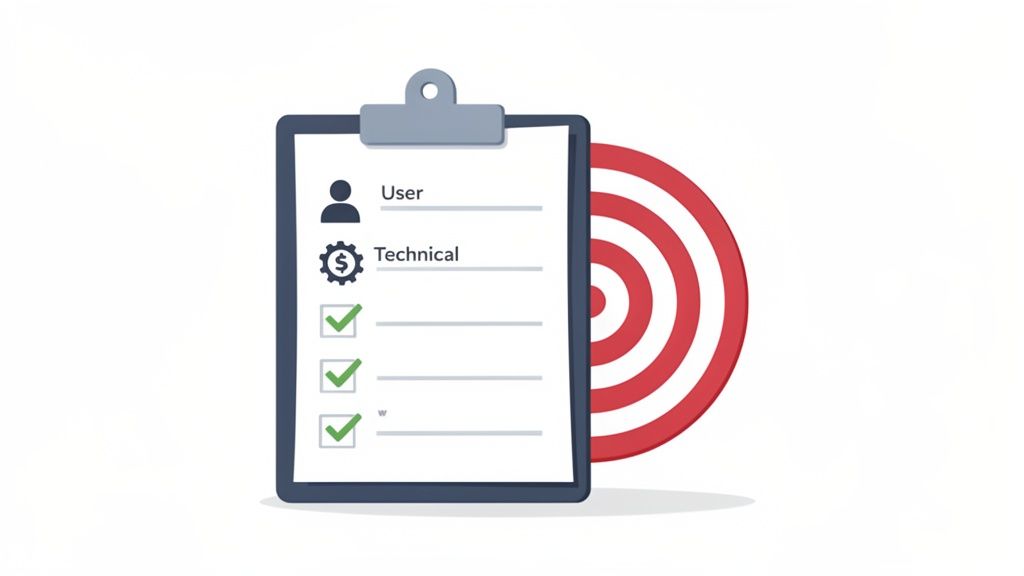
To make this actionable, your success criteria should be quantitative and directly tied to user workflows. Vague goals like “the checkout process should be fast” are ineffective. Instead, be specific and measurable.
Examples of Strong Success Criteria:
Authentic User Acceptance Testing is not a simulation; it requires participation from the people who will use the software every day. Involving actual end users or close representatives who deeply understand real-world usage patterns is non-negotiable. These individuals uncover edge cases, workflow inefficiencies, and usability issues that internal teams, with their inherent biases and technical knowledge, are likely to miss.
This practice is one of the most critical user acceptance testing best practices because it bridges the gap between technical validation and genuine user satisfaction. It ensures the final product doesn’t just meet a list of requirements on paper but truly solves problems and provides value in its intended environment. It’s the ultimate reality check before a product goes live.
Engaging users means moving beyond your internal QA team. The goal is to observe authentic interactions with the system, capturing candid feedback on its intuitiveness and functionality within a business context.
Examples of Effective User Involvement:
The most reliable User Acceptance Testing (UAT) is conducted in an environment that is a near-perfect replica of production. This means using not just similar infrastructure, but also realistic data volumes, distributions, and configurations. Testing with small, sanitized, or simplistic data sets is a common pitfall that can hide critical performance bottlenecks, data integrity bugs, and edge-case failures that only manifest at scale.
This practice is a cornerstone of effective user acceptance testing best practices because it ensures that test results are genuinely predictive of real-world user experiences. When testers interact with an application populated with data that mirrors production complexity, they can validate workflows with confidence, uncovering issues that would otherwise surprise you post-launch. This high-fidelity testing is the bridge between a functional application and a production-ready one.
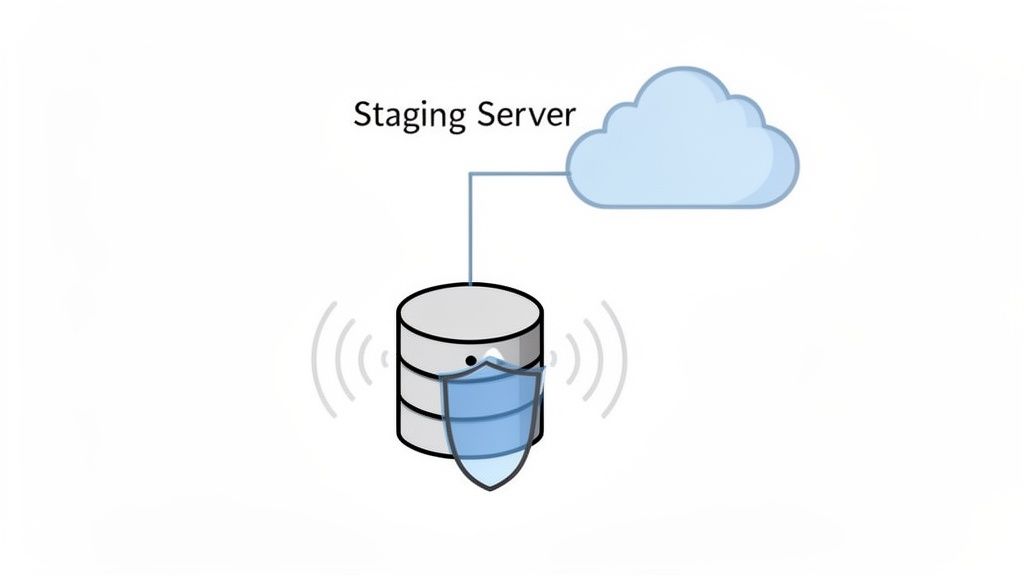
To make this actionable, your UAT environment should mirror production not just in code, but in data and infrastructure. This involves creating a staging or pre-production environment that closely matches your live setup. The goal is to simulate the real-world conditions your application will face on day one.
Examples of Strong Production-Like Testing:
Effective UAT moves beyond testing individual features in isolation. It focuses on validating complete, end-to-end user journeys that represent real-world business processes. By creating comprehensive test scenarios, you ensure that the application not only functions correctly at a component level but also delivers value across critical workflows. This approach prioritizes testing efforts on the paths that directly impact business outcomes, user productivity, and revenue.
This practice is essential because users interact with software through sequences of actions, not isolated button clicks. A failure in one part of a workflow can render the entire process useless. Prioritizing these critical user flows is one of the most impactful user acceptance testing best practices, as it guarantees that the most important business functions are robust, reliable, and ready for production.
To make this actionable, shift from a feature-centric mindset to a journey-centric one. Map out how a user accomplishes a key goal from start to finish, including all the steps, decisions, and system interactions along the way. This provides a blueprint for your test scenarios.
Examples of Strong Test Scenarios:
Even the most well-planned UAT will uncover issues; what separates successful projects from chaotic ones is how those issues are handled. Establishing a clear, structured bug reporting and tracking process is non-negotiable. This system ensures that every bug, from minor UI glitches to critical blockers, is captured, documented, prioritized, and tracked to resolution, preventing anything from falling through the cracks.
This practice transforms UAT feedback from a scattered collection of emails and messages into an organized, actionable workflow. It provides a single source of truth for the project’s health, enabling efficient communication between testers, developers, and product owners. A robust reporting system is a cornerstone of user acceptance testing best practices because it brings order to the unpredictable nature of bug discovery and ensures a smooth path to a stable release.
A systematic approach to bug management relies on standardized data collection and clear definitions of severity. Vague reports like “the dashboard is broken” are useless. Instead, empower testers to provide detailed, reproducible reports that developers can act on immediately. An essential component of this process is understanding what a ticketing system is and how it works to streamline issue resolution and communication.
Examples of Well-Defined Bugs:
Professional UAT goes beyond simply “checking if it works.” It demands a methodical and disciplined approach to test execution where every step is documented, every outcome is recorded, and every critical result is supported by evidence. This structured process transforms UAT from a chaotic free-for-all into a systematic validation effort that produces a reliable, auditable record of the software’s readiness for release.
This practice is crucial for maintaining quality, accountability, and compliance. By executing tests in a controlled manner, teams can accurately track progress, identify bottlenecks, and create a transparent history of validation. This is one of the most vital user acceptance testing best practices because it builds stakeholder confidence and provides a concrete, evidence-based foundation for the final go/no-go decision.
A controlled environment means every tester follows the same procedure for running tests and logging results. This consistency is key to generating trustworthy data and ensuring that defects can be reliably reproduced by the development team.
Examples of Strong Test Execution:
With limited time and resources, not all tests are created equal. Risk-based test prioritization is a strategic approach that focuses your UAT efforts on the areas of the application with the highest potential for negative business impact if they fail. This ensures that the most critical functionalities are thoroughly validated, maximizing the value of your testing cycle and protecting revenue and reputation.
This practice moves UAT from a comprehensive but potentially inefficient checklist to a targeted, high-impact validation exercise. By systematically identifying and evaluating risks, you can allocate your testers’ valuable time to the user journeys that matter most to the business’s bottom line and the user’s core experience. Adopting this strategy is one of the most effective user acceptance testing best practices for optimizing QA return on investment.
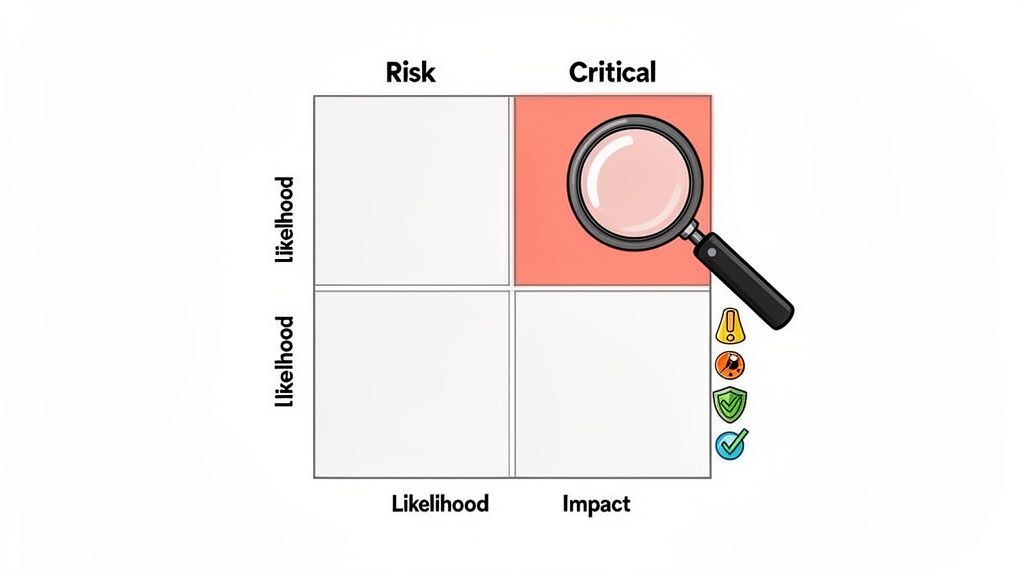
The core of this approach is to score each feature or user flow based on its likelihood of failure and the severity of its business impact. This creates a clear hierarchy for testing.
Examples of Risk Scoring:
The culmination of User Acceptance Testing is the formal sign-off. This isn’t just a formality; it is a critical gatekeeping process where authorized stakeholders explicitly confirm that the system meets the agreed-upon business requirements and is ready for production. This practice establishes clear accountability, prevents last-minute scope creep, and creates an official, documented decision point for the release.
Formal acceptance serves as the contractual and operational completion of the UAT phase. It transforms the collective testing effort into a clear “go” or “no-go” decision, ensuring that the business takes ownership of the release. Neglecting this step can lead to ambiguity about whether the product truly met expectations, creating risks post-launch. Making formal acceptance a mandatory part of your workflow is a core user acceptance testing best practice.
Effective sign-off is more than just a signature; it’s a comprehensive summary of the UAT phase that documents outcomes, resolutions, and any accepted risks. It should be a clear, evidence-backed declaration.
Examples of Strong Sign-Off Statements:
As new builds are deployed during UAT to address feedback and fix bugs, there’s a significant risk of introducing regressions that break previously working functionality. Manually re-testing the entire application after every small change is impractical and slow. Automating regression testing is a crucial practice that ensures stability and builds confidence with each new iteration. This approach allows teams to quickly validate that fixes haven’t had unintended consequences, keeping the UAT process moving forward efficiently.
This practice is a cornerstone of modern user acceptance testing best practices because it provides a safety net. It frees up human testers to focus on validating new features and complex user scenarios rather than repetitively checking core functionality. By running an automated suite against every build, you catch regressions almost immediately, preventing them from derailing the UAT schedule and frustrating end-users who are trying to provide valuable feedback.
The goal is to create a reliable and fast feedback loop. Instead of waiting for manual testers to discover a regression hours or days later, automated tests can provide results within minutes of a new deployment, allowing developers to fix the issue while the context is still fresh.
Examples of Strong Regression Automation:
User Acceptance Testing doesn’t end when the application goes live. A truly mature UAT process anticipates the transition to a production environment. Planning for post-UAT support, including monitoring, rollback procedures, and hotfix testing, is a critical best practice that ensures long-term stability and a rapid response capability when issues inevitably arise.
This forward-thinking approach bridges the gap between pre-production testing and live operations. It establishes a safety net that protects the user experience and business continuity after launch. By defining responsibilities and procedures beforehand, you avoid scrambling during a production incident, maintaining quality and user trust long after the UAT sign-off.
The goal is to create a clear, actionable plan for “what’s next.” This involves defining processes for monitoring application health, addressing defects found in production, and safely deploying urgent fixes without introducing new problems. After UAT and deployment, ensuring the long-term health and performance of your application is critical. Planning for post-UAT includes establishing robust production support and considering effective web maintenance and support strategies to keep your system secure and fast.
Examples of Strong Post-UAT Plans:
| Practice | Implementation Complexity 🔄 | Resource Requirements ⚡ | Expected Outcomes ⭐ / 📊 | Ideal Use Cases 💡 | Key Advantages ⭐ |
|---|---|---|---|---|---|
| Define Clear UAT Objectives and Success Criteria | 🔄 Low–Medium — stakeholder alignment required | ⚡ Low — time for workshops and documentation | ⭐ Clear acceptance, 📊 fewer late rejections | 💡 New features, contractual deliveries, high-risk releases | ⭐ Reduces scope creep; speeds decision-making |
| Involve Real End Users in Testing | 🔄 Medium — recruitment and session management | ⚡ Medium — user recruitment, facilitation, recording | ⭐ Better usability validation, 📊 higher adoption | 💡 Consumer apps, workflows with diverse users | ⭐ Reveals real edge cases; increases user confidence |
| Test with Production-Like Data and Environments | 🔄 High — data masking and infra parity needed | ⚡ High — storage, compute, compliance effort | ⭐ Realistic performance predictability, 📊 fewer post-launch surprises | 💡 High-volume systems, analytics, finance, healthcare | ⭐ Catches scalability and data-integrity issues |
| Create Comprehensive Test Scenarios Covering Critical User Flows | 🔄 Medium — requires deep business knowledge | ⚡ Medium — BAs, power users, scenario templates | ⭐ Validates end-to-end processes, 📊 focused ROI from testing | 💡 Complex workflows, regulatory processes, integrations | ⭐ Ensures critical paths are tested; finds integration issues |
| Establish a Clear Bug Reporting and Tracking Process | 🔄 Low — process and tooling configuration | ⚡ Low–Medium — issue tracker and training | ⭐ Better visibility and prioritization, 📊 audit trail | 💡 Any UAT, especially regulated projects | ⭐ Prevents duplicates; supports data-driven releases |
| Execute Test Cases in a Controlled, Documented Manner | 🔄 Medium — disciplined execution and evidence capture | ⚡ Medium — test management tools, storage for evidence | ⭐ Reproducibility and compliance, 📊 measurable coverage | 💡 Regulated industries, audit-heavy projects | ⭐ Provides auditable records; improves verification |
| Implement Risk-Based Test Prioritization | 🔄 Medium — collaborative risk assessment required | ⚡ Low–Medium — stakeholder time and historical data | ⭐ Higher test ROI, 📊 fewer critical escapes | 💡 Time-boxed UAT, limited resources, critical systems | ⭐ Focuses effort on highest-impact areas |
| Conduct Test Sign-Off and Formal Acceptance | 🔄 Low — structured meeting and documentation | ⚡ Low — sign-off templates and stakeholder time | ⭐ Clear accountability, 📊 formal release decision | 💡 Contractual releases, compliance-driven launches | ⭐ Creates documented acceptance; prevents disputes |
| Automate Regression Testing Throughout UAT Cycles | 🔄 High — framework, maintenance, flakiness management | ⚡ High — tooling, infra, automation skillset | ⭐ Rapid feedback, 📊 fewer regressions in production | 💡 CI/CD environments, frequent builds, large suites | ⭐ Scales testing; reduces manual effort and cycle time |
| Plan for Post-UAT and Production Support Continuity | 🔄 Medium — runbooks, monitoring and rollback planning | ⚡ Medium — monitoring, on-call rotation, hotfix processes | ⭐ Faster incident resolution, 📊 sustained stability | 💡 24/7 services, mission-critical systems | ⭐ Minimizes customer impact; enables rapid hotfix validation |
The journey through the ten essential user acceptance testing best practices reveals a fundamental truth: UAT is not a final, perfunctory gate before release. Instead, it is a dynamic, strategic bridge connecting development efforts to real-world business value. Moving from a reactive checklist to a proactive quality framework transforms UAT from a mere “acceptance” phase into a significant competitive “advantage.” By embracing these principles, your organization can shift its focus from simply finding bugs to building confidence, validating business requirements, and ensuring the final product truly solves the problems it was designed to address.
The core of this transformation lies in treating UAT as a discipline built on clarity, collaboration, and control. We’ve explored the non-negotiable need for defining crystal-clear objectives and success criteria, which serves as the foundation for the entire process. Without a shared understanding of what “done” and “successful” look like, UAT devolves into a subjective and often chaotic exercise. This clarity is then brought to life by involving real end-users and providing them with production-like data and environments, ensuring that your testing is a genuine simulation of real-world usage, not an abstract technical validation.
To distill these comprehensive strategies into actionable steps, focus on these critical takeaways:
Ultimately, mastering these user acceptance testing best practices directly impacts the bottom line. A well-executed UAT program reduces the risk of costly post-launch defects, minimizes customer support overhead, and prevents reputational damage from a buggy release. It builds a powerful feedback loop that continuously informs the development lifecycle, ensuring that the product roadmap remains aligned with actual user needs and business objectives.
The path forward begins not with a complete overhaul, but with incremental, intelligent changes. Start by improving your test case documentation for a single critical feature. Introduce a more formal sign-off process for your next minor release. Explore how an AI-driven tool can automate a few of your most repetitive regression checks. Each small step builds momentum, fostering a culture where quality is a shared responsibility and user satisfaction is the ultimate measure of success. By committing to these principles, you ensure your products are not just technically sound, but genuinely ready to be embraced by the users they were built to serve.
Ready to supercharge your UAT process and eliminate the regression testing bottleneck? Discover how TestDriver uses AI to create and maintain end-to-end tests in plain English, allowing your entire team to build robust test coverage without writing a single line of code. Visit TestDriver to see how you can accelerate your release cycles and build unbreakable software.
Discover how quality assurance in software development works. Learn modern QA processes, key testing types, and how AI is revolutionizing software delivery.
Discover how to create test case strategies that catch bugs early. This guide covers templates, real-world examples, and AI-powered QA.
Clearly understand the difference in the test plan vs test strategy in software testing. This guide covers roles, scope, and when to use each for better QA.
Explore manual versus automated testing: compare use cases, ROI, and a practical framework to choose the best approach for your team.
TestDriver runs every pull request in a real desktop sandbox, finds bugs, and builds regression tests - right from your repo.