Common Challenges in Automation Testing and How to Overcome Them
This article explores the common challenges faced in automation testing and provides actionable solutions to enhance your testing process.
Discover the essentials of web apps testing. This guide covers automation, CI/CD integration, and key strategies to build reliable and secure applications.
Automate and scale manual testing with AI ->
Testing a web app is really about one thing: making sure it works exactly as it should for the people who will actually use it. Before you push your application live, you need to be confident it’s functional, secure, and performs well under pressure. This is the heart of quality assurance—a process designed to hunt down and fix bugs to guarantee a great user experience and shield the app from potential problems.
Think about it like this: you wouldn’t open a new skyscraper to the public without first rigorously inspecting its foundation, steel frame, and safety systems. Web apps testing is that same critical inspection, but for your digital presence. It’s far more than a technical checklist; it’s a core business strategy that directly protects your bottom line and shapes how customers see your brand.
Pushing an untested or poorly tested web app out the door is a huge gamble with your reputation. Every broken link, slow-loading page, or security flaw erodes user trust. In today’s market, one bad experience is all it takes to send a potential customer running to your competition, and they probably won’t be back. This isn’t just about avoiding a little embarrassment—it’s about protecting your revenue and making sure your development investment pays off.
The consequences of skipping proper testing are very real and very expensive. Bugs found after an app goes live are exponentially more costly to fix than those caught early in development. On top of the direct costs of emergency patches and pulling developers off new projects, you’re also paying the hidden price of a tarnished reputation and losing customers.
A proactive testing culture isn’t an expense; it’s an investment in stability and growth. The global software testing market tells the same story. By 2025, the market blew past a $45 billion milestone, and it’s projected to climb to nearly $97.3 billion by 2032, all because the need for quality is undeniable. You can find more stats on this growing industry at kiwiqa.com.
A robust testing strategy is your first line of defense against financial loss and brand erosion. It transforms quality assurance from a final checkbox into an ongoing commitment to excellence that builds lasting customer loyalty.
At the end of the day, consistent and thorough testing helps you achieve several key business goals:
This tight link between testing and business success is a huge part of modern software development. To dig deeper into how this works, check out our guide on the importance of quality engineering in software development.
To build a web application that doesn’t crumble under pressure, you need a strategy. Without a plan, testing can quickly devolve into a chaotic mess of random checks that let critical bugs slip through the cracks. The most trusted blueprint for a solid web apps testing strategy is the Testing Pyramid.
Think of it like building an actual pyramid. You start with a massive, solid base, then add progressively smaller and more specialized layers on top. This is what gives the structure its stability. Web app testing follows the same logic, giving different tests priority at each level to create a balanced, efficient, and cost-effective approach to quality.
This layered structure ensures every angle is covered, from the smallest piece of code to the overall user experience, performance, and security.
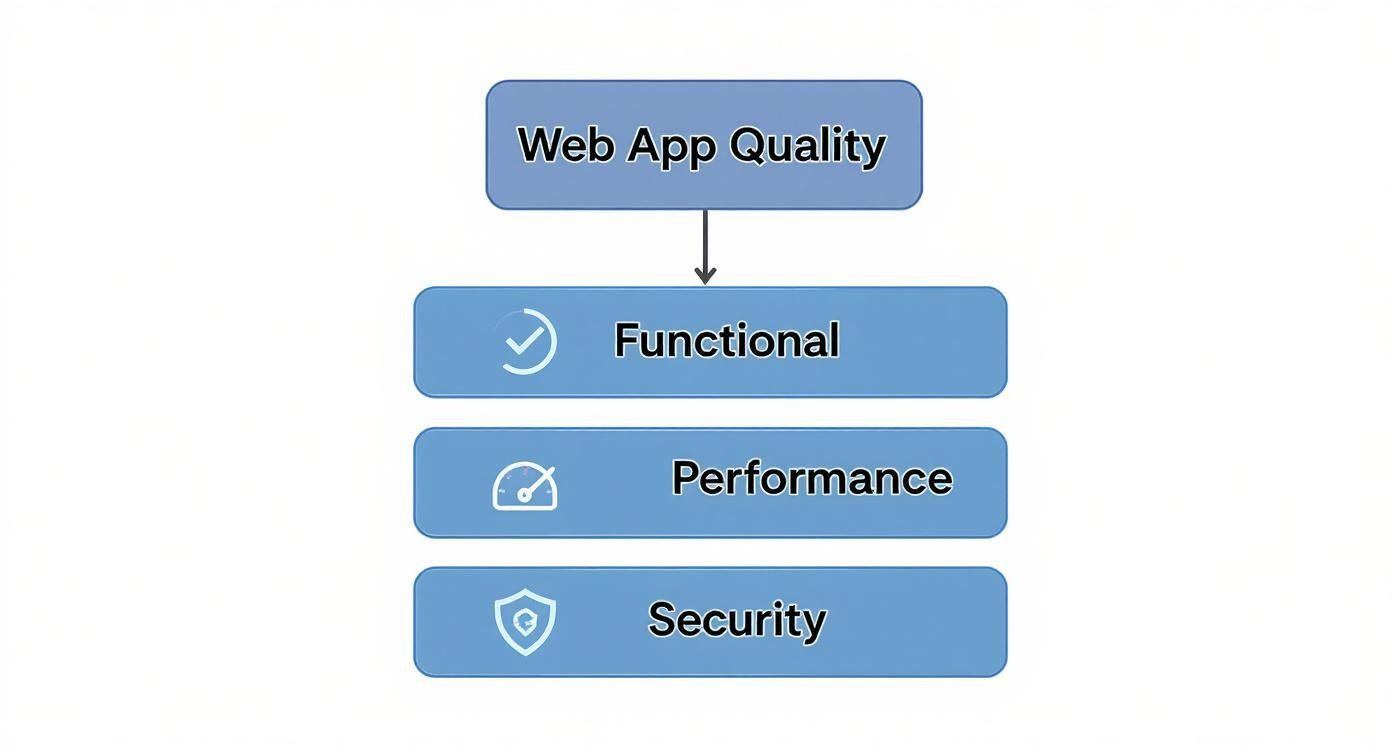
This model shows how total web app quality rests on different pillars, making sure everything from functionality to speed and safety is properly handled.
At the broad, sturdy base of the pyramid, you’ll find Unit Tests. Think of these as inspecting each individual brick before it even becomes part of a wall. Each test zeroes in on the smallest possible piece of code—a single function or method—and tests it in complete isolation from everything else.
Developers write these to confirm a specific piece of code does exactly what it’s supposed to. For instance, does a function that calculates sales tax return the right amount for a given price? Because they’re small and have no outside dependencies, unit tests are incredibly fast. A suite with thousands of them can run in just a few minutes, giving developers immediate feedback.
Unit tests are your first line of defense against bugs. By running them constantly, teams catch and fix issues at the earliest—and cheapest—possible stage, long before they get tangled up in a larger feature.
Moving up a level, we get to Integration Tests. If unit tests check the individual bricks, integration tests make sure those bricks fit together to form a solid wall. These tests verify that two or more parts of your application can communicate and work together as intended.
For example, an integration test might check if your login module can correctly pull user data from the database after a successful authentication. These tests are naturally more complex than unit tests because they involve multiple moving parts. As a result, they’re a bit slower to run and can be trickier to write and maintain.
Still, they are absolutely essential for catching bugs that only show up when different services interact, such as problems with data formatting or API communication failures.
At the very top of the pyramid sit End-to-End (E2E) Tests. This is like the final inspection of the fully built pyramid. These tests simulate a real user’s journey from start to finish, mimicking actual behavior like logging in, adding an item to a cart, checking out, and completing a purchase.
E2E tests are incredibly valuable because they confirm the entire workflow works and provides a good user experience. They are also, however, the slowest, most expensive, and most fragile tests to maintain. A tiny change to the user interface can easily break an E2E test, meaning they need constant updates. This is why the pyramid model recommends having far fewer E2E tests than any other type, focusing them only on your most critical user paths.
You can dive deeper into this strategic structure by exploring the Test Pyramid model in software testing in our detailed guide.
While the pyramid is all about making sure the app works, several other crucial tests are needed to ensure a high-quality user experience. These are often called non-functional tests, and they answer the “how well does it work?” question.
A truly balanced strategy combines all layers of the pyramid with these non-functional tests. That’s the key to shipping a robust, secure, and user-friendly web application.
https://www.youtube.com/embed/u6QfIXgjwGQ
In the world of software development, speed and quality aren’t enemies—they’re partners. While the human touch in manual web apps testing is irreplaceable for things like usability and exploratory checks, it just can’t keep pace with modern, continuous delivery cycles. This is where test automation stops being a “nice-to-have” and becomes a strategic imperative.
Think of it this way: manual testing is like a master craftsman inspecting every single car that rolls off the assembly line by hand. Their eye for detail is unmatched, but they’re only human. They can only check so many cars in a day. Test automation, on the other hand, is like installing a suite of high-tech sensors that verifies thousands of checkpoints on every car instantly. This doesn’t replace the craftsman; it frees them up to focus on the truly complex stuff, like fine-tuning engine performance or approving the final design.
A common myth is that automation is meant to replace manual testers. Nothing could be further from the truth. The real goal is to elevate their role. By automating the repetitive, predictable, and frankly, boring tasks—like the regression suites you run before every single release—you empower your QA team. They can then pour their expertise into more creative, high-value work that demands human intuition, like deep exploratory testing or validating complex user scenarios.
Moving to automated testing isn’t just about catching bugs faster; it’s a decision driven by clear business advantages that directly impact your ability to compete. When you invest in automation, you’re really investing in speed, efficiency, and confidence.
The industry trends tell the same story. The test automation market is on track to hit a staggering $29.29 billion by 2025. And while 77% of companies have dipped their toes into automated testing, only a tiny 5% have managed to automate everything. This isn’t a sign of failure; it shows that the smartest teams use a hybrid approach, blending the strengths of both manual and automated testing. You can get a clearer view by exploring more software testing statistics and trends.
So, what are the tangible benefits?
Automation transforms your testing process from a potential bottleneck into a powerful accelerator. It creates a safety net that allows developers to innovate boldly, knowing that regressions will be caught instantly.
Deciding what to automate and what to keep manual is a key part of the strategy. This table can help guide your thinking.
A practical comparison to help you decide which approach is best suited for different testing scenarios in your web application.
| Scenario | Best for Manual Testing | Best for Automated Testing |
|---|---|---|
| Repetitive Tasks | Highly inefficient and prone to human error. | Perfect for scripts that can run thousands of times without fatigue or mistakes. |
| Exploratory Testing | Ideal. Human intuition is needed to explore the app, find edge cases, and think like a user. | Not suitable. Automation needs predefined scripts and can’t “explore” creatively. |
| User Experience (UX) | Essential for gauging look and feel, usability, and overall user satisfaction. | Cannot provide subjective feedback on aesthetics or ease of use. |
| Performance Testing | Impossible for a human to simulate thousands of concurrent users. | The only practical way to run load, stress, and scalability tests. |
| Regression Testing | Extremely tedious and time-consuming, especially as the app grows. | Excellent for ensuring new code doesn’t break existing functionality. |
Ultimately, a blended strategy gives you the best of both worlds: the unblinking precision of automation for the routine checks and the invaluable insight of a human expert for everything else.
Once you’ve committed to automation, the next big decision is picking your tools. The open-source world offers some incredibly powerful frameworks, each with its own flavor and philosophy.
Here’s a look at three of the most popular choices for web apps testing:
There’s no single “best” framework—the right one for you depends entirely on your team’s skills, your project’s architecture, and your overall workflow. The goal is to pick a tool that not only gets the job done but also fits so well into your process that it feels like a natural extension of your team.
In modern development, web app testing isn’t something you tack on at the end. It’s a continuous process that’s baked right into the way you build software. This magic happens inside a Continuous Integration and Continuous Deployment (CI/CD) pipeline, which essentially acts as an automated quality checkpoint for every single line of code you write.
Think of it as an automated assembly line. A developer commits some new code, and the pipeline instantly springs into action. It builds the app, runs a battery of tests, and—only if everything checks out—deploys the changes. This creates a tight feedback loop, turning testing from a slow, periodic chore into a constant, confidence-building habit.
A CI/CD pipeline is really just a series of automated stages. Each stage has a specific job, and if any one of them fails, the entire process halts. This is a good thing! It stops buggy code in its tracks and gives developers immediate feedback on what broke.
Here’s a look at how the different types of tests we’ve discussed fit neatly into this workflow:
A great CI/CD pipeline works like your application’s immune system. It’s always on, constantly scanning for threats (bugs) and neutralizing them early, long before they can impact a real user in production.
After the foundational tests are green, the pipeline starts moving the code toward production. This is where your broader, more comprehensive tests come into play, ensuring the entire user experience is solid from start to finish.
The later stages usually look something like this:
Embedding automated tests at every step creates an indispensable safety net. It empowers teams to develop and release features quickly without ever having to compromise on quality. To get this right, it helps to be familiar with the core ideas of DevOps. For a great primer, check out this article on understanding the basic tenets of DevOps services.
This automated, step-by-step approach is the bedrock of reliable software delivery. To learn more, take a look at our detailed guide on the https://testdriver.ai/articles/best-practices-for-integrating-testing-into-your-ci-cd-pipeline.

It’s one thing to know the right way to test. It’s another, arguably more important thing, to know the traps that can derail your entire project. Even with the best intentions, many web apps testing strategies stumble into a few classic blunders, turning a helpful quality process into a major development bottleneck.
One of the biggest culprits I’ve seen is the Inverted Testing Pyramid. This is what happens when a team leans almost entirely on slow, complex end-to-end tests while barely touching the quick, simple unit and integration tests. The result? A test suite that takes forever to run, gives feedback way too late, and becomes a maintenance nightmare.
Another huge headache is writing brittle tests. You know the ones—they shatter every time a developer makes a tiny, harmless change to the UI, like renaming a button’s ID or adjusting a CSS class. This is a classic sign that your tests are latched onto the internal workings of the code, not the actual user experience.
When your tests are this fragile, developers quickly lose faith. Constant false alarms from minor UI tweaks create “test fatigue,” and real bugs get buried in the noise. Before you know it, the team starts ignoring failures or—even worse—disabling tests completely.
The goal of a test is to fail when functionality breaks, not when a developer refactors a component. Focus your tests on what the user experiences, not on the underlying code structure.
Sticking to established web apps testing best practices is the best way to avoid these issues and build a test suite that actually helps instead of hinders.
It’s easy to get tunnel vision and focus only on whether features work as expected. But pushing all non-functional testing to the end of the project is a recipe for failure. A web app might be perfectly functional, but if it’s slow, insecure, or unusable for people with disabilities, it’s a broken product.
Here are a few key areas that are often ignored until it’s way too late:
By actively avoiding these pitfalls, you can create a testing culture that’s built on efficiency and resilience. It’s all about testing smarter, not just harder, to ship a product that your users will love and trust.
When teams decide to get serious about a structured testing strategy, the theoretical ideas quickly turn into practical questions. Moving from a plan on paper to a real-world workflow means making some important calls on tools, how much to test, and who does what. Let’s tackle some of the most common questions we hear from dev and QA teams.
The goal here is to help you cut through the noise and build a testing culture that actually works for you—one that’s both effective and sustainable.
There’s no single “best” tool; the right one really depends on your team’s skillset, your app’s tech stack, and your budget. If your team lives and breathes JavaScript, modern frameworks like Cypress and Playwright are fantastic choices. They’re built for speed and have features that developers tend to love.
On the other hand, if you need to support a wide range of browsers and your team is more comfortable with languages like Java or Python, the old standby, Selenium, is still a rock-solid and powerful option.
A great way to decide is to run a small proof-of-concept with your top two contenders. Getting your hands dirty with a small project will quickly show you which tool fits more naturally into your workflow and which one your team can pick up faster.
Here’s a simple way to think about it: functional testing checks what your application does, while non-functional testing measures how well it does it.
You absolutely need both. They work together to create a product that is not just reliable but also a pleasure to use.
A functionally perfect app that’s slow, insecure, or impossible to navigate is still a broken product from the user’s perspective. Real quality is about striking a balance between both.
It’s easy to fall into the trap of chasing 100% test coverage, but that often leads to a lot of wasted effort for very little gain. A risk-based approach is much smarter.
Focus on getting high coverage—think 80-90%—on the most critical parts of your application. This includes your core business logic, the most common user journeys, and any code that changes frequently or has a history of being buggy. For simpler, low-risk parts of the app, a lower percentage is fine. The goal isn’t hitting a magic number; it’s gaining the confidence that your most important features are solid.
Yes, absolutely. The most effective teams treat quality as a shared responsibility. This is often called a “shift-left” mindset, where testing happens earlier in the development process.
Developers are in the perfect position to write unit and integration tests because they know the code inside and out. They can write small, fast tests that catch issues right away. This frees up dedicated QA engineers to focus on the bigger picture: complex end-to-end scenarios, exploratory testing, and shaping the overall quality strategy. When everyone pitches in, you end up with a much more efficient and robust process.
Ready to put your testing strategy into action without all the heavy scripting? With TestDriver, you can generate complete end-to-end tests from a simple prompt. Streamline your QA process and expand your coverage today at https://testdriver.ai.
This article explores the common challenges faced in automation testing and provides actionable solutions to enhance your testing process.
Discover how quality assurance in software development works. Learn modern QA processes, key testing types, and how AI is revolutionizing software delivery.
Clearly understand the difference in the test plan vs test strategy in software testing. This guide covers roles, scope, and when to use each for better QA.
Discover how automated functional tests can transform your QA process. Learn core concepts, best practices, and how AI is making test creation faster than ever.
TestDriver runs every pull request in a real desktop sandbox, finds bugs, and builds regression tests - right from your repo.