Test Plan vs Test Strategy in Software Testing Explained
Clearly understand the difference in the test plan vs test strategy in software testing. This guide covers roles, scope, and when to use each for better QA.
Explore our definitive guide on white box vs black box testing. Learn key differences, practical applications, and how to choose the right strategy.
Automate and scale manual testing with AI ->
The real difference between white box and black box testing comes down to a simple question: are you looking under the hood, or are you just taking it for a test drive?
White box testing is all about getting your hands dirty with the internal workings—the code itself. In contrast, black box testing couldn’t care less about the code; it only focuses on whether the software does what it’s supposed to do from the outside. One is the mechanic, the other is the driver.
In the world of quality assurance, you can’t just apply one type of testing and call it a day. The right approach depends entirely on what you’re trying to achieve, whether that’s shoring up your code’s internal logic or making sure the end-user has a flawless experience. White box and black box testing are two of the most fundamental philosophies for getting this done.
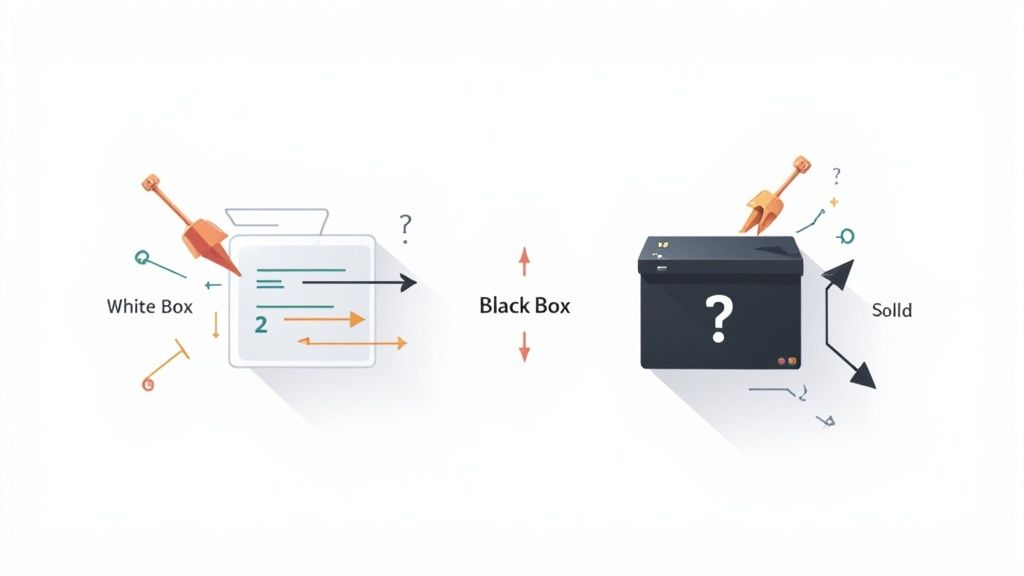
Also called clear box or structural testing, this method demands that the tester knows the application inside and out—we’re talking source code, architecture, and internal pathways. The goal here is to trace every possible route through the code to make sure it all works as designed.
It’s absolutely essential for:
For a deeper dive into how this is applied at the ground level, checking out some unit testing best practices is a great next step.
With this approach, the software is treated like a sealed, opaque box. The tester has zero knowledge of the code and focuses entirely on inputs and their expected outputs. It’s all about behavior and making sure the application meets its requirements from a real user’s point of view.
Black box testing is the go-to method for:
While they seem like opposites, both approaches are critical for a comprehensive testing strategy. They align closely with the concepts of verification and validation, which you can learn more about in our detailed guide to understanding verification and validation in software testing. It’s also worth noting there’s a middle ground—grey box testing—where testers have some, but not all, knowledge of the system’s internals.
To quickly see how these two stack up, here’s a high-level comparison of their core differences.
| Attribute | White Box Testing | Black Box Testing |
|---|---|---|
| Primary Goal | Validate internal code structure and logic | Validate application functionality and user flows |
| Tester’s Knowledge | Requires in-depth knowledge of source code | Requires no knowledge of internal code |
| Perspective | Internal (developer-centric) | External (user-centric) |
| Common Techniques | Unit testing, integration testing, code coverage | Functional testing, UI testing, acceptance testing |
| Ideal For | Finding logic errors, security flaws, path defects | Finding usability issues, requirement gaps, UI bugs |
This table makes it clear: white box testing is about building it right, while black box testing is about building the right thing.
Once you get past the basic definitions, the real difference between white-box and black-box testing comes down to a side-by-side look at their goals, methods, and day-to-day impact. While both are designed to ship better software, they come at the problem from completely opposite directions. Understanding the trade-offs is key to making smart decisions for your team.
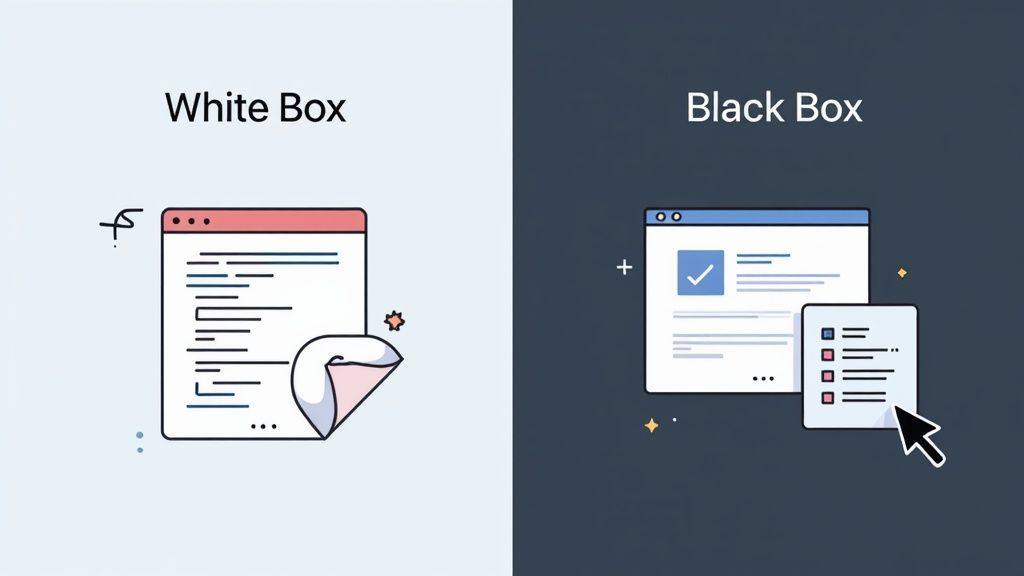
White-box testing is all about verifying the internal logic and structure of the code itself. Testers are looking under the hood, making sure specific code paths, branches, and conditions work as intended. The main goal here is structural integrity.
Black-box testing couldn’t be more different. It focuses entirely on validating the software from an end-user’s viewpoint. The whole point is to confirm the application meets its requirements and behaves as expected, without any concern for how it does it internally. The core concern is behavioral correctness.
The expertise required for each approach is a major dividing line. White-box testing absolutely requires a solid grasp of the programming language, system architecture, and internal design. Often, the testers are the developers themselves or specialized QA engineers who can read and write code fluently.
In contrast, black-box testers don’t need to know how to code at all. Their strength lies in understanding user needs, having deep domain knowledge, and thinking creatively to design test cases that mimic real-world scenarios. This opens the door for QA analysts, business analysts, and even end-users to get involved.
Key Takeaway: White-box testing is developer-centric; it’s about how the system is built. Black-box testing is user-centric; it’s about what the system does. This one difference shapes everything—the skills, tools, and mindset you need for each.
The actual techniques you’d use are also worlds apart.
This directly influences the kind of bugs each method is good at finding. White-box testing is great for sniffing out hidden logic errors, security flaws buried in the code, or inefficient algorithms. Black-box testing, on the other hand, is essential for catching usability problems, incorrect functionality, and situations where the requirements were misunderstood.
The tools for each approach are purpose-built for their unique focus. White-box testing typically relies on debuggers, static code analyzers, and code coverage tools that live inside the IDE. Test cases are designed by looking directly at the source code to figure out what inputs are needed to hit specific lines or functions.
Black-box testing uses test automation frameworks like Selenium or Playwright, or even AI-powered tools like TestDriver. These tools interact with the application’s UI, clicking buttons and filling out forms just like a real person. Here, test cases are designed from user stories and functional specs, with zero visibility into the code.
For any team serious about structural validation, it’s worth learning about effective strategies for measuring test coverage to maximize white-box efforts.
When you look at the cost of white-box vs. black-box testing, you’re really looking at a set of trade-offs. White-box testing can feel more expensive and time-consuming upfront, as it ties up skilled developer time to write and maintain very detailed tests. But the payoff comes from catching bugs early in the cycle when they’re much cheaper and easier to fix.
Black-box testing is often faster to get started with since test design can happen without waiting for the final code. While this might lower initial costs, figuring out the root cause of a failure can be a headache because the tester has no insight into what’s happening internally. This can drive up debugging costs down the line. The real question isn’t which one is better, but how you balance them to manage risk effectively.
It’s one thing to talk about the theory behind white box vs black box testing, but where the rubber really meets the road is in how these methods play out in real-world projects. Think of them as specialized tools in your QA toolkit. You wouldn’t use a hammer to saw a board, and you wouldn’t use one of these testing approaches when the other is clearly a better fit.
These aren’t just academic exercises; they’re how we solve tangible development problems every day. Whether it’s locking down sensitive financial data or making sure a shopping cart is dead simple to use, choosing the right testing strategy is what separates good software from great software.
White-box testing is your go-to when the internal nuts and bolts of the code are what matter most. You’ll want to pull this tool out when a hidden flaw could spell disaster—think security holes, performance drains, or system-wide failures.
In these high-stakes situations, the name of the game is structural verification. The potential cost of a missed internal bug is just too high. Digging into the source code isn’t a nice-to-have; it’s an absolute must.
Black-box testing takes center stage when the user’s experience is king. This is all about confirming the software does what it’s supposed to do from the user’s point of view, completely ignoring the complex spaghetti code that might be running underneath.
It’s the best way to make sure an application isn’t just functional but also intuitive, reliable, and frustration-free for the people who will actually use it.
In the end, the smartest QA strategies don’t force a choice between the two. They blend them. Most seasoned experts will tell you to use white-box testing early and often during development to get solid structural coverage—often aiming for over 80% line/branch coverage on critical components. Then, layer on black-box tests to validate the actual user experience and catch usability flaws. This combination covers both the code’s integrity and the final product’s quality. If you want to dig deeper into this, you can discover more insights about testing strategies on accelq.com.
This hybrid approach often looks a lot like grey-box testing, which really shines in complex integration scenarios. For example, if you’re trying to debug an API integration, a tester with some inside knowledge (like access to the API documentation) can write far more precise and effective tests than someone working completely in the dark.
Deciding between white box vs black box testing isn’t about picking a winner. It’s about matching the right tool to the job at hand. The best choice depends entirely on your project’s context—what you’re building, its core purpose, and the biggest risks you need to mitigate. A solid quality assurance plan isn’t rigid; it’s a flexible strategy that adapts to your specific goals.
The decision really boils down to a few key factors: the stage of your development lifecycle, the sheer complexity of the application, and what you’re trying to protect—be it security, performance, or usability. There’s no one-size-fits-all answer.
This decision tree gives you a visual guide for how different project goals should steer you toward white box, black box, or a hybrid approach.
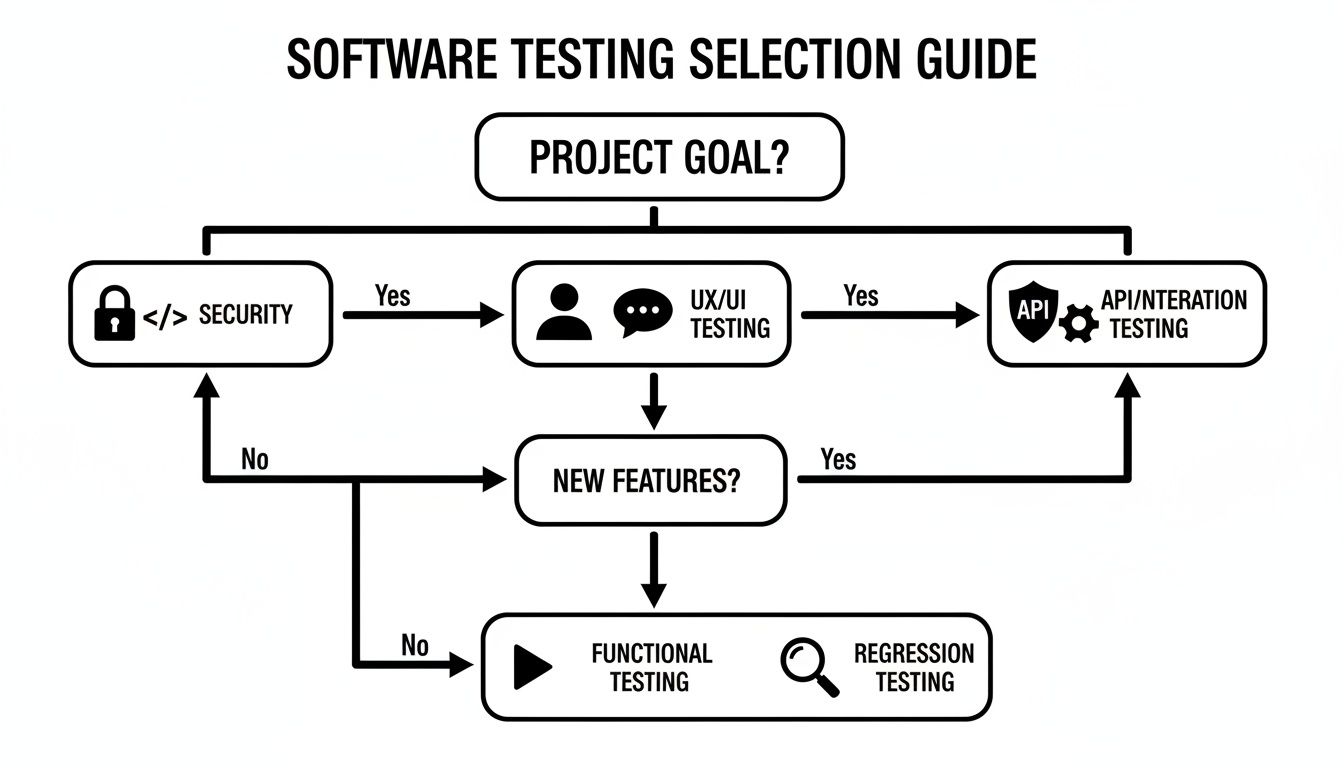
As you can see, if your main concern is the integrity of your internal code or bolstering security, you’re naturally going to lean toward white-box testing. But if your goals are all about the user experience or end-to-end functionality, then black-box methods are the way to go.
To make a smart decision, you have to look at your project through a few different lenses. Each one gives you a hint about where to focus your testing efforts to get the biggest bang for your buck.
Ask yourself these questions:
The most effective strategy is rarely a pure one. It’s about creating a balanced blend. The question isn’t “white box or black box?” but rather “What is the right mix of white box and black box testing for this feature at this time?”
Let’s walk through two common scenarios to see how the right strategy naturally emerges from the project’s context.
Scenario 1: A Security-Sensitive Backend Service Picture a new microservice that handles user authentication. Here, the name of the game is security and data integrity. Every single line of code and every possible path needs to be combed through for vulnerabilities like SQL injection or sloppy error handling.
In this situation, your strategy should be heavily weighted toward white-box testing. Techniques like static application security testing (SAST) and rigorous code reviews are non-negotiable. You might use some black-box methods to simulate external attacks, but the core focus remains squarely on the internal code structure.
Scenario 2: A Customer-Facing Mobile App Now, let’s think about a new mobile app for booking appointments. For this app, the user experience is everything. If the interface is clunky or confusing, people will just delete it.
This project demands a black-box-dominant strategy. Usability testing, functional testing of key user flows (like searching for and booking an appointment), and regression testing are all critical. White-box testing still has its place, perhaps for optimizing performance under the hood, but the top priority is making sure the app works perfectly from the user’s perspective.
While the choice can seem like a major fork in the road, the data shows the outcomes can be surprisingly similar. A detailed 2017 study found that there was at most a 4% difference in the early fault-detection rate between the top white-box and black-box strategies. This suggests that for regression testing, a well-designed black-box approach can be almost as effective at catching bugs as a code-aware one.
This really drives home the idea that a hybrid approach is usually best. By combining both methodologies, you get comprehensive coverage that looks at both internal structural health and external functional correctness. As you map out your plan, it’s also smart to consider automated testing best practices to make your process more efficient and effective, no matter which methods you choose.
When it comes to securing your application, the white box vs. black box testing debate isn’t just a technicality—it’s a core decision that shapes your entire security posture. Each methodology mimics a different kind of threat, giving you a completely different view of your vulnerabilities. Choosing the right approach is fundamental to building a solid defense against real-world attacks.

This distinction is critical for weaving security into your development lifecycle from the start. To learn more, check out our guide on effective strategies for integrating security testing in your development process. It helps teams make sure their testing actually lines up with their security goals.
In the security world, black box testing is essentially penetration testing (or pentesting). Testers step into the shoes of an external attacker—they have zero inside knowledge of your system. They poke and prod the application from the outside, just like a real hacker would, searching for exploitable weaknesses in login screens, APIs, and network settings.
This method is perfect for answering one crucial question: “Can an outsider get in?” By simulating common attacks like SQL injection or cross-site scripting (XSS), black box pentesting puts your external defenses to the ultimate test. It shows you exactly how your application fares against a motivated, uninformed adversary.
White box security testing, on the other hand, flips the script. It’s often carried out with Static Application Security Testing (SAST) tools, where testers have full access to everything: source code, architecture diagrams, and design documents. The goal here is a deep, exhaustive audit of the application’s internal workings.
This “all-access pass” lets them spot vulnerabilities that are impossible to see from the outside.
Think of white box analysis less like simulating an attack and more like a forensic code review. The aim is to find and fix security flaws at their source, stopping vulnerabilities before they ever have a chance to be exploited.
The trade-off is clear. White-box testing is far more resource-heavy, as it requires experts to pour over massive amounts of code and documentation. However, that depth pays off with much broader coverage, catching both internal and external flaws. Black-box tests are faster to execute but might completely miss hidden logic bugs that a clever attacker could eventually uncover. You can learn more about pentest methodologies on cobalt.io.
Ultimately, a truly comprehensive security strategy doesn’t pick one over the other—it uses both. Black box testing validates your perimeter defenses, while white box testing hardens your application from the inside out.
When it comes to software testing, the same questions pop up time and again, especially around white-box vs. black-box testing. Let’s cut through the noise and get you some straight answers to help build a smarter QA strategy.
Here are a few of the most common questions we hear from development and testing teams.
In a word: no. Think of them as two sides of the same coin—they’re complementary, not competitors. White-box testing is all about looking under the hood to make sure the engine is built right. It answers the question, “Is our code sound?”
Black-box testing, on the other hand, is like taking the car for a test drive. It doesn’t care how the engine works, only that the car accelerates, turns, and stops as expected. It answers, “Does this thing actually work for the user?” You need both to be confident you’re shipping a solid product.
It’s not that simple; the cost depends entirely on when and how you measure it. White-box testing usually feels more expensive upfront. It demands the time of skilled developers or specialized SDETs who can dig into the codebase, which means higher initial resource costs.
But that early investment can pay off big time by catching deep-rooted bugs when they are far cheaper and easier to fix. Black-box testing might seem cheaper to get started, but when a test fails, figuring out why can take a lot of developer time, driving up costs later in the cycle.
It’s the classic “pay me now or pay me later” trade-off. Investing in white-box testing early prevents expensive, late-stage fixes. Black-box testing ensures the final product works as intended, preventing costly user frustration and redesigns.
Grey-box testing is the pragmatic middle ground between the two. The tester isn’t flying completely blind like in black-box, but they don’t have the full source code either. They have partial knowledge—maybe access to API documentation or an understanding of the database schema.
This hybrid approach really shines in a few key areas:
Grey-box testing gives you just enough internal context to write smarter, more targeted tests without getting bogged down in the nitty-gritty of the code. It’s a great balance for testing today’s complex, interconnected applications.
Ready to accelerate your testing process without getting bogged down in code? TestDriver lets you generate powerful end-to-end tests from simple prompts. See how our AI agent can streamline your QA efforts and expand your test coverage today at https://testdriver.ai.
Clearly understand the difference in the test plan vs test strategy in software testing. This guide covers roles, scope, and when to use each for better QA.
Stop writing test strategy documents no one reads. This guide offers actionable advice and proven frameworks to create living strategies that align your team.
Discover functional testing vs non functional testing: compare key differences, real-world use cases, and tips to build a unified testing strategy.
Discover the differences between testing strategy vs test plan with practical examples to boost your QA outcomes.
TestDriver runs every pull request in a real desktop sandbox, finds bugs, and builds regression tests - right from your repo.