A Practical Guide to Automated Testing DevOps
Discover how automated testing DevOps transforms your CI/CD pipeline. This guide covers practical strategies, tools, and AI's role in accelerating releases.
Discover the software testing life cycles from planning through closure, with practical tips and AI-driven insights to boost quality.
Automate and scale manual testing with AI ->
The Software Testing Life Cycle (STLC) is a structured sequence of activities that guides the entire testing process. Think of it as the QA team’s master plan. It lays out a step-by-step approach, from analyzing requirements all the way to signing off on a release, ensuring every feature is verified and validated against what the business actually needs. This methodical process helps teams catch defects early, which is always cheaper and easier than fixing them later.
Imagine trying to build a house without a blueprint. You wouldn’t just start laying bricks and hope for the best, right? That would be a recipe for disaster—chaotic, expensive, and probably unsafe. The software testing life cycle is that blueprint for quality assurance. It turns testing from a frantic, last-minute scramble into a predictable, efficient, and well-managed process.
Without a formal STLC, teams often fall into a trap of “reactive testing.” They run a few random checks right before a big release, crossing their fingers that they’ve caught the worst bugs. This approach is a huge gamble, frequently letting critical issues slip into production where they cost a fortune and can do real damage to a company’s reputation.
A well-defined STLC provides the strategic framework needed to build quality into the software from the very beginning. It establishes clear entry and exit criteria for each phase, meaning one stage can’t start until the previous one is truly complete. This structured flow gives modern development teams some serious advantages.
At its core, the software testing life cycle is more than just a process; it’s a commitment to quality. It ensures that every step is deliberate, every action is traceable, and every release is built on a foundation of rigorous validation.
By treating testing as its own discipline with a dedicated lifecycle, organizations can move beyond simple bug hunting. They can establish a repeatable process that guarantees consistency and helps build a true culture of quality. To dig deeper into the fundamentals of this discipline, you can find more information by understanding software testing in our comprehensive overview. Ultimately, this strategic approach is the difference between hoping for quality and engineering it.
Think of the Software Testing Life Cycle as an assembly line for quality assurance. It’s a step-by-step process where each stage has its own unique goals and outcomes. For testing to be effective, each “station” on this line has to complete its job properly before the project moves to the next. This disciplined approach is what separates professional, predictable testing from a chaotic guessing game.
Each of the six phases builds on the one before it, giving you a clear, traceable path from the initial requirements all the way to the final sign-off. If you want to implement software testing life cycles that consistently produce high-quality products, you have to understand this flow.
This visual breaks down the core idea: you need a blueprint and a schedule before you can start the actual inspection.
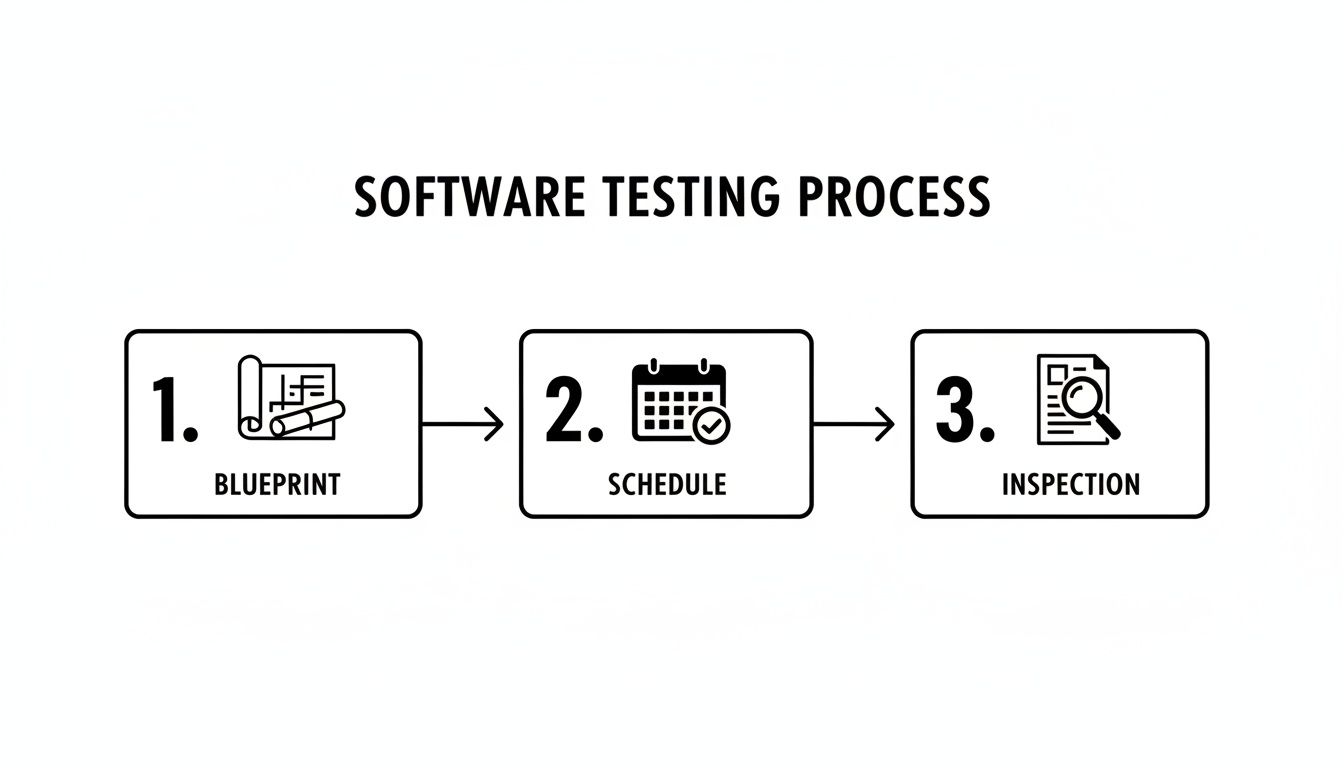
It’s a simple but powerful concept. A solid plan (the blueprint) and a clear timeline (the schedule) are the non-negotiable foundations for a successful execution (the inspection).
This is where it all begins. The QA team rolls up its sleeves and dives deep into the software requirements to figure out exactly what needs to be tested. This isn’t just about passively reading documents; it’s about active collaboration. Testers need to talk with business analysts, product managers, and developers to iron out any ambiguities and pin down every single testable requirement.
The main goal here is to define the testing scope. What are we testing? What are we not testing? The team decides which types of testing are needed—functional, performance, security, etc.—and establishes the clear criteria for what “done” looks like.
Key Activities:
The Requirement Analysis phase is the bedrock of the entire STLC. Get this wrong, and you could end up building a flawless testing plan for the wrong product, wasting time and money while critical bugs slip through the cracks.
The RTM is a critical deliverable from this phase. It’s a living document that guarantees no requirement gets left behind and provides a perfect audit trail for the entire process.
Once everyone understands what needs to be tested, it’s time to figure out how. In the Test Planning phase, the test lead or manager creates a detailed blueprint for the whole testing effort. This is the strategic heart of the software testing life cycle, where the strategy, resources, schedule, and key metrics are laid out.
This plan becomes the North Star for the entire QA team. It sets clear expectations, defines who is responsible for what, and specifies the tools and environments that will be used.
A huge part of this stage is risk analysis. The team identifies potential roadblocks—like impossibly tight deadlines or notoriously unstable features—and comes up with a backup plan to handle them before they derail the project.
Now we get tactical. This is where the abstract plans from the previous phases get turned into concrete, step-by-step instructions. The QA team starts writing detailed test cases and scripts based on the requirements mapped out in the RTM. Each test case is designed to verify a specific function or feature.
A solid test case always includes:
This is also when the team prepares the necessary test data. That could mean creating dummy user accounts, importing specific datasets, or anything else needed to trigger the conditions you want to test. For teams using automation, this is the stage where the actual test scripts are coded.
You wouldn’t test a race car on a muddy field, and you can’t test software without the right environment. This phase is all about setting up the necessary hardware, software, and network configurations to create a stable, controlled space for testing.
Ideally, this test environment should be a near-perfect clone of the live production environment. Why? Because any differences can lead to misleading results. You might miss bugs that only appear in production, or you might get false alarms where tests fail because of a configuration issue, not a real software defect.
Once the environment is up and running, it’s common to perform a “smoke test.” This is a quick, high-level check to make sure the build is stable and the most critical features are working. It’s a final sanity check before the heavy-duty testing begins.
This is where the action happens. In the Test Execution phase, the QA team finally runs all the test cases they’ve prepared. They meticulously follow the instructions, compare what actually happens to what was supposed to happen, and document every single result.
When a test fails, it’s not just a failure—it’s a discovery. The tester logs a bug report, which is a detailed document that gives developers everything they need to find and fix the problem: steps to reproduce the issue, screenshots, logs, and any other relevant data. This methodical approach is a core strength of software testing life cycles.
The impact of getting this right is huge. Over the past five years, the average software testing cycle has shrunk by 30%, largely thanks to automation. In fact, 78% of organizations say automated regression testing has cut an average of 20 days from their release cycles. You can dig into more of these numbers and learn about recent testing industry statistics to see the trends.
The final phase, Test Cycle Closure, is the formal wrap-up of the testing process. It’s not just about stopping; it’s about reflecting, analyzing, and learning from the entire cycle to do better next time.
The main activities here are pretty straightforward:
This phase ensures that all that hard-won knowledge isn’t lost. It creates a formal sign-off, confirming that the software has met the quality standards and is truly ready for release.
At first glance, the structured, phase-by-phase nature of the Software Testing Life Cycle seems like a perfect fit for older, linear development models like Waterfall. But don’t let that fool you. The STLC isn’t some rigid relic; it’s a flexible framework that brings incredible value to modern Agile and DevOps teams. The secret isn’t throwing the STLC away—it’s adapting it.
Instead of one long, drawn-out cycle that takes months, the STLC phases get compressed and repeated inside each sprint. For every new user story or feature, the team runs through a mini-STLC. They analyze requirements, plan the tests, write the cases, and execute them, all within a short iteration. This approach weaves quality assurance directly into the development rhythm, turning testing from a final hurdle into an ongoing conversation.
The most powerful way to adapt the STLC for fast-paced development is the concept of Shift-Left Testing. Imagine the development process as a timeline, with early ideas on the left and the production release on the far right. Shifting left simply means moving testing activities as far to the beginning of that timeline as possible.
This is where the STLC’s first two phases—Requirement Analysis and Test Planning—become absolutely essential. In an Agile world, testers don’t just wait for code to test. They join backlog grooming and sprint planning meetings, scrutinizing user stories and acceptance criteria before a developer writes a single line of code. By catching fuzzy requirements or potential issues here, they prevent bugs from ever being created in the first place.
The big idea behind Shift-Left is simple but profound: It’s exponentially cheaper and faster to prevent a bug than it is to find and fix one later. Quality stops being a reactive QA task and becomes a proactive, team-wide responsibility.
This proactive mindset pays off big time. The cost to fix a bug that’s already in production can be 50 to 200 times more than fixing it during the initial design phase. That’s why shifting left, guided by the structured thinking of the STLC, isn’t just a trend—it’s a financial and operational must-have for any competitive team.
In a DevOps culture built around automation and rapid delivery, the STLC evolves into what we call Continuous Testing. This is where the discipline of the STLC is plugged directly into the Continuous Integration/Continuous Deployment (CI/CD) pipeline. Each phase of the software testing life cycle finds its home in this automated workflow.
Here’s how the STLC phases map onto a modern CI/CD pipeline:
The gains here are huge. A 2021 survey found that 86% of companies who release software multiple times a month test features immediately during development. But here’s the catch: the same survey showed that 44% of teams still spend over eight hours a week just on testing. By truly implementing the STLC’s early planning phases, you can slash that time significantly. You can dig into more of this data by reviewing these software testing trends and statistics.
By weaving the disciplined stages of the software testing life cycle into the fabric of CI/CD, teams can ship better software faster and with way more confidence. To learn more about making this happen, check out our guide on the best practices for integrating testing into your CI/CD pipeline.
For a long time, when we talked about “automation” in quality assurance, we were really just talking about one thing: test execution. But that’s changing fast. The introduction of artificial intelligence is fundamentally reshaping every single phase of the software testing life cycle, turning it from a series of manual handoffs into a much smarter, more efficient workflow.
This shift moves AI from just a test runner to an active co-creator. Think about it: an AI that can actually read your product requirements and generate a whole suite of relevant test cases from scratch. This isn’t some far-off concept; it’s happening right now and it’s a game-changer for QA teams.
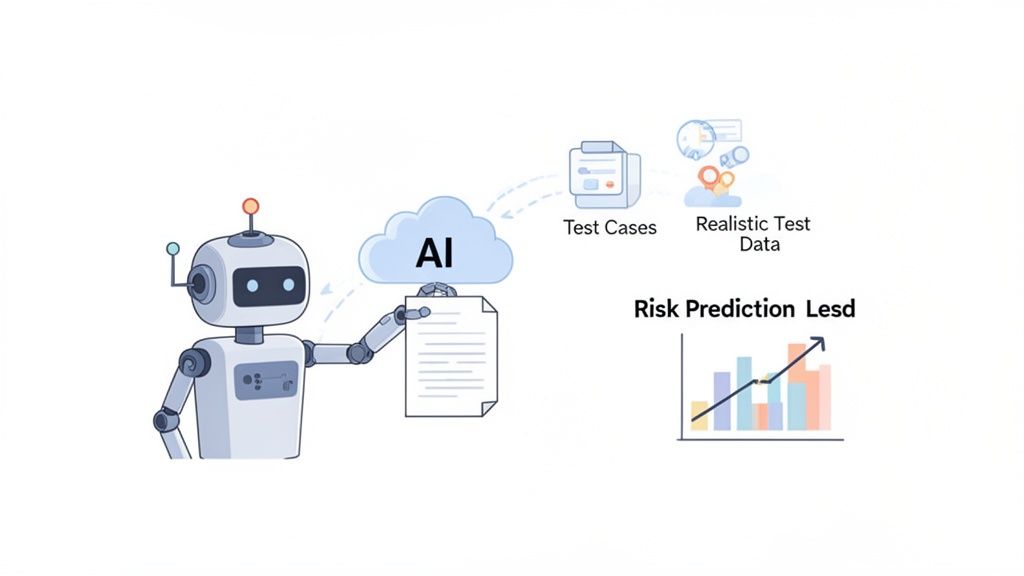
This new partnership between human and machine allows QA teams to accomplish far more, far faster than ever before.
You can see the biggest impact of AI right at the beginning of the STLC, way before a single test is ever run. During Requirement Analysis and Test Planning, AI tools can comb through user stories and design docs, spotting ambiguities or gaps a human might easily overlook.
Even better, AI can dig into historical bug data to predict which parts of your application are most likely to break. This kind of predictive analysis helps teams focus their efforts where they matter most, rather than spreading themselves too thin.
By applying intelligence during planning, teams shift from a reactive “find and fix” model to a proactive “predict and prevent” strategy. This not only saves time but also leads to a higher-quality product from the start.
This data-driven approach takes the guesswork out of test planning. Instead of just relying on intuition, your team can build a risk-based strategy that zeros in on the most critical user journeys. For a deeper look at this, check out our guide on how to effectively integrate AI tools into your QA process.
This is where things get really interesting with tools like TestDriver. The Test Case Development phase, which is traditionally a manual, time-sucking process, gets a massive speed boost. An AI agent can take a simple instruction—like “Test the complete checkout flow for a new user buying two items”—and spit out a complete end-to-end test script in seconds.
The benefits here are huge:
Once you get to Test Execution, AI keeps delivering value. Smart systems can handle dynamic UI elements that trip up old scripts, self-heal tests when minor code changes break them, and even cluster failures to help you find the root cause of a bug in record time.
To make this more concrete, let’s look at how specific TestDriver capabilities map directly to the challenges in each STLC phase. The table below breaks down how AI-powered features solve traditional testing bottlenecks.
| STLC Phase | Traditional Challenge | How TestDriver Solves It |
|---|---|---|
| Requirement Analysis | Ambiguous or incomplete requirements leading to flawed test plans. | AI analyzes user stories and specs to identify gaps and inconsistencies before planning begins. |
| Test Planning | Guesswork in prioritizing tests; difficult to predict high-risk areas. | AI predicts likely defect hotspots based on historical data, enabling a risk-based testing strategy. |
| Test Case Development | Manual, slow, and repetitive script creation that requires coding skills. | AI generates end-to-end test scripts from plain English prompts in seconds, no coding needed. |
| Test Environment Setup | Generating realistic and varied test data is time-consuming. | AI auto-generates context-aware, realistic data for test cases, ensuring robust validation. |
| Test Execution | Brittle tests that break with minor UI changes; slow feedback loops. | AI-powered self-healing tests adapt to application changes, reducing maintenance and false positives. |
| Test Cycle Closure | Difficult to analyze results and identify root causes from large test runs. | AI clusters test failures and provides clear, actionable insights for rapid debugging and reporting. |
This mapping shows that AI isn’t just a bolt-on tool for one step; it’s a foundational technology that enhances the entire lifecycle, making the process smarter from start to finish.
At the end of the day, weaving AI and automation throughout the STLC creates a far more resilient and effective QA process. It doesn’t replace human testers—it supercharges them. By offloading the repetitive, tedious work to an AI agent, QA professionals can focus on strategy, complex problem-solving, and a better user experience.
This collaborative approach is the future of software testing. Humans provide the critical thinking and business context, while AI provides the speed and scale to keep up with modern development cycles without ever compromising on quality.
Just because you have a map doesn’t mean the road will be clear. Implementing a structured framework like the Software Testing Life Cycle is a massive win for creating predictable, high-quality releases, but even the best plans hit real-world friction. Learning to navigate these common challenges is what separates a good STLC process from a great one.
Think of it this way: your STLC is the GPS, but you’re still going to hit traffic, detours, and unexpected construction. Knowing how to handle them keeps your project on track and on time.
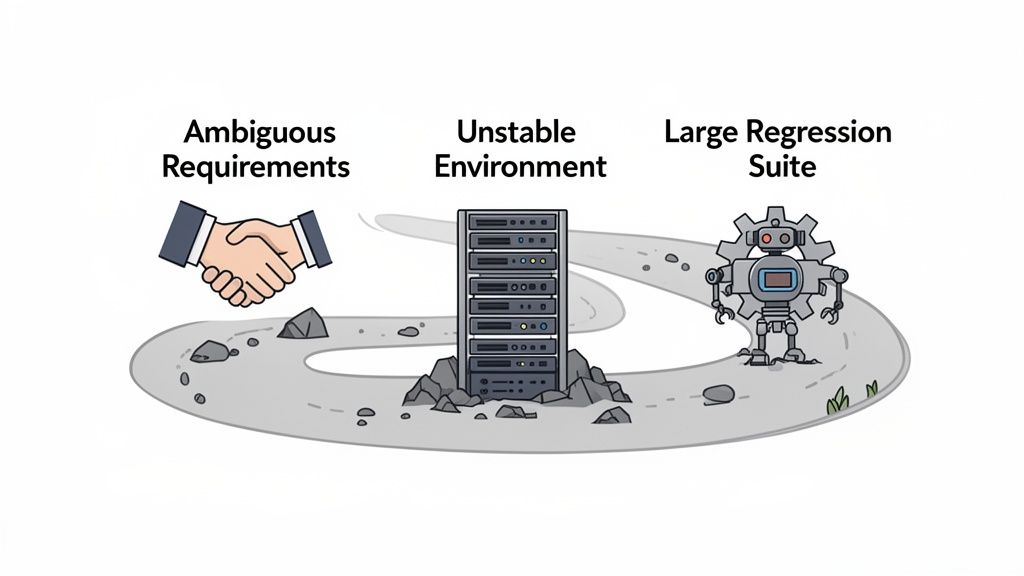
Let’s break down the most common hurdles you’ll face and talk about practical ways to keep your testing lifecycle running smoothly.
One of the most frequent points of failure happens right at the beginning, during the Requirement Analysis phase. If requirements are vague, incomplete, or open to different interpretations, the entire STLC is built on a shaky foundation. Testers end up writing cases for the wrong thing, and developers build features that miss the actual business need.
The fix? Proactive collaboration. QA can’t be a siloed department that just gets documents tossed over the wall.
This approach builds a bridge between departments, making sure the team is building and testing the right product from day one.
A flaky or inconsistent test environment is a QA team’s worst nightmare. When tests fail because of configuration errors or unreliable infrastructure, it creates a ton of noise. Teams waste precious hours investigating “bugs” that aren’t product defects at all, which slowly erodes everyone’s trust in the testing process.
An unstable environment is like trying to conduct a science experiment during an earthquake. You can’t trust your results because you can’t control the variables.
To fight this, you have to treat your test environment with the same respect as your production environment. Use Infrastructure as Code (IaC) to create consistent, repeatable setups. Run a quick set of smoke tests to validate the environment’s health before kicking off a full, time-consuming test run.
As a product gets bigger, so does its regression suite. Over time, it can morph into a bloated, slow-moving monster that takes hours—or even days—to run. This becomes a major bottleneck, especially for teams trying to move quickly with Agile or DevOps.
Regression testing is a critical part of the software testing life cycle, yet it’s a huge headache for 47% of organizations simply because it’s so time-consuming. As developers ship fixes, QA has to re-run tests to make sure nothing new broke, but the pace of change makes this tough. In fact, a staggering 40% of test automation scripts become obsolete in just six months. You can explore detailed software testing statistics to get the full picture.
The key is to be strategic, not exhaustive.
Even with a detailed guide, some questions always pop up. Let’s tackle a few of the most common ones that teams have when they first start integrating the Software Testing Life Cycle into their workflow.
Getting these fundamentals right is the key to a smooth implementation. Think of this as clearing up any lingering confusion before you dive in.
It’s easy to get these two mixed up, but the relationship is actually quite simple. The Software Development Life Cycle (SDLC) is the entire journey of creating software—from the initial spark of an idea all the way through design, coding, deployment, and maintenance. It’s the master plan for the whole project.
The STLC, on the other hand, is a critical component that lives within the SDLC. It’s the dedicated process focused exclusively on quality assurance. While the SDLC is busy building the product, the STLC is running right alongside it, making sure the product is built correctly and meets quality standards. They aren’t separate processes; they’re two sides of the same coin, with testing providing constant feedback that steers development.
Absolutely, and this is a big one. Some people assume the STLC is too rigid for Agile, but it’s actually incredibly flexible. The secret is that you don’t run one massive STLC for the entire project. Instead, Agile teams execute a mini-STLC inside every single sprint.
For each new feature or user story, the team quickly cycles through the phases:
This approach embeds quality assurance into the daily rhythm of development, rather than saving it for the end. It makes the software testing life cycle a dynamic, continuous loop that keeps pace with Agile development.
In an Agile world, the STLC isn’t a rigid, waterfall-style process. It’s a flexible, repeatable pattern for ensuring quality is baked into every small increment of work, making the final product more robust.
You can’t just go by feel—you need data. Measuring the success of your STLC comes down to tracking a few key metrics that tell the story of your quality and efficiency. When your STLC is running well, you’ll see concrete improvements.
Here are some of the most telling key performance indicators (KPIs) to watch:
Ultimately, a successful STLC means fewer nasty surprises in production, faster testing cycles, and a whole lot more confidence every time you hit “deploy.” It turns quality from a vague idea into a tangible, measurable result.
Ready to supercharge your STLC with the power of AI? With TestDriver, you can generate comprehensive end-to-end tests from a simple prompt, drastically reducing manual effort and accelerating every phase of your testing lifecycle. See how it works at https://testdriver.ai.
Discover how automated testing DevOps transforms your CI/CD pipeline. This guide covers practical strategies, tools, and AI's role in accelerating releases.
Explore every phase of the software testing life cycle (STLC). This guide breaks down each step, from planning to AI integration, for smarter and faster QA.
Discover how automation testing as a service (ATaaS) transforms software quality. Our guide covers benefits, models, and vendor selection for QA and dev teams.
Understand regression testing vs smoke testing to choose the right QA approach for each release and accelerate QA cycles.
TestDriver runs every pull request in a real desktop sandbox, finds bugs, and builds regression tests - right from your repo.